
Highlight
Create ML adds two new templates: Hand Pose Classification and Hand Action Classification. Developers can train custom gesture classifiers and implement gesture control apps based on Vision’s hand key point detection.
Core Content
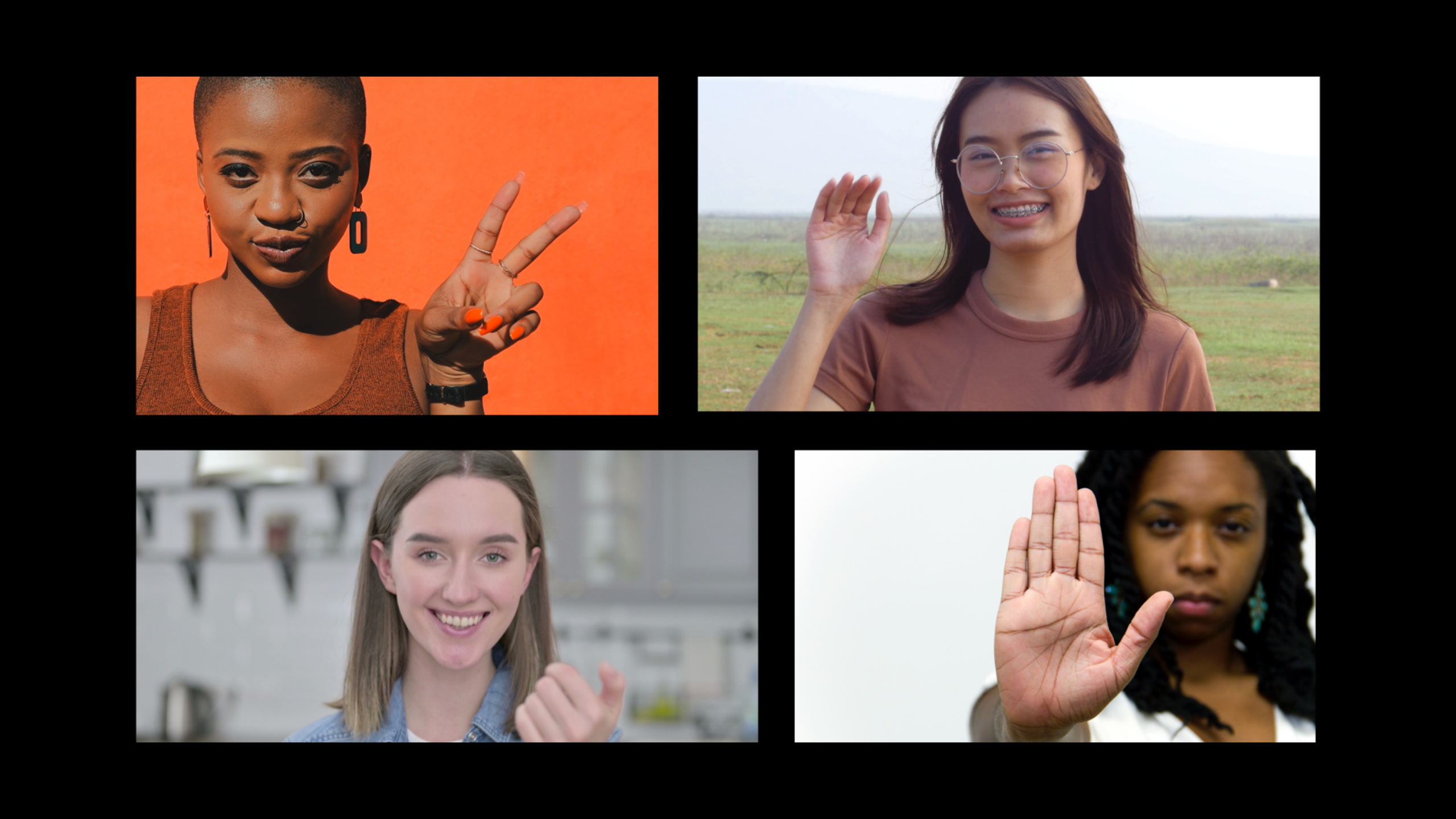
Two forms of gesture expression
The Vision framework introduced hand key point detection in iOS 14, which can identify the hand in the picture and the position of 21 joint points.But knowing where the hand is and knowing what the hand is doing are two different issues.
WWDC2021 distinguished two types of gesture expressions (01:36):
- Pose: Static pose, a single picture can express the complete meaning.For example, “thumbs up”, “biye”, and “stop” gestures.
- Action: Continuous movement is required to express meaning.Such as “wave”, “come here”, “go away”.Intention cannot be determined by looking at one frame alone, a video sequence is required.
For these two forms, Create ML provides Hand Pose Classification and Hand Action Classification templates respectively.
Hand Pose Classification training process
Training data needs to be stored in folders by category (04:08).Each folder name is a category name.It must contain a Background class that contains two types of pictures: one is random photos of various unrelated gestures (to cover different skin colors, ages, and lighting), and the other is the transition posture of the target gesture (such as the position of the hand from putting down to the “stop” gesture).
The purpose of the Background class is to let the model learn “when not to trigger”.Without it, the model would classify all hand positions as a certain target gesture, resulting in false triggers.
Create ML app has added a Live Preview function this year (06:07). You can use the FaceTime camera to test the model effect in real time without integrating it into the App first.
Special requirements for Hand Action Classification
Action classification requires videos as training data (17:23).Each video represents an action and is stored in folders by category.The Background class is also needed to put videos that have nothing to do with the target action.
You need to specify the action duration during training, and Create ML will randomly sample consecutive frames from this time period.The video frame rate must match the frame rate specified during training.The demo uses a 30fps, 1.5 second video, so the model expects 45 frames (45 hand poses) as input.
Vision’s Chirality: Distinguishing between left and right hands
Vision gives this yearVNHumanHandPoseObservationAddedchiralityAttribute (14:44), you can determine whether the detected hand is left or right.The judgments of the left and right hands are independent, and the result of one hand does not affect the judgment of the other hand.
This feature makes game interactions such as “the left hand controls movement and the right hand controls attack” possible.
Detailed Content
Use Vision to detect hand key points
(09:31)
func session(_ session: ARSession, didUpdate frame: ARFrame) {
    let pixelBuffer = frame.capturedImage

    let handPoseRequest = VNDetectHumanHandPoseRequest()
    handPoseRequest.maximumHandCount = 1
    handPoseRequest.revision = VNDetectHumanHandPoseRequestRevision1

    let handler = VNImageRequestHandler(cvPixelBuffer: pixelBuffer, options: [:])
    do {
        try handler.perform([handPoseRequest])
    } catch {
        assertionFailure("Hand Pose Request failed: \(error)")
    }

    guard let handPoses = handPoseRequest.results, !handPoses.isEmpty else {
        // No hand detected; clear the effects
        return
    }
    let handObservation = handPoses.first
}
Key points:
maximumHandCountControls the maximum number of hands to detect, the default is 2.If there are more hands in the picture, the algorithm will choose the most prominent and centered hand.- Recommended to set explicitly
revision, to avoid behavior changes after SDK updates - ARKit is used here to obtain frames, and it can also be used
AVCaptureOutputas an alternative
Gesture classification prediction
(11:03)
if frameCounter % handPosePredictionInterval == 0 {
    guard let keypointsMultiArray = try? handObservation.keypointsMultiArray()
    else { fatalError() }

    let handPosePrediction = try model.prediction(poses: keypointsMultiArray)
    let confidence = handPosePrediction.labelProbabilities[handPosePrediction.label]!

    if confidence > 0.9 {
        renderHandPoseEffect(name: handPosePrediction.label)
    }
}

func renderHandPoseEffect(name: String) {
    switch name {
    case "One":
        if effectNode == nil {
            effectNode = addParticleNode(for: .one)
        }
    default:
        removeAllParticleNode()
    }
}
Key points:
- No need to predict every frame, interval prediction can avoid special effects jitter
keypointsMultiArray()Convert 21 joint points into MLMultiArray and directly input it into the Core ML model- Setting the confidence threshold high (0.9) can reduce false triggers, and the existence of the Background class makes high thresholds possible
labelProbabilitiesProbability distributions for all categories can be obtained
Get the position of the index finger tip as the special effect anchor point
(12:25)
let landmarkConfidenceThreshold: Float = 0.2
let indexFingerName = VNHumanHandPoseObservation.JointName.indexTip

let width = viewportSize.width
let height = viewportSize.height

if let indexFingerPoint = try? observation.recognizedPoint(indexFingerName),
   indexFingerPoint.confidence > landmarkConfidenceThreshold {

    let normalizedLocation = indexFingerPoint.location
    indexFingerTipLocation = CGPoint(
        x: normalizedLocation.x * width,
        y: normalizedLocation.y * height
    )
} else {
    indexFingerTipLocation = nil
}
Key points:
recognizedPoint(_:)Get the normalized coordinates of the specified joint point (0-1 range)- Must check
confidence, the location of key points with low confidence is unreliable - Vision’s coordinate origin is in the lower left corner, which is different from UIKit’s upper left corner origin. Pay attention when converting
- Multiply the viewport width and height to convert the normalized coordinates into screen coordinates
Distinguish between left and right hands
(15:47)
let handPoseRequest = VNDetectHumanHandPoseRequest()
try handler.perform([handPoseRequest])
let detectedHandPoses = handPoseRequest.results!

for hand in detectedHandPoses where hand.chirality == .right {
    // Act only on the right hand, or filter the results
}
Key points:
chiralityyesVNHumanHandPoseObservation.ChiralityEnumeration, there are.left、.right、.unknownthree values.unknownOnly appears when deserializing an older version of observation- The chirality of each hand is judged independently and is not affected by other hands
Hand action classification: cumulative gesture queue
(22:16)
var queue = [MLMultiArray]()

frameCounter += 1
if frameCounter % 2 == 0 {
    let hands: [(MLMultiArray, VNHumanHandPoseObservation.Chirality)] = getHands()

    for (pose, chirality) in hands where chirality == .right {
        queue.append(pose)
        queue = Array(queue.suffix(queueSize))
        queueSamplingCounter += 1

        if queue.count == queueSize && queueSamplingCounter % queueSamplingCount == 0 {
            let poses = MLMultiArray(
                concatenating: queue,
                axis: 0,
                dataType: .float32
            )
            let prediction = try? handActionModel?.prediction(poses: poses)

            guard let label = prediction?.label,
                  let confidence = prediction?.labelProbabilities[label]
            else { continue }

            if confidence > handActionConfidenceThreshold {
                DispatchQueue.main.async {
                    self.renderer?.renderHandActionEffect(name: label)
                }
            }
        }
    }
}
Key points:
- Action classification needs to accumulate a period of posture data, and use the FIFO queue to save the latest
queueSizegesture - In the demo, ARKit outputs 60fps, but model training uses 30fps, so 1 frame is taken every 2 frames (
frameCounter % 2 == 0) - When the queue is full, press
queueSamplingCountInterval reading, balancing response speed and calculation amount MLMultiArray(concatenating:axis:dataType:)Splice the poses in the queue into the input shape expected by the model (45x3x21)
Core Takeaways
1. Gesture control AR game
- What to do: Use different gestures to trigger different AR special effects or skills, such as “make a fist” to launch fireballs, and “open your palms” to generate a shield
- Why it’s worth doing: Hand Pose Classification only requires dozens of training images to achieve usable accuracy, and Create ML app’s Live Preview makes debugging extremely convenient
- How to start: Collect 500 pictures of each gesture (including Background class), train in Create ML app, integrate Vision
VNDetectHumanHandPoseRequestGet keypoint input model
2. Creative tools for two-hand collaboration
- What to do: Control the brush color with your left hand (switch colors with different gestures), control the thickness of the brush with your right hand (how open your fingers are)
- Why it’s worth doing:
chiralityAttributes make it possible to control both hands independently, and the status of one hand does not affect the recognition of the other hand. - How to start: Train two Hand Pose Classifiers respectively, one to recognize left hand gestures and one to recognize right hand gestures. Use
chiralityFilter respective input
3. Gesture Password/Authentication
- What to do: The user defines a set of exclusive gesture sequences as the unlock password for the App
- Why it’s worth doing: Hand Action Classification can identify continuous action sequences, which is safer than static gestures (difficult to be copied by secret photos)
- How to start: Use Hand Action Classification to train users’ custom actions, record 100 1.5-second videos for each action, and accumulate gesture queues in the App for matching
4. Silent command system
- What to do: Use gestures to control music playback and slide page turning in scenes where silence is required, such as libraries and conference rooms.
- Why it’s worth it: Vision’s hand detection performs stably under normal indoor lighting and requires no additional hardware
- How to start: Define a set of simple gestures (next song, pause, volume increase and decrease), train the Hand Pose Classifier, and combine
VNDetectHumanHandPoseRequestReal-time detection
Related Sessions
- Build dynamic iOS apps with the Create ML framework — Create ML on-device training, which can be used to dynamically train gesture models within the app
- Detect people, faces, and poses using Vision — Vision hand pose detection API, an input source for gesture classification
- Tune your Core ML models — Optimize the execution performance of gesture classification models
- Detect Body and Hand Pose with Vision — Basics of hand pose detection at WWDC20, learn about VNDetectHumanHandPoseRequest
Comments
GitHub Issues · utterances