
Highlight
The Create ML framework has been extended from macOS to iOS 15 and iPadOS 15. Developers can train Core ML models directly on user devices to achieve adaptive and personalized app experiences, and user data never leaves the device.
Core Content
From static model to dynamic learning
Previously, machine learning models in apps were static.Developers use the Create ML app to train the model on Mac and package it into the app. The model will not change after the user downloads it.This solution has several problems: the model cannot adapt to the unique preferences of each user; updating the model requires a new version of the app; user data must be uploaded to the server for training, which puts privacy at risk.
WWDC2021 brings the Create ML framework to iOS and iPadOS.Now apps can train models directly on the device, learn user behavior and preferences, and adjust the experience in real time.Data always stays local and privacy is protected.After training is completed, it can be used directly for inference without deploying the model to the server.
Supported task types
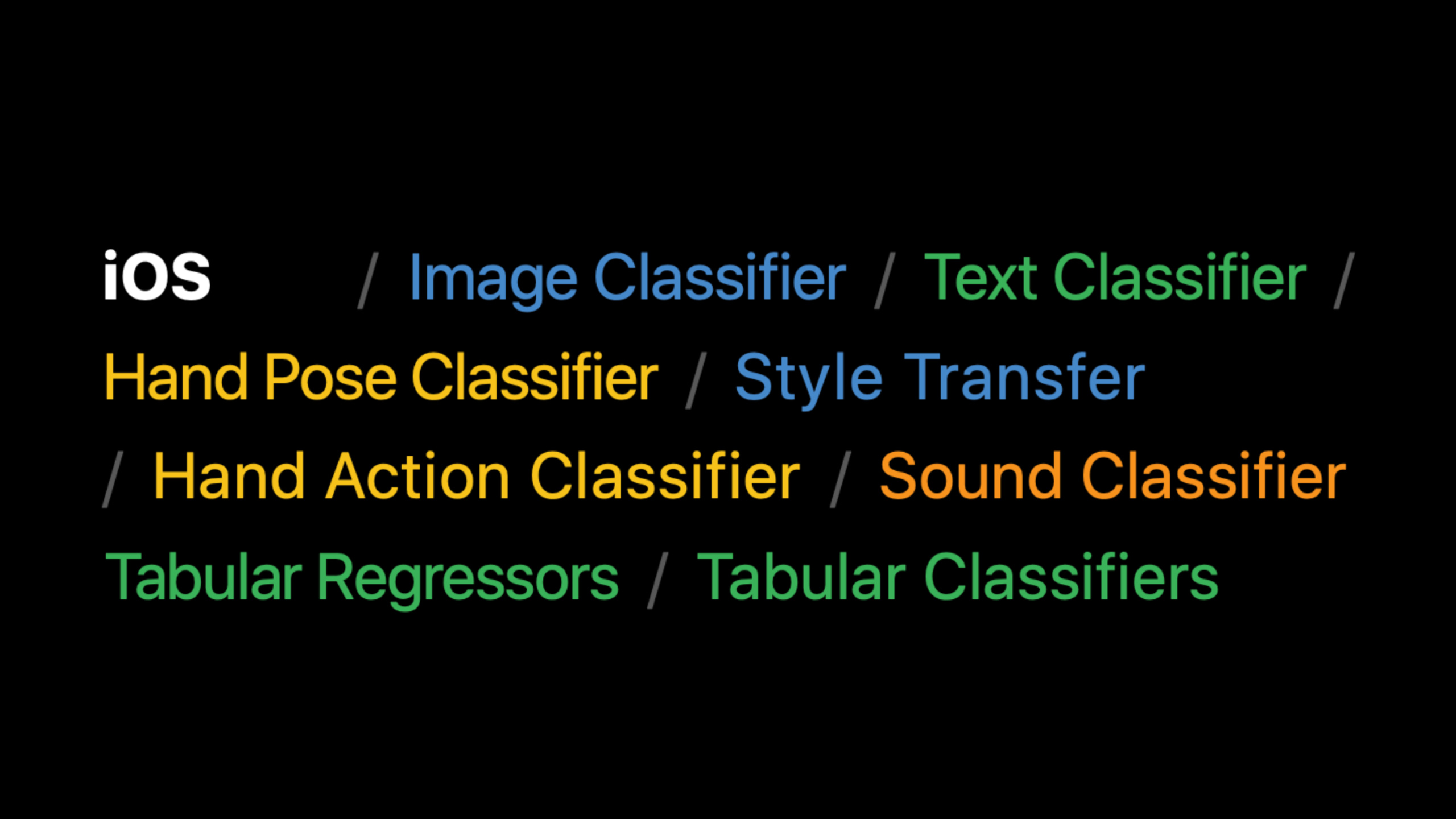
Create ML on iOS supports multiple task templates (02:27):
- Image classification, style transfer (Style Transfer)
- Text classification
- Sound classification
- Tabular Data Classification and Regression (Tabular Classifier/Regressor) -Hand Pose/Action Classifier
Style transfer: on-site training of personalized filters
The speaker demonstrated a photo filter app.The user selects a style image (such as a child’s doodles), the App trains a style transfer model on the device, and then immediately uses this model to process the photo (03:42).
Training only requires a style image and a set of content images.Users can provide their own photos as content images and let the model learn how to apply styles to such photos.Training parameters include style strength, style density and number of iterations, which can be adjusted according to the effect.
Tabular Regression: Restaurant Recommendation System
Another example is a restaurant ordering app (10:07).The app collects three types of information: dish content (keywords, ingredients), context (meal time), and user behavior (what was ordered).This information is used to train a linear regression model to predict the user’s preference score for each dish.
Model training only takes a few orders to start making recommendations.When the user orders lunch, the model recommends dishes suitable for lunch; when ordering dinner, the model recommends dishes suitable for dinner.As orders increase, recommendations become more and more accurate.
Detailed Content
Style transfer model training code
(07:58)
// Define the training data source: one style image plus a set of content images
let data = MLStyleTransfer.DataSource.images(
    styleImage: styleUrl,
    contentDirectory: contentUrl
)

// Define session parameters: specify where checkpoints are saved
let sessionParameters = MLTrainingSessionParameters(sessionDirectory: sessionUrl)

// Define the training job
let job = try MLStyleTransfer.train(
    trainingData: data,
    sessionParameters: sessionParameters
)

// Save the model after training completes
try model.write(to: writeToUrl)

// Compile the model for later use
let compiledURL = try MLModel.compileModel(at: writeToUrl)
let mlModel = try MLModel(contentsOf: compiledURL)

// Run inference with the trained model
let inputImage = try MLDictionaryFeatureProvider(dictionary: ["image": image])
let stylizedImage = try mlModel.prediction(from: inputImage)
Key points:
MLStyleTransfer.DataSource.imagesEncapsulate the style map and content map directories into data sourcesMLTrainingSessionParametersControl the behavior of training sessions, including checkpoint save pathsMLStyleTransfer.trainStart asynchronous training and return a job that can monitor progress- The model needs to be
writeAgaincompileModel, compiled.mlmodelccan beMLModelload - Used when reasoning
MLDictionaryFeatureProviderConstruct input, key name"image"Corresponding model input
Tabular regression model training code
(13:39)
// Generate features from dish keywords and meal time
func featuresFromMealAndKeywords(meal: String, keywords: [String]) -> [String: Double] {
    // Combine keywords with meal time to capture interactions between content and context
    let featureNames = keywords + keywords.map { meal + ":" + $0 }

    // Each feature value is 1.0, indicating that the feature is present
    return featureNames.reduce(into: [:]) { features, name in
        features[name] = 1.0
    }
}
Key points:
- The core of feature engineering is to use “meal time: keywords” as a combined feature to allow the model to learn context-related preferences such as “like pizza for lunch”
- Each feature is represented by 1.0, which is the standard representation of sparse features
(14:08)
var trainingKeywords: [[String: Double]] = []
var trainingTargets: [Double] = []

for item in userPurchasedItems {
    // Positive example: the user ordered this dish
    trainingKeywords.append(
        featuresFromMealAndKeywords(meal: item.meal, keywords: item.keywords)
    )
    trainingTargets.append(1.0)

    // Negative example: other keywords the user did not order
    let negativeKeywords = allKeywords.subtracting(item.keywords)
    trainingKeywords.append(
        featuresFromMealAndKeywords(meal: item.meal, keywords: Array(negativeKeywords))
    )
    trainingTargets.append(-1.0)
}
Key points:
- Both positive and negative examples must be provided so that the model can learn to distinguish between liked and disliked dishes
- For example
allKeywords.subtracting(item.keywords)Generated, representing other keywords that the user did not select during the same meal - Use 1.0 and -1.0 for the target values, allowing the regressor to output a preference score that can be positive or negative.
(14:37)
// Wrap the data in a DataFrame
var trainingData = DataFrame()
trainingData.append(column: Column(name: "keywords", contents: trainingKeywords))
trainingData.append(column: Column(name: "target", contents: trainingTargets))

// Train a linear regression model
let model = try MLLinearRegressor(
    trainingData: trainingData,
    targetColumn: "target"
)
Key points:
DataFrameandColumnIs the data structure of Create ML, similar to the DataFrame of pandasMLLinearRegressorIt is one of the four tabular regression algorithms and is suitable for this scenario because the features are sparse and linearly separable.targetColumnSpecify the target column to predict
(14:58)
// Construct the input data to predict
var inputData = DataFrame()
inputData.append(column: Column(name: "keywords", contents: dishKeywords))

// Call the model to predict
let predictions = try model.predictions(from: inputData)
Key points:
- The column names of the DataFrame constructed during prediction must be consistent with those during training
predictionsReturns the preference score for each dish. The higher the score, the more likely the user is to like it.
Core Takeaways
1. Personalized Photo Filter App
- What to do: Allow users to train exclusive filters with their own photos or paintings and apply them to photos taken by the camera in real time
- Why it’s worth doing: The style transfer model can be trained in a few seconds, users can see the effect immediately, and the experience is highly personalized
- How to start: Use
MLStyleTransfer.trainTo train on the device, refer to the codeMLStyleTransfer.DataSource.imagesConstruct data source
2. Intelligent note classification assistant
- What to do: Automatically recommend tags and folders for new notes based on the user’s past classification habits
- Why it’s worth doing: Text classifiers can be trained on the device and learn the user’s personal classification patterns without the need to upload note content to the cloud.
- How to start: Use
MLTextClassifierTraining, using the user’s historical notes as training data, and the labels are categories that the user has manually set before.
3. Adaptive music recommendation
- What to do: Predict what the user wants to listen to in the current scenario based on the user’s listening history at different times, locations, and activity states.
- Why it’s worth doing: Tabular regression can integrate multiple contextual features (time, location, activities) to give more accurate recommendations than simple rules
- How to start: Use
MLLinearRegressororMLBoostedTreeRegressor, features include time, location, song metadata, and the goal is whether the user has played the song completely
4. Customized gesture control game
- What: Let users define their own gestures to control game characters or trigger special effects
- Why it’s worth doing: The hand gesture classifier can recognize user-defined gestures, combined with Vision’s hand key point detection, to achieve zero learning cost operation.
- How to get started: Training with Create ML
MLHandPoseClassifier, the input is VisionVNHumanHandPoseObservation.keypointsMultiArray()
Related Sessions
- Classify hand poses and actions with Create ML — Train a custom gesture classification model for use with Create ML on-device training
- Tune your Core ML models — Understand Core ML model optimization and improve the execution efficiency of on-device models
- Detect people, faces, and poses using Vision — The human analysis capabilities of the Vision framework can be combined with classifiers trained by Create ML
- Build an Action Classifier with Create ML — Action classifier session at WWDC20, learn the basics of the Create ML training process
Comments
GitHub Issues · utterances