
Highlight
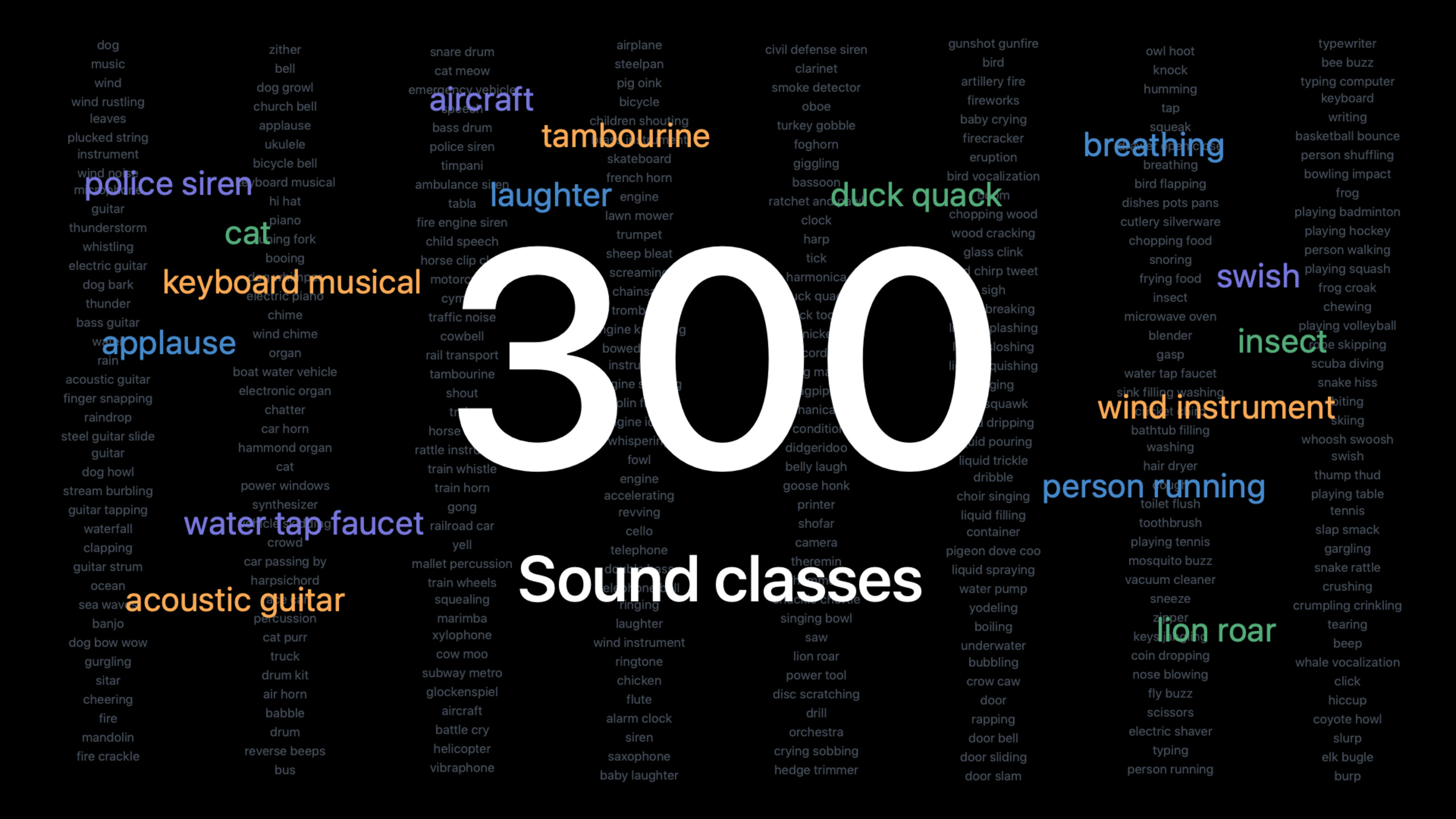
The SoundAnalysis framework has built-in sound classifiers for 300+ categories, allowing you to identify specific sounds in audio with just a few lines of code, without the need to train a custom model.
Core Content
In 2019, Apple made it possible for developers to train their own sound classification models through CreateML.However, these barriers to collecting data, training models, and tuning parameters block many people.
WWDC2021 simplifies this problem completely.The SoundAnalysis framework now comes with a pre-trained sound classifier built in, covering over 300 sound categories.Developers do not need to understand machine learning or prepare training data.
In the demo, Jon uses the Mac’s microphone to detect sounds in the environment in real time.When playing music, the classifier recognized both “music” and “singing”.When making tea, the sound of “water pouring” is detected.All calculations are done locally and the audio is not uploaded to the cloud.
Kevin presents a more practical scenario: he has a bunch of video footage and wants to find clips that contain the “cowbell” sound.He wrote a program using the built-in classifier, and used macOS shortcut commands to automatically scan all video files, find the target sound, and intercept the corresponding fragments.The entire process is automated.
Detailed Content
Get the list of sounds supported by the built-in classifier
useSNClassifySoundRequestA new initialization method that queries all sound categories supported by the built-in classifier.
func getListOfRecognizedSounds() throws -> [String] {
    let request = try SNClassifySoundRequest(classifierIdentifier: .version1)
    return request.knownClassifications
}
Key points:
classifierIdentifier: .version1Select built-in classifierknownClassificationsReturns all supported sound tags, 300+ in total- Covers categories such as animals, musical instruments, human voices, vehicles, alarms, tools, liquids, etc.
Classify audio files
Create a classification request and analyzer to perform classification on the specified audio file.
let request = try SNClassifySoundRequest(classifierIdentifier: .version1)

let analyzer = try SNAudioFileAnalyzer(url: url)

var observer: SNResultsObserving // TODO

try analyzer.add(request, withObserver: observer)
analyzer.analyze()
Key points:
SNAudioFileAnalyzerFor analyzing audio files (08:59)add(_:withObserver:)Bind requests and observers to analyzersanalyze()Start asynchronous analysis
Implement result observer
The observer receives the classification results and determines whether the target sound has been detected.
class FirstDetectionObserver: NSObject, SNResultsObserving {
    var firstDetectionTime = CMTime.invalid
    var label: String

    init(label: String) {
        self.label = label
    }

    func request(_ request: SNRequest, didProduce result: SNResult) {
        if let result = result as? SNClassificationResult,
           let classification = result.classification(forIdentifier: label),
           classification.confidence > 0.5,
           firstDetectionTime == CMTime.invalid {
                firstDetectionTime = result.timeRange.start
        }
    }
}
Key points:
- inheritance
NSObjectand followSNResultsObservingAgreement (09:52) SNClassificationResultContains multiple categories and their confidence levelsclassification(forIdentifier:)Extract results for specified tags- Setting the confidence threshold to 0.5 is an example value and should be adjusted according to the actual scenario.
result.timeRange.startRecord the time when the sound occurs
Window duration and detection accuracy
The audio signal is split into overlapping time windows for analysis.The window duration affects detection accuracy.
// Set the window duration
request.windowDuration = CMTime(seconds: 1.0, preferredTimescale: 1)

// Query the supported window duration range
let constraint = request.windowDurationConstraint
Key points:
- A short window (such as 0.5 seconds) is suitable for detecting short sounds such as drum beats, and the time positioning is more accurate (12:06)
- Long windows (such as seconds) are suitable for detecting continuously changing sounds such as sirens, and contain more characteristic information (12:38)
- Built-in classifier supports window duration from 0.5 seconds to 15 seconds (13:28)
- 1 second or longer is the recommended starting point
Selection of confidence threshold
The confidence of the built-in classifier is independent, and different thresholds can be set for different sounds.
Key points:
- Label confidence of built-in classifiers does not add to 1, each label is scored independently (14:21)
- High threshold reduces false detections, but may miss weak signals (14:44)
- Different thresholds can be set for different sounds
- Modifying window length affects confidence score (15:06)
Audio Feature Print: Feature extractor for custom models
When CreateML trains a custom sound classification model, the built-in classifier’s feature extractor Audio Feature Print is used by default.
Key points:
- Audio Feature Print converts audio waveforms into low-dimensional feature vectors (16:41)
- Acoustically similar sounds are closer together in the feature space
- Smaller, faster, and more accurate than previous generation feature extractors (17:47)
- Supports flexible window duration from 0.5 seconds to 15 seconds (18:01)
- The default window length in CreateML is 3 seconds, adjustable (18:24)
Core Takeaways
-
Video content retrieval: Add sound-based search function to the video library.The user searches for “baby crying” and the system automatically locates the corresponding clip.
-
Real-time environment awareness: Develop auxiliary applications for visually impaired users to detect key sounds such as doorbells, alarms, and babies crying and issue reminders.
-
Smart Home Automation: Combined with Shortcuts, the automation process is triggered when specific sounds (such as broken glass, smoke alarms) are detected.
-
Audio content review: In live broadcast or voice chat applications, inappropriate sound content is detected in real time.
-
Custom sound detection: Use CreateML to train sound models for specific scenarios (such as abnormal sounds in factory equipment), and use Audio Feature Print to obtain higher accuracy.
Related Sessions
- Training Sound Classification Models in Create ML — WWDC19’s CreateML Sound Classification Training Guide
- Meet Shortcuts for macOS — Integrate sound classification into macOS shortcut workflows
- Explore structured concurrency in Swift — Concurrently handle audio analysis tasks with Swift
- Protect mutable state with Swift actors — Protect shared state in multi-threaded audio processing
Comments
GitHub Issues · utterances