
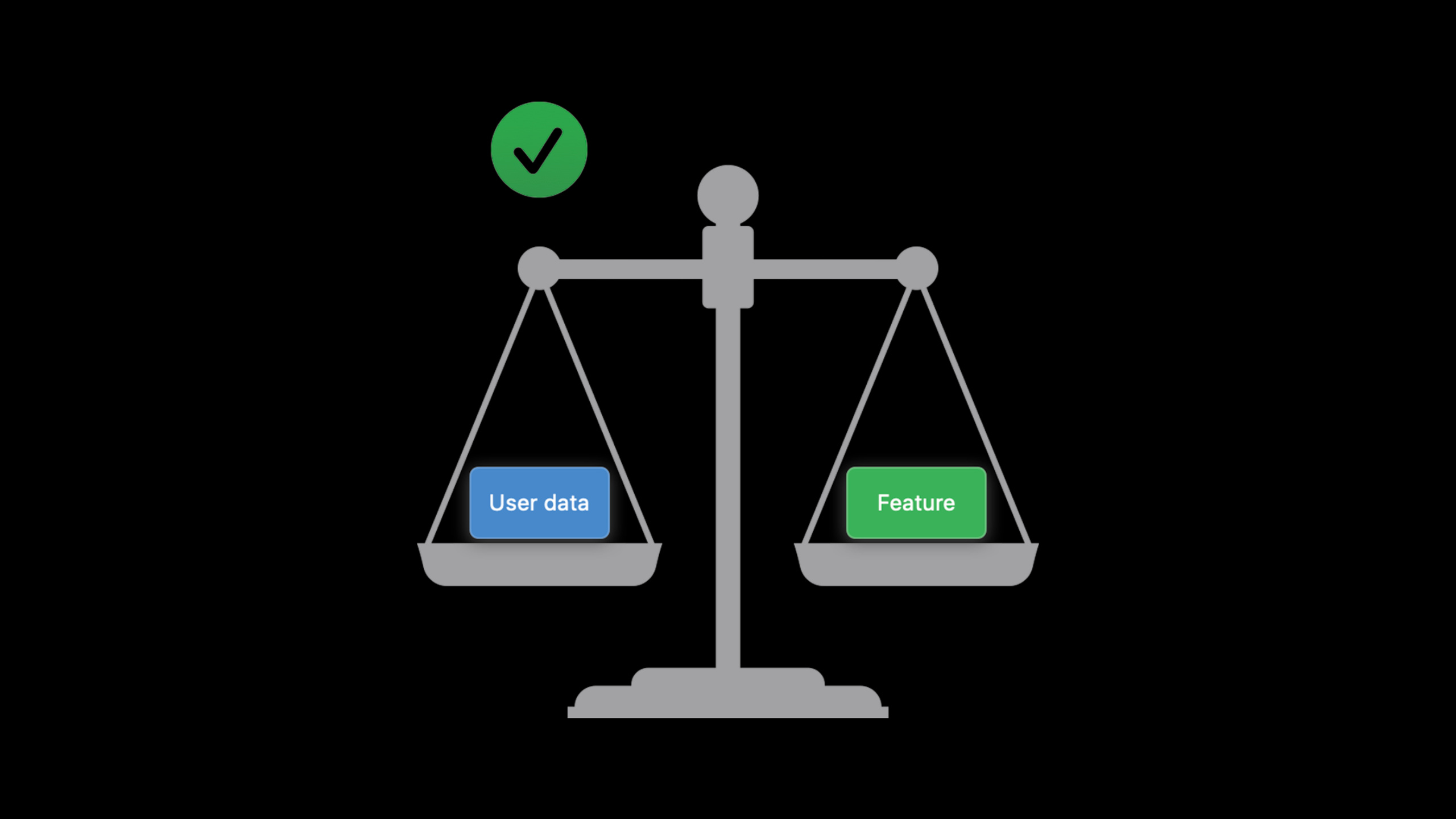
Highlight
iOS 14 brings Apple’s four privacy pillars to Limited Photo Access, Approximate Location, Encrypted DNS, Local Network Permissions, App Store Data Disclosure, AppTrackingTransparency and SKAdNetwork, allowing developers to use less data to complete core functions and put cross-app and website tracking in the hands of users.
Core Content
Privacy issues are often not solved by a permission pop-up window. The photo-sharing apps in the talk were typical: users just wanted to send a photo to a friend, but had to hand over their entire photo library, precise location, and entire address book to the app. This process has three prompts and three overly large data entries. The function is completed, but the trust is consumed.
Apple first gave out the judgment criteria in this session: on-device processing, data minimization, security protections, transparency and control. The four pillars are not slogans. They fall on the specific capabilities of Core ML local training, Limited Photos Library, Approximate Location, encrypted DNS, App Store privacy information, clipboard prompts, camera and microphone indicators, local network permissions, private Wi-Fi address, AppTrackingTransparency, and SKAdNetwork.
The common denominator of this set of changes is to change the default path of “get the data and then process it” to “ask first what the function actually needs.” You can use PHPicker to select photos without having to request the full photo library. When looking for nearby friends, you can use the approximate location by default instead of precise coordinates. You can rely on QuickType suggestions to enter contacts without having to read the entire address book. Ad attribution can use SKAdNetwork to aggregate results without having to send user IDFA to ad networks.
For developers, this session is more like a product audit checklist. Each collection point must answer three questions: whether it can be done on the device, whether it can be taken less, whether there is a security boundary, and whether the user can understand and control it. Where the answer is unclear, iOS 14 will expose it using system prompts, status bar indicators, App Store displays or permission return values.
Detailed Content
There are no official Code snippets in this game. Only the APIs, configuration items, frameworks and workflows that appear clearly in the transcript will be used below, and no code blocks will be added.
Four pillars of privacy: first change the direction of data flow
(00:29) Apple organizes privacy design using four pillars: on-device processing, data minimization, security protections, transparency and control. Each pillar corresponds to an engineering question: where is the data processed, how much is collected, who can see it, and whether users know and have control over it.
(01:47) The core of On-device processing is to leave data on the device. The speech mentioned that Core ML can build and train models on the device; private federated learning will send differentially private model updates instead of sending user data. iOS 14 also puts dictation in multiple languages for local processing on the device. HomeKit face recognition also uses the home hub and the information marked by the user in Photos and Home.
Key points:
- First determine whether the function must send data to the server.
- For machine learning scenarios, Core ML, local training and private federated learning are preferred.
- Dictation, HomeKit face recognition These system functions illustrate that local processing is not only suitable for small functions, but also for sensitive voice and home scenarios.
- If the data remains on the device, the security protections already in place in the system will naturally become part of the privacy protection.
Data minimization: You can use less photos, locations and contacts
(05:24) The speech uses a photo sharing app to illustrate the problems of iOS 13. Sending a photo requires full photo library permissions; finding nearby friends requires precise location; manually selecting friends requires full address book permissions. The user has to agree three times before the app can complete a small task.
(06:48) iOS 14’s Limited Photos Library lets users authorize only a subset of photos. Furthermore, PHPicker can replace UIImagePickerController, allowing users to select photos in the system selector. The app does not require photo library access. Picker runs in an independent process. The App cannot directly access the picker content, nor can it take screenshots. It can only get the items selected by the user.
(08:38) Approximate Location lets users share only their approximate location. App can passNSLocationDefaultAccuracyReducedReduced accuracy is requested by default in Info.plist. Features that do require precise location, such as turn-by-turn navigation, can request a temporary precise location.
(10:09) Contacts also have a smaller data path. QuickType can suggest a phone number or email address when a user enters a name, based on the contacts database on the device. Apps can annotate text fields to prompt the keyboard for what kind of contact information it should suggest, without having to read an entire address book just to fill in a field.
Key points:
- PHPicker is suitable for single selection processes such as avatars, posting pictures in chats, and importing a small number of photos.
- Limited Photos Library is suitable for apps that still require PhotoKit, but the scope of permissions is controlled by user choice.
- Approximate Location is suitable for functions such as nearby friends, local content, and regional services that do not require precise coordinates.
- QuickType contact suggestions can replace many old processes of “reading the address book and then filling in the form”.
Security protections: Include network names and nearby devices into the boundary
(12:03) The Security pillar fell first in this talk to DNS. Ordinary DNS queries have no confidentiality and authenticity, and network operators or third parties can read, modify and retain query records. Starting this year, Apple platforms natively support two standard encrypted DNS protocols to protect the confidentiality and authenticity of server names and support automatic DoH server discovery.
(13:52) In addition to DNS, the Server Name Indication when establishing a TLS connection will still expose the server name in clear text. Apple was working with the IETF to promote more TLS handshake encryption methods. The point of this section is clear: Network encryption not only protects content, but also reduces the opportunity for third parties to infer user behavior from server names.
(20:45) The local network has also become an object of user control. In iOS 14, when an app accesses the local network through Bonjour or mDNS scan, the system will prompt the user for authorization. Apps should declare required Bonjour services in the Info.plist and provide a description of their use. The speech emphasized the need for UI clues before the prompt appears to prevent users from seeing permission requests without context.
(22:10) Private Wi-Fi address solves the problem of MAC address tracking across networks. iOS 14 automatically manages Wi-Fi MAC addresses for networks, uses an identity-agnostic per-network address when users join a network, and generates new private addresses every day. Users can also control this feature in Wi-Fi settings.
Key points:
- Encrypted DNS protects the name resolution stage, not just whether the HTTPS content is encrypted.
- The local network device mix reveals the user environment, so discovery actions such as Bonjour, mDNS, etc. require user control.
-
NSLocalNetworkUsageDescriptionand Bonjour service declarations should correspond one-to-one with the real functionality. - Private Wi-Fi address is handled automatically by the system, but it changes the old assumption of relying on a stable MAC address.
Transparency and control: Turn data access into facts that users can see
(15:26) Starting in the fall of 2020, the App Store will require developers to fill out a data usage questionnaire. This information will be displayed on the product page, allowing users to see what data the app collects and whether the data is used for tracking before downloading. Data collection by third-party SDKs must also be declared, because the SDK runs within the App process and has the same set of permissions as the App.
(17:17) Safari displays the results of Intelligent Tracking Prevention. Users can see which known trackers Safari has blocked in the toolbar, and can also view tracking reports for the past 30 days.
(17:49) iOS 14 will display a prompt when an app accesses the pasteboard items of another app. This prompt covers programmatic access and also covers manual pasting by the user. The speech reminded that developers may not know that their integrated code is reading the clipboard, so they should audit the behavior of the App and SDK.
(18:37) The camera and microphone also have new transparency. When the app turns on the camera or mic, the status bar will display an indicator; the Control Center will display the apps currently or recently using the camera or mic. This also applies when the website uses camera and mic permissions. Optimizations such as warming up the clipboard, microphone, or camera, without UI clues, can lead users to believe that the app is accessing sensitive data without reason.
Key points:
- The App Store questionnaire requires developers to understand their own and third-party SDK data collection.
- Safari tracking report turns browser protection from a background mechanism into visible results.
- Pasteboard, camera, and mic access will be directly reflected in the system UI, and preloading cannot be covered up by relying on the user’s invisibility.
- The behavior of the SDK will be attributed by the user to the host App, and the audit scope cannot only look at your own code.
Tracking transparency and SKAdNetwork: Ad attribution does not have to be tied to users
(26:59) Apple brings Safari’s tracking prevention ideas to App. App Store policies would require apps to ask for permission before tracking users across apps and websites owned by other companies. Tracking includes targeted advertising, advertising measurement, and sharing with data brokers. Even if the data is not bound to a real name, as long as it is bound to user ID, IDFA, device ID, fingerprinted ID or profile, it is still considered tracking.
(28:54) The entrance to request tracking permission is the AppTrackingTransparency framework, and needs to be filled in Info.plistNSUserTrackingUsageDescription. If the user selects Ask App Not to Track, the IDFA API returns all zeros. Apps built without the iOS 14 SDK cannot get IDFA, and the API also returns all zeros. Users can also turn off tracking permissions requests for all apps at the system level.
(31:16) Apple is also advancing SKAdNetwork to answer the ad attribution problem in a privacy-friendly way. Traditional attribution combines ad clicks and post-install activations with the same user ID, so ad networks know which apps the user installed, which ad they clicked, and whether the conversion was successful.
(33:41) The path to SKAdNetwork is different. The advertising SDK hands the campaign ID to StoreKit on the device; after the app is installed and launched, StoreKit notifies the App Store client. Apple checks whether the same conversion has occurred for enough users. Only when the conditions are met, the device sends the conversion data to the ad network. The results only indicate that a campaign brought a batch of installs from a source app, did not contain user-level identification, and protected integrity through cryptographic signatures.
Key points:
- Before using IDFA, you must first run AppTrackingTransparency, and check permissions every time you start and prepare to use IDFA.
- After the user closes tracking, the App must stop the corresponding tracking path and cannot cache or store IDFA.
- SKAdNetwork is suitable for answering aggregation questions such as campaigns, source apps, and install conversions.
- If the app displays ads or purchases ads, it should give priority to ad networks that support SKAdNetwork to reduce tracking permission requests.
Core Takeaways
-
Photo sharing changed to permission-free entry: Create a sharing process that only uses PHPicker to select photos, uses QuickType to fill in contacts, and uses approximate location to find nearby people. Why it’s worth doing: The session photo sharing example is to change from three large permission requests to the smallest data path. How to get started: Replace the full photo gallery, address book, and precise location requests with PHPicker, text field content type annotations, and reduced accuracy default paths respectively.
-
Privacy Access Audit Panel: Lists the app’s function entrances for using photos, location, address book, clipboard, camera, mic, IDFA, and local network on the settings page. Why it’s worth doing: App Store data questionnaires and system prompts will make these visits visible, and users need to be able to return to the app to understand why. How to start: First list the data sources by function, and then write down the purpose, trigger time, alternative path and corresponding system permissions for each item.
-
Nearby service with approximate location priority: Let nearby activities, city content, and area recommendations use approximate location by default, and only navigation, precise check-in, or geofencing tasks request precise location. Why it’s worth doing: The talk makes it clear that many features are naturally suited to approximate location, and provides
NSLocationDefaultAccuracyReducedas the default request method. How to start: Divide the location function into three categories: city level, regional level, and precise level, and then add temporary precise location trigger points for the precise level function. -
Context-triggered local device discovery: Smart home, screen casting, printing, and nearby player searches are all placed after explicit buttons before initiating Bonjour or mDNS scanning. Why it’s worth doing: iOS 14 will prompt users when an app accesses a local network, a lack of context that erodes trust. How to get started: Declare real Bonjour services and usage descriptions in Info.plist, and move discovery logic from App launch to user action callbacks.
-
Advertising attribution migration to SKAdNetwork: Change the ad conversion report from user-level IDFA link to campaign and source app level aggregate attribution. Why it’s worth doing: AppTrackingTransparency makes IDFA dependent on user permission, and SKAdNetwork can return conversion data without tracking the user. How to get started: Verify that the ad network supports SKAdNetwork, review whether it is currently sending user IDs to data brokers or cross-company services, and remove unnecessary tracking paths.
Related Sessions
- Handle the Limited Photos Library in your app — An in-depth explanation of how the PhotoKit App handles the limited status and management entry after the user only authorizes some photos.
- What’s new in location — Continue to see approximate location, temporary precise location and Core Location authorization status changes.
- Design for location privacy — See how approximate location maintains user control and transparency from the interface design of Apple Maps.
- Support local network privacy in your app — Expand the local network permissions, Bonjour services and permission prompt timing mentioned in this section.
- Enable encrypted DNS — Expand the encrypted DNS protocol, system-level configuration, and App-level connection configuration mentioned in this field.
Comments
GitHub Issues · utterances