
Highlight
This Session explains how to achieve customized distribution of enterprise-level apps through Apple Business Manager (ABM).
Core Content
Enterprise app distribution is often stuck at two extremes. The public App Store can use Apple’s purchasing and download infrastructure, but it is intended for a broad range of users and cannot show customized versions just to one customer. Enterprise app distribution can be deployed internally, but it is only suitable for the enterprise’s own employees, and developers also have to deal with certificate renewal and internal delivery processes.
Custom app distribution gives a third way. Developers still use App Store Connect, TestFlight, and App Review, but can specify which business or school organizations can see the app. Customers purchase licenses in Apple Business Manager (ABM) or Apple School Manager (ASM) and then assign them to devices through MDM. To the end user, the app is still downloaded from the App Store infrastructure, but it does not appear in public App Store search results.
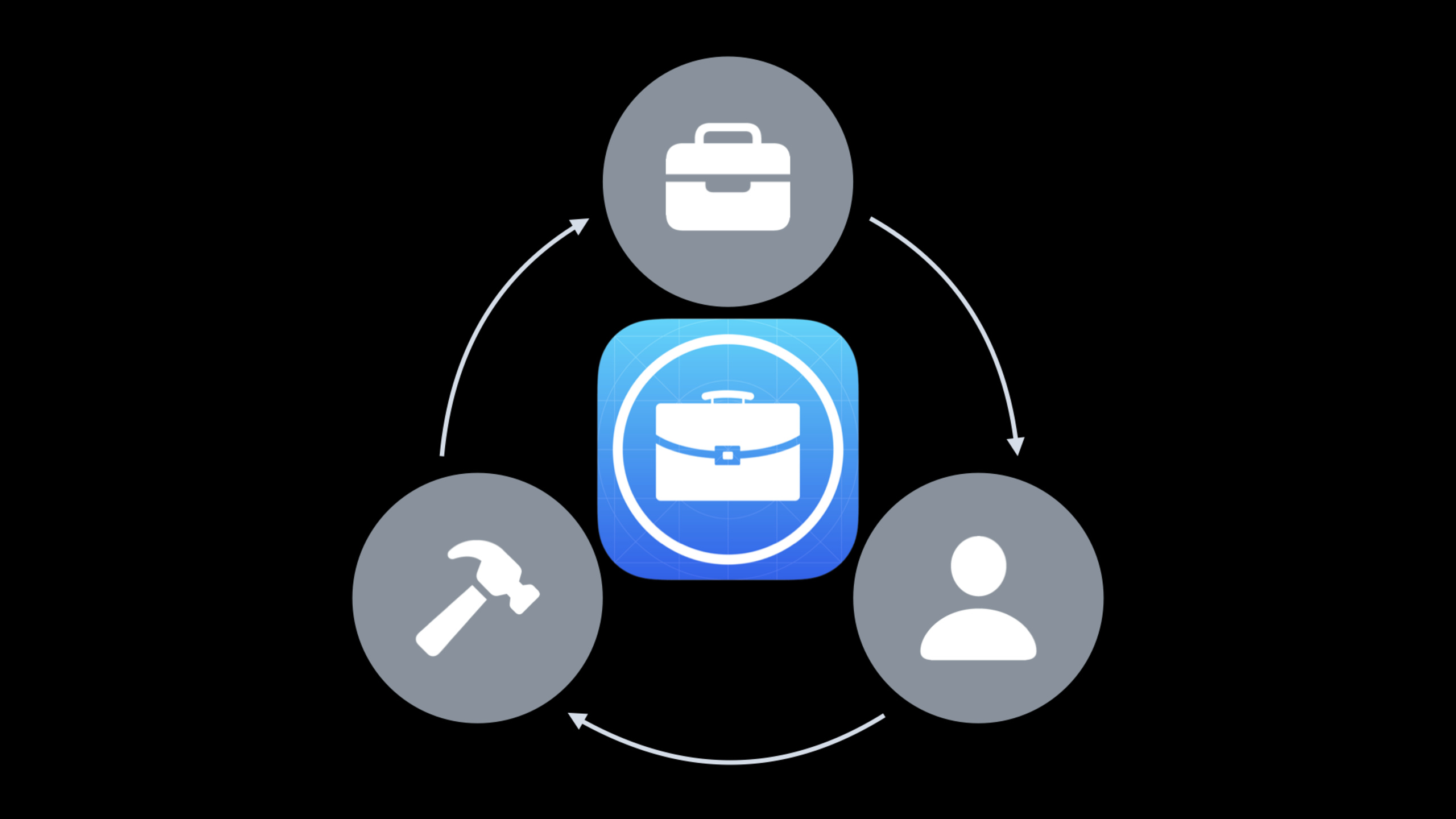
This talk breaks down the process into three roles. Developers are responsible for creating apps, submitting them for review, and authorizing customer organizations. Enterprise administrators are responsible for enabling custom apps, connecting to MDM, purchasing licenses, and managing updates. After employees get the device, MDM completes the initial configuration, installs custom apps, and configures company accounts such as Mail and network. This cycle continues: developers release new versions, companies expand deployments, and employees’ changing roles create new feature requirements.
The key change in 2020 is that Apple has explicitly extended custom apps to Apple School Manager and made it the recommended path for on-premises deployment in regions where Apple Business Manager is available. Internal development teams can also use the same process to release apps to employees without having to keep every internal tool in the enterprise certificate distribution model.
Detailed Content
Custom app is a controlled and visible private App Store
(01:08) The speech first compared three distribution methods. Enterprise app distribution supports customization, but it is only suitable for internal employees of the enterprise. Public App distribution uses the App Store infrastructure and is suitable for a wide range of customers, but does not support customer-level customization. Custom apps allow developers to distribute apps with exclusive functions, brands or processes to designated customers.
(01:58) The core rules of a Custom app are clear: the developer decides which organizations or buyers can buy it, and the app is only visible in those customers’ ABM or ASM. Once purchased by the customer, licenses are managed and distributed in the same manner as other volume-purchased apps. Once MDM is connected to ABM, licenses can be assigned to devices on behalf of the organization, and the devices download apps from the App Store infrastructure.
Key points:
- A custom app can target a single customer or a group of customers.
- Apps are not exposed in the public App Store and are only visible to authorized organizations.
- ABM and ASM use the same model for custom apps support.
- MDM is responsible for license distribution and device management, and App downloads still go through the App Store infrastructure.
Developer completes submission in App Store Connect
(05:54) Developers must first confirm their team and account. Teams with existing App Store Connect accounts can continue to use the same Organization Developer Program. The new team needs to organize a developer account and prepare a DUNS number; if the app is charged, they must also provide bank information and accept the paid apps agreement. Internal development teams can also join the company’s existing developer accounts, while external contract developers can only get access to specific apps.
(07:21) After the App is ready, fill in the metadata, screen shots, description, keywords, price and available regions in App Store Connect. Apple recommends making the app available globally to reach a wider range of potential customers. Select your distribution type when submitting: Public App Store, or only to designated business and education customers.
(08:15) The Campus Explorer example in the speech fills Pretendco’s organization details into App Store Connect, allowing the organization to purchase this custom app in its own ABM instance. If the app requires a company account to log in, demo credential must be provided before submission to help the App Review team access all functions.
Key points:
- Developers still use App Store Connect’s teams, agreements, pricing, regions, and submission processes.
- The differences for custom apps appear in the distribution type and authorized organization information.
- Enterprise apps that require login must provide an available demo account or demo mode for App Review.
- Customers will not see and purchase the app in ABM or ASM until the App Review is completed.
Plan ahead for reviews, versions, and customer differences
(08:56) The Custom App Review is slightly different from the public app, but the presentation gives very specific ways to prepare. When submitting, provide a complete demo account, clear metadata, and review notes that can explain the target industry or customer scenarios. When updating an existing app, new features and enhancements must be described; maintenance versions must also include specific fixes, not just bug fixes.
(10:00) The technical side must comply with public APIs, current system versions, and privacy requirements. Apple explicitly cautions against relying on private APIs, as they may change without prior notice, causing the app to stop working or causing exceptions to users. When requiring additional entitlements or access to hardware or user data, you must also comply with the App Store Review Guidelines in the Privacy and Legal section.
(10:43) When there are more and more customers, don’t easily create a new App for each customer. Apple recommends keeping variations to a minimum, using App Configuration or user authorization-based rules to deliver branding and lightweight differentiation. Only if you really need a completely different app, create a new Bundle ID, submit it for review separately, and maintain a separate build train. Common code that can be reused should be put into frameworks.
(12:04) Release cadence also affects customer deployments. After a new version is released, customers can no longer deploy the old version. If an enterprise is releasing devices in batches, some employees may get Version 1, and subsequent devices may be directly installed with Version 1.1. MDM has ways to mitigate this, but a better approach is to coordinate the rollout window with the customer in advance.
Key points:
- App Review needs to be able to access all functions of the App, and a demo account or demo mode must be prepared in advance.
- Public API, current system version, and privacy requirements are the bottom line that custom apps must also adhere to.
- For lightweight customer differences, give priority to App Configuration or authorization rules, and do not remove multiple apps prematurely.
- The customer organization name and organization ID must match what appears in ABM, including punctuation.
- After you authorize an existing app for a new customer, it may take up to 24 hours for it to appear in the customer’s ABM.
- Existing consumer apps cannot be directly converted into custom apps, and reverse conversion is not supported either.
ABM and MDM form the deployment link for enterprise administrators
(14:06) The three core functions of ABM are to deploy and manage devices, purchase and distribute content, and manage accounts and permissions. It can automatically register organization-owned devices to MDM through automated device enrollment, configure security policies and content, and skip specified steps in Setup Assistant to allow employees to get to work faster.
(15:19) IT administrators must first enable custom apps in Settings and send the organization details to developers. Mobile device management is a necessity for this link. ABM is responsible for purchasing content, managing locations, and assigning devices to MDM servers; MDM is responsible for assigning and revoking licenses, and ongoing device management.
(15:54) The speech demonstrated the basic actions of connecting to MDM: add a new MDM server in ABM, upload the public key generated by MDM to ABM, then download the Device Enrollment token and import MDM to establish a trust connection. Then download the location tokens for apps and books and save them to MDM so that licensing distribution can work.
(17:12) After purchasing the custom app, the administrator assigns it to a location. MDM can assign licenses to users or devices. Locations can also be used to delegate license management to regional offices, such as headquarters purchasing licenses and assigning them to each region to manage themselves.
Key points:
- Custom apps must first be enabled in ABM or ASM.
- The organization name and organization ID filled in by the developer must match verbatim.
- MDM server token establishes device management trust, and location token enables licensing distribution of apps and books.
- Custom apps comply with the rules of managed apps and can remove licenses, push new licenses, and initiate App updates.
- If centralized control of updates is required, MDM can restrict employees from updating apps themselves and let IT choose when updates occur.
- OS updates can be deferred for up to 90 days to buy time for compatibility verification.
Employees receive already configured work equipment
(19:01) What the end user sees is the result. When you activate a device for the first time, MDM takes over the initial configuration and Setup Assistant can skip some steps. Custom apps are automatically installed on the device, and company accounts, email, and network access are automatically configured.
(19:21) Enterprises can also publish an App Catalog to help employees discover other optional or recommended apps. iCloud allows data to be synchronized across multiple devices while IT still has the ability to restrict the flow of data between managed and unmanaged sources.
Key points:
- Employees don’t need to understand the backend processes of App Store Connect, ABM, and MDM.
- For new devices, custom apps can arrive automatically with device activation.
- App Catalog is suitable for optional apps or recommended apps.
- Data flow for managed content remains controlled by organizational policies.
- New needs from employees and organizations will come back to developers to drive the next version of the custom app.
Core Takeaways
-
Publish the custom app online and create a customer access list. What to do: Establish a launch list for each enterprise customer, recording organization name, organization ID, region, price, demo account, review notes and planned launch date. Why it’s worth doing: The presentation makes it clear that organizational information must match exactly, that apps can take up to 24 hours to appear in a customer’s ABM, and that review time needs to be factored into deployment schedules. How to start: First, split the App Store Connect submission process into seven checkpoints: account, metadata, authorized organization, demo credential, review notes, review status, and customer visibility.
-
Use configuration to reduce the number of customer-specific apps. What to do: Put branding, customer-level feature toggles, and permission differences into App Configuration or user authorization rules, and only create new Bundle IDs with strong supervision or a completely different process. Why it’s worth doing: Apple recommends keeping app variants to a minimum, otherwise each instance would require a new Bundle ID, separate review, and separate build train. How to start: First list the customer differences and mark which ones are just copywriting, branding, entrances or permissions; these should be made into configurations first, and then the truly non-reusable differences should be split into independent apps.
-
Prepare ABM/MDM delivery package to IT team. What to do: Deliver an administrator manual with the app that explains how to enable custom apps, provide organization information, connect to MDM, import location tokens, purchase and assign licenses. Why it’s worth doing: In the speech, enterprise administrators need to operate ABM, MDM server, apps and books location tokens and locations at the same time; missing any step will affect distribution. How to start: Make the administrator process into a screenshot checklist, and run the purchase, assign location, MDM license assignment and device installation in the test organization.
-
Design release windows for controlled updates. What to do: Agree with the customer on the app update cadence, clarify which employees will get the new version first, which devices will keep the old version, and when IT will initiate centralized updates. Why it’s worth doing: Customers can’t deploy the old version after a new version is released, and batch device deployment will cause employees to be on different app versions. How to start: Synchronize the customer’s device release plan before each App Review submission; when a delay is needed, let MDM restrict users to update themselves, and IT will trigger app updates uniformly.
-
Do a pilot of a zero-touch onboarding device. What to do: Prepare organization-owned devices for new employees, automatically enroll them into MDM on boot, skip parts of Setup Assistant, install custom apps, and configure Mail and network access. Why it’s worth doing: The presentation shows employees the complete path from out-of-box activation to custom app automatic installation, reducing IT time to manually prepare the device. How to start: Select a position and a small batch of devices, allocate MDM server in ABM, configure device enrollment, location token and custom app license, and then record the time it takes for the first boot to work.
Related Sessions
- Create custom apps for employees — Talk about the pre-design work of custom apps from the perspective of employee pain points and rapid iteration.
- Build scalable enterprise app suites — Talk about how Apple Retail manages a set of enterprise apps with shared components, testing, and configuration.
- Deploy Apple devices using zero-touch — Continuing on how ABM, automatic device enrollment, and MDM can get devices into the hands of employees.
- What’s new in managing Apple devices — Supplements device management, managed updates, and enterprise deployment capabilities.
- What’s new in App Store Connect — Supplements App Store Connect’s submission, review, testing, and automation portals.
Comments
GitHub Issues · utterances