
Highlight
Apple uses the SmoothWalker example to split getting started with HealthKit into three steps: enable capabilities and create HKHealthStore, request read and write authorization by data type, use HKStatisticsCollectionQuery to display the number of steps in a week and listen for updates.
Core Content
Where health apps get stuck most often is in data sources, access permissions, and multi-device consistency. A user’s step count might come from their Apple Watch, their walking distance might be written by the app, and their health data would be synced between their iPhone, Apple Watch, and iCloud. The cost for the app to take over these details itself is high and the privacy risk is high.
HealthKit gives developers a system-level health data warehouse. Apps can write samples to it and can read samples after user authorization. Users still control data permissions item by item, and read permissions and write permissions are handled separately. Session repeatedly emphasizes one point: only request permissions in the context where you need to read and write health data, and only request the data types that are really needed for the current function.
This talk doesn’t start with a list of abstract APIs. Apple made a sample app called SmoothWalker: first connect HealthKit to the Xcode project, then save the walking distance of 628 meters, and finally read the number of steps per day in the past week and display it in a table. Such a path covers the three basic actions of HealthKit: setting, writing, and querying.
The value of SmoothWalker is that it demonstrates boundaries. When saving the distance, the App uses quantity sample to represent the value and unit; when reading the number of steps, the App uses the statistics collection query to aggregate by day; after the user adds the number of steps in the interface, the table will not be automatically refreshed at the beginning until the update handler is set in the query to listen for new data. When getting started with HealthKit, start by grasping these boundaries and then gradually expand to more health data types.
Detailed Content
Do three things before connecting to HealthKit
(02:34) The first step in SmoothWalker is project setup. Developers add HealthKit capability in Xcode’s Signing & Capabilities, then check whether the current platform supports HealthKit, and finally createHKHealthStore。HKHealthStoreIt is the entry point for requesting permissions, saving samples and executing queries. Session clearly states that one instance can be reused in the life cycle of an App.
HealthKit setup workflow
1. Add the HealthKit capability in Signing & Capabilities.
2. Check whether health data is available with HKHealthStore.
3. Create one HKHealthStore.
4. Reuse that store when requesting access, saving samples, and running queries.
Key points:
- HealthKit is only available on some operating platforms, so check the availability before connecting.
-
HKHealthStoreIt is the entrance to the HealthKit API and does not require repeated creation of multiple instances. - If there is no health data on the current platform, the App should still be able to continue running, but health data related functions will be turned off.
Authorization must be requested based on data type and scenario
(06:31) HealthKit authorization is based on specific data types. Read permissions and write permissions are handled separately, and users can only allow one of them. session is also required to be inInfo.plistprovided hereHealth Update Usage DescriptionandHealth Share Usage Description, used to explain how apps use health data.
Authorization workflow for walking distance
1. Choose the distanceWalkingRunning quantity type.
2. Request write access with the HealthStore.
3. Use the completion handler to know whether the request completed.
4. Treat user permission as separate from request completion.
Key points:
- The success of the completion handler only indicates that the authorization request process is completed, but does not mean that the user has agreed.
- There must be context for requesting permissions, such as when the user enters the steps page or onboarding and then the authorization pops up.
- Do not request all HealthKit data types at once; for example, if the session has more than 100 HealthKit data types, there is no reason for the swimming training app to request toothbrushing records.
- Users can modify permissions outside the App, so they must make a new request every time before reading or writing health data.
Use quantity sample to save a walking distance
(10:15) Before saving data, SmoothWalker first determines the type to be written:distanceWalkingRunning. This example walk took place between 2:35 and 3:00 that day and the distance was 628 metres. HealthKit forHKQuantityIndicates the value and unit, quantity sample then puts the data type, value, start time and end time together.
Walking distance sample
type: distanceWalkingRunning
quantity: 628 meters
start time: 2:35 p.m.
end time: 3:00 p.m.
save target: HKHealthStore
Key points:
- Quantity sample is suitable for numerical health data such as distance, steps, heart rate, and headphone volume exposure.
-
HKQuantitySave values and units simultaneously, and HealthKit can convert between different units. - Each sample has a start time and end time; metadata can record additional information such as indoor and outdoor, weather, recording equipment, and writing to the App.
- Before saving, request the write permission of the corresponding data type, here is walking/running distance.
HealthKit’s object model is understood separately from sample and type.
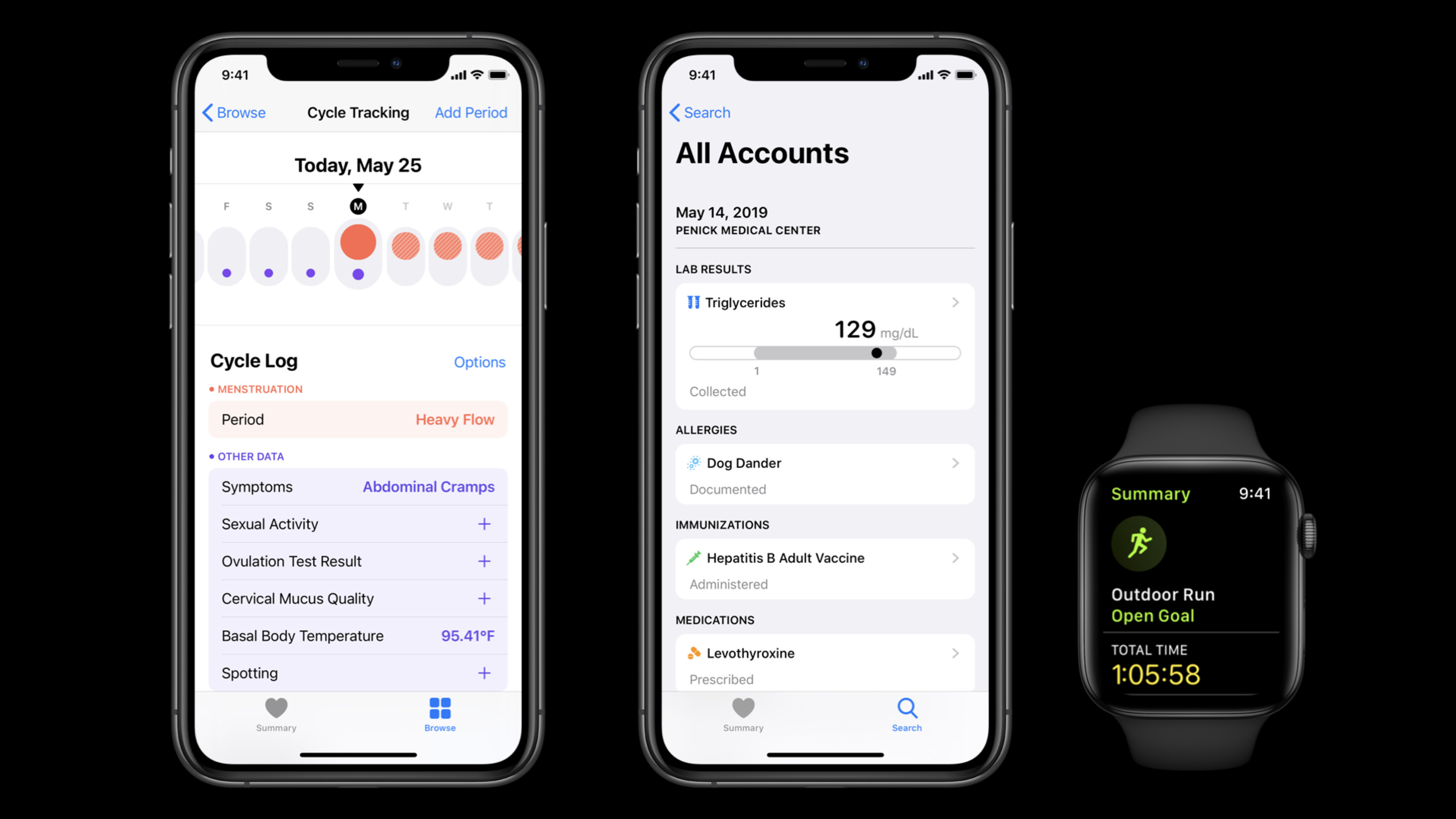
(11:43) There is more than quantity sample in HealthKit. Data with predefined levels and no units such as abdominal cramps are suitable for category samples; a workout can summarize distance, number of floors climbed, and calories burned; long-term data such as birthdays and blood types belong to characteristics. All objects are unified inHKObjectUnder the system, the type system exists in parallel.
HealthKit data model map
Quantity Sample: numerical value plus unit, such as walking distance.
Category Sample: predefined value without a unit, such as symptom severity.
Workout: a summary that can contain multiple values and units.
Characteristic: static health data, such as birthday or blood type.
Key points:
- sample describes a health event, usually with a time range.
- type describes which type of health data the sample belongs to, for example
distanceWalkingRunningorabdominalCramps。 HKObjectUnified storage of information such as unique identifiers, recording devices, and writing apps.- Choosing the wrong sample type will complicate subsequent queries and aggregation, so determine the nature of the data before writing.
Use statistical query to read the number of steps in a week
(14:23) When reading health data, HealthKit provides a variety of queries.HKStatisticsQuerySuitable for making statistics on a quantity sample, such as the total number of steps in a week. Steps and calories are better suited to cumulative sum, UV exposure, resting heart rate, and body temperature are better suited to average, minimum, or maximum. HealthKit will also help handle duplicate counting caused by iPhone and Apple Watch recording steps at the same time.
Weekly steps with HKStatisticsQuery
data type: stepCount
time range: June 15 to today
statistic: cumulative sum
result object: HKStatistics
deduplication: HealthKit handles overlapping iPhone and Apple Watch steps
Key points:
- The statistics type must match the aggregation style of the data; the number of steps is cumulative, and data such as heart rate is more suitable for discrete statistics.
-
HKStatisticsReturns the start time, end time and calculation results of participation statistics. - The same walk may be recorded by iPhone and Apple Watch at the same time, and HealthKit statistics query will handle the number of repeated steps.
Use collection query to bucket by day and listen for updates
(18:17) What SmoothWalker really wants is the number of steps per day for the past week. If you manually create one for each dayHKStatisticsQuery, more than 300 queries must be managed for one year of data.HKStatisticsCollectionQueryTo solve this problem: the developer specifies the anchor date, time interval and statistical method, and HealthKit returns a set ofHKStatistics。
Daily step table workflow
1. Choose stepCount as the data type.
2. Use a predicate for samples from the past week.
3. Set cumulative sum as the statistic.
4. Set an anchor date and a daily interval.
5. Execute the HKStatisticsCollectionQuery on HKHealthStore.
6. Read the HKStatisticsCollection and update the table data source.
Key points:
- The anchor date determines where to start statistical bucketing; in the demo, Monday at 3 a.m. is used as the anchor point.
- time interval determines the bucketing granularity; SmoothWalker uses one day as the interval.
-
initialResultsHandlerReturn to initialHKStatisticsCollectionAfterwards, UI updates should be returned to the main thread. - The session demo will enumerate the statistics of the past week, append them to the array behind the table, and then call
reloadData。
(27:03) In the first demo, the table did not change after the user added 800 steps, because the query did not have an update handler yet. set upstatisticsUpdateHandlerAfterwards, the query will monitor new health data and new statistical results in the background. Session also reminds: This kind of query will continue to run and must be stopped when the view is not visible.
Live update workflow
1. Set statisticsUpdateHandler before executing the query.
2. Reuse the same UI update method as the initial results handler.
3. Stop the query when the view disappears.
4. Add new steps and let the table refresh from updated statistics.
Key points:
- update handler should be set before execute.
- The handler may continue to listen in the background and cannot be allowed to occupy resources indefinitely.
-
viewWillDisappearThis is the time to stop querying in the demo. - After adding 235 steps, the table receives new statistics through the update handler and refreshes.
Use HKSampleQuery when you need the original sample
(29:29) Statistical queries are suitable for summarizing quantity samples, but some interfaces require original samples. For example, session uses workout: when reading the latest workout, the developer specifies the workout type, sorts it by the end time from the latest to the farthest, sets the limit to 1, and then passesHKHealthStoreimplementHKSampleQuery。
Most recent workout workflow
data type: workouts
sort: most recent finish date first
predicate: nil
limit: 1
query: HKSampleQuery
execute target: HKHealthStore
Key points:
HKSampleQueryRetrieve the original health samples from the database and are not responsible for calculating statistical values.- sort descriptor determines the return order; demo requires the most recently completed workout.
- limit can control the number of results; here because only the latest one is used, 1 is used.
- session also mentioned
HKAnchoredObjectQuery、HKActivitySummaryQueryandHKWorkoutRouteQuery, respectively for database changes, activity circles and outdoor workout routes.
Core Takeaways
- Step Count for One Week: What it does: Display the user’s daily step count for the past seven days as a list or chart. Why it’s worth doing: session’s SmoothWalker is used
HKStatisticsCollectionQuerySummarize step count by day. How to start: request step count read permission, set one week predicate, daily interval and cumulative sum, and thenHKStatisticsCollectionMap to UI. - Walking Distance Recorder: What it does: Let the user record a walking distance and write it to HealthKit. Why it’s worth doing: The speech uses a 628-meter walking example to show the complete composition of the quantity sample. How to get started: Request
distanceWalkingRunningWrite permission, prepare meters value, start time and end time, and then passHKHealthStoreSave sample. - Contextual Authorization Page: What to do: Explain what health data will be accessed when the user enters a specific function. Why it’s worth doing: Session explicitly requires permissions to be requested by scenario, read and write permissions are handled separately, and do not request all data types. How to start: Design separate authorization entrances for steps, walking distance, workout and other functions, and
Info.plistWrite the usage clearly in the share/update usage description. - Real-time step count refresh: What to do: After the user adds steps, the current page automatically refreshes the current day’s statistics. Why it’s worth doing: The demo added 800 steps for the first time without refreshing, setting
statisticsUpdateHandlerThe table was updated after adding 235 steps. How to start: In executionHKStatisticsCollectionQuerySet the update handler before, reuse the UI update method of the initial results, and stop the query when leaving the page. - Last workout card: What to do: Display the time and summary entry of the most recent workout on the homepage. Why it’s worth doing: session use
HKSampleQueryDemonstrates how to read raw workout samples, covering reading scenarios beyond statistics. How to start: Query the workout type, sort by end time in reverse order, set limit to 1, and then convert the results into card content.
Related Sessions
- What’s new in HealthKit — Learn about the new ECG, symptom, and mobility data types coming to HealthKit in 2020.
- Beyond counting steps — Mobility metrics and health data aggregation strategies that go beyond counting steps.
- Synchronize health data with HealthKit — Learn HealthKit data change detection, synchronization identification, and cross-device version management.
- Handling FHIR without getting burned — Handling FHIR data models and validations from HealthKit or clinical systems.
Comments
GitHub Issues · utterances