
Highlight
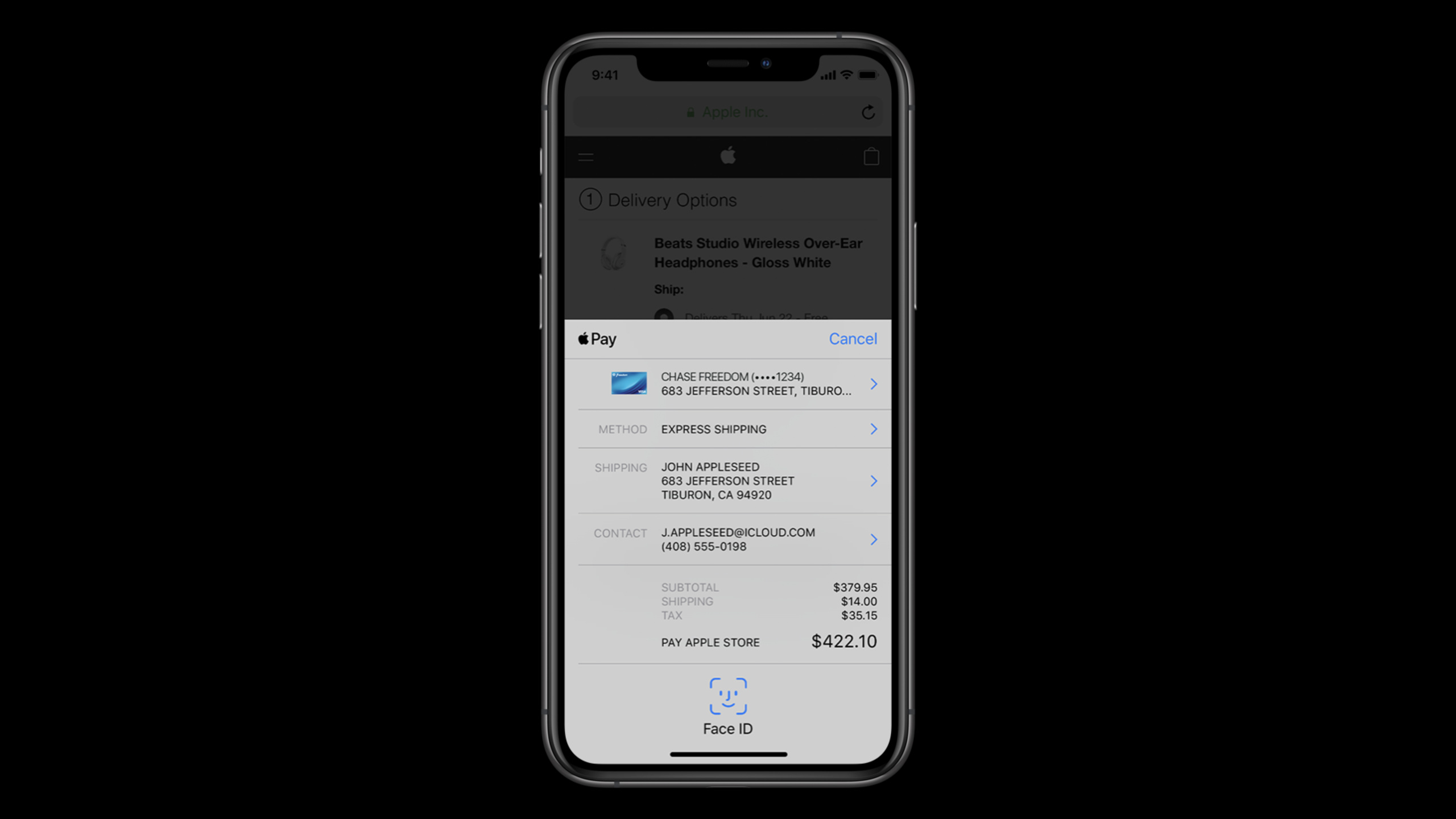
Apple adds new PassKit types, more payment button styles, App Clips payment suggestions, Mac/Catalyst support, contact formatting and issuer Wallet extensions to Apple Pay in iOS 14 and macOS Big Sur, allowing developers to make one-time transactions and cross-platform checkout processes shorter.
Core Content
In the past, connecting to Apple Pay was often understood as “putting a payment button in the full app or Safari.” This session puts the button into a longer transaction link: how users can see the correct payment entrance, how to fill out less forms in App Clip, how to call Apple Pay on Mac, and how merchants can get more stable contact data.
The first change comes from the expansion of Wallet’s boundaries. Apple Pay already covers credit cards, transportation cards, student ID cards, and other scenarios that require Secure Element support.PKPaymentPassThe semantics of payment in have become narrower, so Apple addedPKSecureElementPass, and recommend that new and old developers migrate there,PKPaymentPassWill be abandoned in the future. (01:17)
The second change falls on the entrance.PKPaymentButtonIt is still the main entrance for payment, but the button types are more detailed and can express specific actions such as rent, tip, and recharging transportation cards;PKButtonStyleAutomaticWill follow the system light/dark appearance switching button style. The button users see no longer just says “Buy”, but is close to the current task. (01:35)
The third change is App Clips. Parking a car, renting a car, paying for a restaurant, filling the tank with gas are not tasks worth requiring users to download the full app first. Session recommends making Apple Pay the default payment method for App Clips, allowing guests to check out, putting account creation after purchase, and using Sign in with Apple to reduce registration costs. (03:04)
The second half shifts towards platform consistency. Apple Pay comes to Mac Catalyst and the native Mac app. Contact data will be basically formatted on iOS, macOS, and the Web. Card issuers can also make it easier for users to discover cards that can be added through extensions in Wallet. The transaction link has changed from “can you pay?” to “less mistakes can be made on any platform.” (06:18)
Detailed Content
New name for Secure Element pass
(00:57) What transportation cards, student ID cards and payment cards have in common on the device side is Secure Element, not all payment.PKSecureElementPassreservedPKPaymentPassproperties, the name is more accurate. Apple explicitly recommends that both new and existing projects start adopting it, statingPKPaymentPasswill be deprecated in the future.
This gives Wallet class applications a migration signal: if the code is enumerating Wallet credentials on the device, rather than specifically handling a payment, this should be checked firstPKSecureElementPass. In this way, the code semantics are consistent with the types of credentials that Wallet can carry.
Use button types to express specific transactions
(01:35)PKPaymentButtonMore button types added. Scenarios included in the Session include renting a car, renting a bicycle, tipping, and recharging transportation cards. Type controls the button copy, style controls the appearance. newPKButtonStyleAutomaticWill automatically switch between light and dark styles according to the system theme.
This is a small thing, but it directly affects conversions. For an App Clip, if you scan the QR code to rent a car, the button should be rent with Apple Pay; if it is a tipping scenario, the button should be tip with Apple Pay. The closer the button copy is to the task, the less users have to guess about what to do next.
Payment path in App Clips
(03:54) Apple’s payment suggestions for App Clips are very clear: use Apple Pay first if you can use Apple Pay; allow guest checkout; postpone account creation until after the purchase is completed; use Sign in with Apple when an account is required; keep App Clips simple and focused; load maps, routes and other resources on demand, do not cram them into the initial download.
These suggestions all revolve around the fact that App Clip users are often standing in a real-life situation and just want to complete the task at hand. Parking, ordering food, renting a car, and refueling are all suitable for putting payment on the shortest path. Forms, full account systems, and large resource bundles can pull users away from tasks.
Apple Pay on the Web and Mac
(05:08) There are two experience enhancements on the web side.PKPaymentButtonCustom rounded corners are supported on the web, allowing merchants to adjust between the default rounded corners, capsule and squarer styles. Digital goods and services can get a redacted billing address, which is used to calculate variable line items such as taxes and fees, allowing users to see the full price before authentication.
(06:18) The changes are even bigger on the Mac side. Apple Pay supports Mac Catalyst and native Mac apps,PKPaymentButtonAlso coming to Mac, including new button types and automatic style. When the native app obtains the merchant session, it no longer relies on the verification URL given by WebKit, but uses a static URL; Apple also recommends that web payments also be migrated to the new method, and the old method will be removed in the future.
// PKPaymentAuthorizationControllerDelegate

func presentationWindow(for controller: PKPaymentAuthorizationController) -> UIWindow? {
    let purchaseWindow = yourViewController.view.window
    return (purchaseWindow) // The window presenting the payment sheet.
}


func paymentAuthorizationController(_ controller: PKPaymentAuthorizationController, didRequestMerchantSessionUpdate handler: @escaping (PKPaymentRequestMerchantSessionUpdate) -> Void) {
    // Get merchant session to enable the user to authorize a transaction.
    var dict = try? JSONSerialization.jsonObject(with: data, options: .allowFragments) as? [String: Any] {
        let session = PKPaymentMerchantSession(dictionary: dict)
        let update = PKPaymentRequestMerchantSessionUpdate(status: .success, merchantSession: session)
        handler(update)
    }
}
Key points:
presentationWindow(for:)Return to the window where you initiated the purchase and letPKPaymentAuthorizationControllerKnow where to place the payment sheet. -paymentAuthorizationController(_:didRequestMerchantSessionUpdate:)Responsible for requesting merchant session from your server.- After the server securely obtains the session from Apple, the App uses
PKPaymentMerchantSessionPackaging results. -PKPaymentRequestMerchantSessionUpdateOnly by handing the handler back to the system can the user continue to authorize the transaction.
Limitation changes for WKWebView
(08:33) Many native apps load web pages through WKWebView to receive Apple Pay. With the introduction of tiered WebKit, WKWebView is closer to Safari View Controller: outside of app-defined domains, the APIs that can be called will be limited, and JavaScript injection will be more blocked.
The implementation of Apple Pay remains unchanged. Previously on iOS, if WKWebView injected scripts, it could not perform Apple Pay transactions; now more WKWebViews will be blocked by the system from script injection, so more loading pages can perform Apple Pay transactions. For hybrid apps, this actually reduces the chance of web payments being blocked by script injection.
Contact data formatting and error prompts
(09:38) After users have used Apple Pay for many years, their devices may have accumulated contact information in inconsistent formats. Apple provides basic formatting in payment sheets starting with the latest iOS and macOS. U.S. merchants can expect streets and cities to contain only alphanumerics, punctuation, and whitespace, state fields to be two letters, postal codes to be five or nine digits, and ISO country codes to be uppercase two letters.
(11:08) The error will also appear earlier in the payment process. Examples include incomplete zip codes and invalid phone numbers, which users can correct before authenticating with Touch ID or Face ID. Session recommends developers use Error APIs to let users know which items need to be changed. The first address formatting covers Australia, Canada, the United Kingdom and the United States.
The card issuing bank extended the card opening entrance into Wallet
(12:34) The last update is for card issuers. Issuer extensions allow users to discover cards they can add within Wallet. The premise is that the card issuing bank’s App has been installed and the user has logged in at least once, so that Wallet knows that there is a card to display.
The implementation is divided into two layers. Non-UI extension reports status, available passes, and performs card data lookup; it requires subclassPKIssuerProvisioningExtensionHandler, also requires entitlement. If the non-UI extension report requires authentication, UI extension must also be provided, and the view controller conform toPKIssuerProvisioningExtensionAuthorizationProviding, and apply for separate entitlement. (12:58)
Core Takeaways
-
What to do: Change the payment button of the App Clip to a scene action. Why it’s worth doing: Session explicitly mentioned
PKPaymentButtonSpecific types such as rent and tip have been added, and buttons can directly express the current transaction. How to start: sort out the triggering scenarios of App Clip; use payment/renewal semantics for parking, use rent for leasing, and use tip for rewards; try styles firstPKButtonStyleAutomatic。 -
What to do: Connect native Apple Pay to the Mac version of the app. Why it’s worth doing: Apple Pay supports Catalyst and native Mac apps, so desktop transactions such as photo books and product ordering no longer need to go to Safari. How to get started: Use
PKPaymentAuthorizationController,accomplishpresentationWindow(for:)and merchant session update delegate, put the merchant session request to the server. -
What to do: Complete tax estimates for digital product checkout. Why it’s worth doing: Redacted billing address can be used to calculate variable line items on the Web, and users can see the full price before authenticating. How to get started: Request billing region information for calculations in the Apple Pay on the Web flow, use it to calculate taxes, and then return the final line items to the payment sheet.
-
WHAT TO DO: Clean up Apple Pay contact error handling before going live. Why it’s worth doing: The new formatting rules will expose errors such as zip codes and phone numbers earlier; developers cooperate with Error APIs, and users can correct them before authentication. How to get started: Check the validation branches for shipping and billing, map field-level errors to the Apple Pay error API, and cover the US, Australia, Canada, and UK address samples.
-
What to do: The card issuing bank App moves the “Add to Wallet” entry into Wallet. Why it’s worth doing: Issuer extensions allow installed and logged-in issuing bank apps to display addable cards in Wallet, without users having to actively open the issuing bank app first. How to start: Implement non-UI extension, subclass
PKIssuerProvisioningExtensionHandler;When re-authentication is required, add UI extension andPKIssuerProvisioningExtensionAuthorizationProviding。
Related Sessions
- Explore App Clips — First understand the positioning, trigger entry, volume limit and complete App relay of App Clips.
- Configure and link your App Clips — Continue configuring the App Clip URL, Associated Domains, Safari banner, and App Store Connect experience.
- Streamline your App Clip — A deep dive into the transaction process, last minute notifications, location confirmation, and upgrade paths for App Clips.
- Discover WKWebView enhancements — Supplement the API and restriction changes of WKWebView, suitable for troubleshooting embedded web page payments.
- What’s new in Mac Catalyst — Complete the Mac Catalyst platform capabilities to help migrate iPad trading applications to Mac.
Comments
GitHub Issues · utterances