
Highlight
The Simulator of Xcode 12 can directly test iPad pointer input, drag and drop to trigger file events, and pass
simctlBatch control privacy permissions, push notifications, screen recording, status bar and root certificates.
Core Content
Many iOS developers regard the Simulator as the running window of Xcode: click Run, take a look at the interface, and then look for the real machine when encountering problems with permissions, push, screen recording, or certificates. This habit is costly. You need to be careful with permission pop-ups, connect to the server for push, open QuickTime for videos, and post-process the status bar for screenshots.
This session turns the Simulator into a complete testing tool. Xcode 12 brings it to full screen, side-by-side with Xcode, and the ability to create new simulated devices directly. It can also drag in images, APNS files or certificates to trigger corresponding events, allowing test actions to be close to the daily development window instead of being scattered among different tools.
The bigger changes are at the command line.simctlIt can turn device status that originally required manual clicks into repeatable scripts: grant and revoke privacy permissions, send local push, record screen video, rewrite the status bar, and add CA root certificates to simulated devices. This way, screenshots, bug reproduction, UI test preparation, and network debugging can all start from the same automation link.
Detailed Content
(02:50) Test iPad pointer and keyboard input with Simulator
Once iPadOS supports mouse and trackpad, apps will need to verify pointer movement, scrolling, keyboard shortcuts, and system gestures. The Simulator toolbar can enter pointer capture mode, allowing the Mac mouse or trackpad to be handled by the iPad Simulator. In the demonstration, zooming, scrolling, Command-H, and Command-Tab are all performed according to iPadOS rules.
When debugging, the Simulator will release the capture when the window is out of focus or an Xcode breakpoint is hit, and then resume after returning to the Simulator. This detail solves a very practical problem: you can stop at the breakpoint to inspect the code without manually switching mouse control. Exiting capture uses Escape by default, but can also be changed to double Command or Control-Option in the preferences.
Key points:
- Pointer capture allows desktop input devices to enter applications according to iPadOS rules, which is suitable for checking whether iPad pointer adaptation is actually available.
- Keyboard capture can be turned on independently, suitable for debugging hardware keyboard shortcuts while leaving the mouse for Mac.
- Automatically release capture when a breakpoint is triggered, reducing the cost of grabbing focus back and forth between Simulator and Xcode.
(10:20) Usesimctl privacyFixed permission status
Permission pop-ups will affect first startup, function entry, and UI testing. Session explicitly requires developers to test whether permissions are granted or denied.simctl privacyThe access status of protected resources such as Calendar, Photos, Contacts, and Location can be set on the command line.
xcrun simctl privacy booted grant calendar com.example.MyApp

xcrun simctl privacy booted grant photos com.example.MyApp

xcrun simctl privacy booted grant contacts com.example.MyApp
Key points:
bootedPoints to the currently started simulated device; when multiple devices are started at the same time, the device name or UDID needs to be used instead. -grantIt is followed by the service name and then the bundle ID of the application, which is used to grant target permissions in advance.- These commands are suitable to be placed in the UI test preparation step to start the test from a certain permission state.
The same entrance is used to revoke permissions.
xcrun simctl privacy booted revoke calendar com.example.MyApp

xcrun simctl privacy booted revoke all com.example.MyApp

xcrun simctl privacy booted reset all
Key points:
revokeYou can target a single service, or you can useallRevoke all permissions from an app at once. -reset allThe permissions will be restored to the default state, which is suitable for re-running the first authorization process.- Session mentioned
simctlYou can view help without parameters. The complete service list is subject to the tool help page.
(12:35) Trigger push notifications locally
The Simulator supports dragging APNS files into the window to trigger push, and also supports usingsimctl pushSent from the command line. This capability allows push UIs to be verified without having to wait for the server environment to be ready.
xcrun simctl push booted com.example.MyApp payload.jsonKey points:
pushAccepts up to two parameters: application bundle ID and payload file.- The bundle ID in the command line will override the target bundle in the payload file.
- on success
simctlNo content is output, and the results are displayed directly on the simulated device screen.
(14:08) Usesimctl ioRecord reproducible videos
Videos are often required for bug reports, App Store footage, and internal demos. The method given by Session is to use it directlysimctl ioTo record simulated devices, there is no need to launch Simulator.app or additional screen recording software.
xcrun simctl io booted recordVideo --codec h264 --mask ignored video.mp4Key points:
recordVideoThe screen of the currently running device will be recorded to the specified file. ---codec h264Change the default HEVC to H.264 to facilitate opening in more tools. ---mask ignoredRecord a full rectangular framebuffer without writing device notch or rounded corners masks to the video.
(16:56) Usestatus_barMake stable screenshots
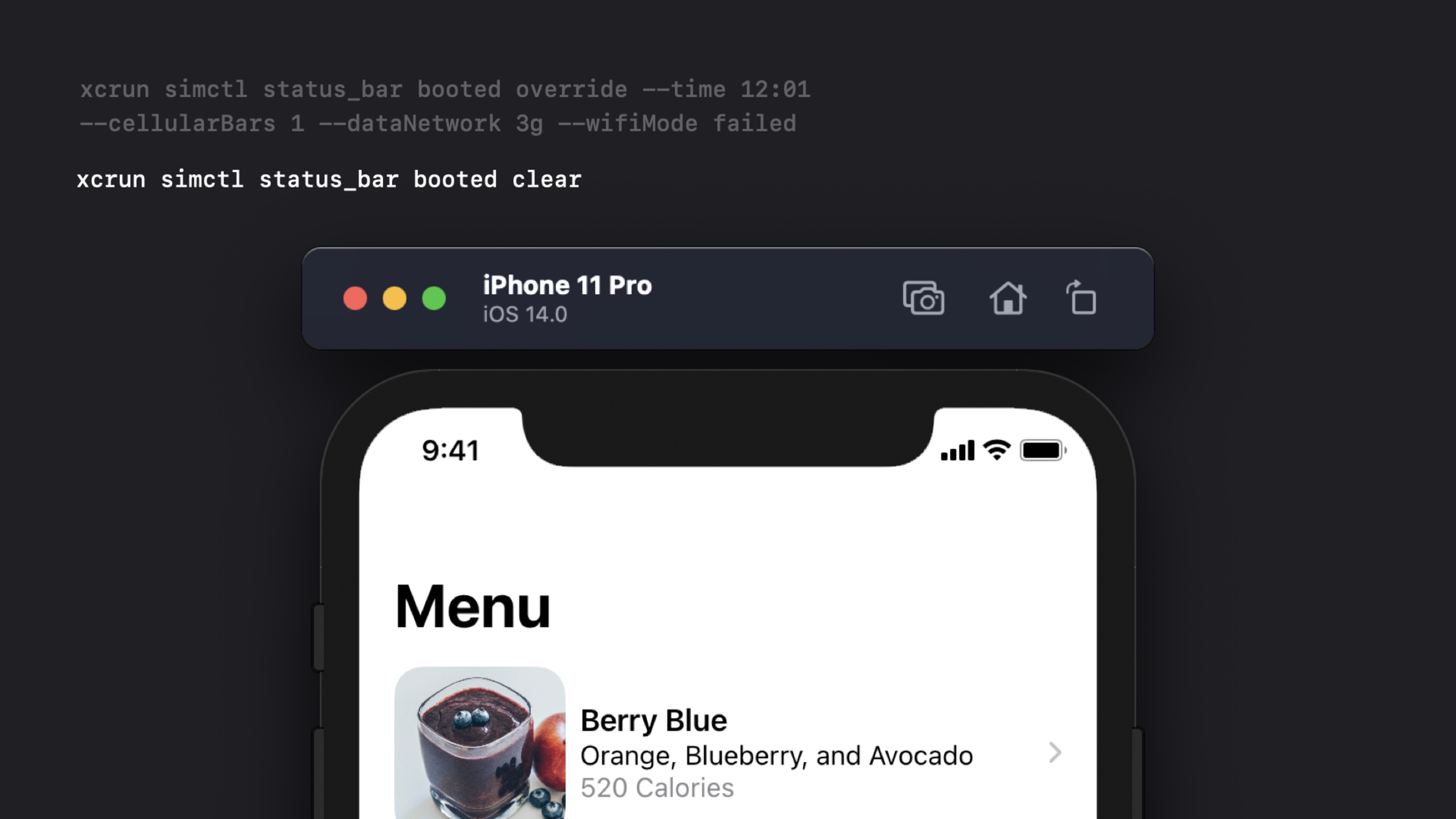
App Store screenshots or design reviews require a stable status bar. If the time, cellular signal, network type and Wi-Fi status are different every time, it will take a lot of time to clean up later.simctl status_barThis information can be pinned.
xcrun simctl status_bar booted override --time 12:01 --cellularBars 1 --dataNetwork 3g --wifiMode failedKey points:
overrideWill overwrite the displayed value of the status bar at the top of the simulated device.- Example sets the time to
12:01, the cellular signal is set to one bar, the data network is set to3g, Wi-Fi is shown as failed. - When it is necessary to restore the default state, the official command given by Session is
xcrun simctl status_bar booted clear。
(18:32) Add the CA certificate to the simulated device trust chain
When debugging network functions, developers often need to make the simulated device trust the local or test environment’s CA.simctl keychainYou can add the CA certificate to the device’s trusted root store.
xcrun simctl keychain booted add-root-cert myCA.pemKey points:
- The command requires passing in a valid CA certificate file path.
- After adding the certificate to the root store, you still need to go to General, About, and Certificate Trust Settings in Settings to manually enable trust.
- When enabled, TLS certificates signed by this CA will work properly in simulated devices.
Core Takeaways
UI test startup script for fixed permission matrix
What to do: Prepare three types of test entrances: authorization, rejection, and reset for photos, calendar, contacts, and location.
Why it’s worth doing: Session emphasizes that applications must test the performance of users granting and denying protected resources.simctl privacyJust turn this status into a command.
How to start: Use before testingxcrun simctl privacy booted grant ...orrevoke ...Set the status and then start the corresponding UI test case.
Local push style acceptance tool
What to do: Give design, product and QA a payload folder, double-click the script to preview different push copywriting in the Simulator.
Why it’s worth doing:simctl pushNotifications can be triggered locally to avoid relying on the server push link every time the copy is changed.
How to start: Save a payload JSON for each type of notification, usingxcrun simctl push booted com.example.MyApp payload.jsonSent to the current simulated device.
Automatically generate submittable video reproduction materials
What to do: Connect the screen recording command to the bug template, and automatically output H.264 video when the problem is reproduced.
Why it’s worth doing: Session descriptionsimctlScreen recording is GPU accelerated and is suitable for recording UI issues, work progress or web page presentation materials.
How to start: UserecordVideo --codec h264 --mask ignoredRecord, press Control-C in the terminal when finished, and attach the output file to the ticket.
Unify status bar before taking screenshot
What to do: Prepare fixed status bar scripts for App Store screenshots, design draft acceptance, and regression screenshots.
Why it’s worth doing:simctl status_barYou can control time, signal, network and Wi-Fi status to keep screenshots consistent across rounds.
How to start: Execute before taking screenshotstatus_bar booted override, execute the official clear command to restore the default state after completion.
Local HTTPS debugging environment
What to do: Generate a CA certificate for the test server, add it to the Simulator’s root store, and then verify the application’s network requests.
Why it’s worth doing: Session showssimctl keychain booted add-root-cert, which can incorporate the certificate installation process into the development script.
How to start: PreparationmyCA.pem, run the official command to add the certificate, and then manually enable it in Certificate Trust Settings of Settings.
Related Sessions
- Handle trackpad and mouse input — Continue to dive into how iPad and Mac Catalyst handles mouse, trackpad, scrolling, and pointer locking.
- The Push Notifications primer — Understand alert and background notification, and then use the
simctl pushUsed in local authentication. - Handle interruptions and alerts in UI tests — Combined
simctl privacyPermission status control, and write UI tests that can handle system pop-ups. - Handle the Limited Photos Library in your app — Once you understand the new restrictions on photo permissions, use the Simulator to verify authorization and restricted access paths.
- Introducing StoreKit Testing in Xcode — Learn another type of Xcode local testing environment to integrate the purchase process and Simulator automation into the development cycle.
Comments
GitHub Issues · utterances