
Highlight
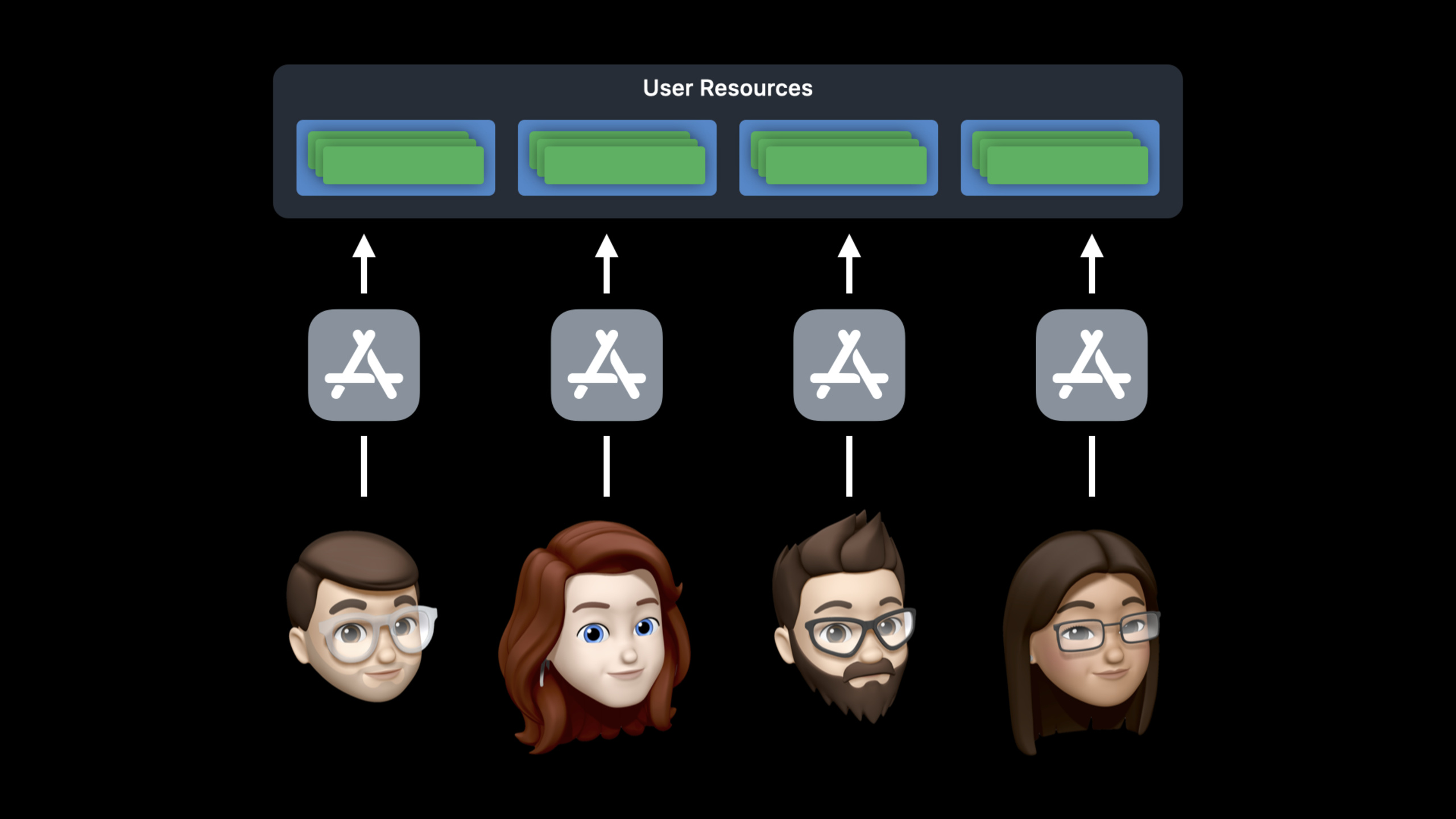
The User Management capability of tvOS 14 adds Runs as Current User. After the application declares support, it will run in the iCloud, Game Center and local storage of the current Apple TV user, and will be terminated and restarted by the system when the user switches.
Core Content
If Apple TV is placed in the living room, it will naturally be shared by the whole family. tvOS 13 has put user switching into Control Center and also providesTVUserManager, allowing apps with self-built account systems to associate in-app profiles with device users. But many apps don’t have their own profile. They just want to keep iCloud, Game Center, local data, and preferences separate by family member.
In the past, such apps faced a set of shared resources across all devices. A game’s progress, achievements, friend list, and local settings will all fall into the same application environment. If the user switches Apple TV accounts, the app may still display the previous person’s board, history, or high scores.
The solution given by tvOS 14 is Runs as Current User. After developers add the User Management capability in Signing & Capabilities in Xcode 12, the system will bind the app to the currently selected Apple TV user. This user will get their iCloud, Game Center, local data, and preferences.
The key to this capability lies in the life cycle. When the user switches accounts in Control Center, the system will give the running app a short save window and then terminate the process. If the app is in the foreground, the system will restart it for the new user. The original read and write APIs are still available, and data isolation is done by the system.
The demo of session is aNSPersistentCloudKitContainerA mini game to synchronize data. Before accessing the ability, Felipe still saw Caleb’s board after switching to his own user. With the ability plugged in, the switch triggers a kill and restart, with Felipe seeing his empty board and 39-second high score, and Caleb’s 1:09 record not getting mixed up.
Detailed Content
Open Runs as Current User
(03:12) Access starts with Xcode 12. Enter Signing & Capabilities of the app target and add User Management capability. The new Runs as Current User option will be selected by default.
This statement tells the system that the app wants to run as the current Apple TV user. After the declaration takes effect, when the app accesses iCloud, Game Center, local storage, and preferences, the system will map these resources to the current user. Session clearly states that the existing storage API can continue to be used, and developers do not need to rewrite the read and write logic for data isolation.
Key points:
User ManagementIt is the capability entrance, located in Signing & Capabilities of Xcode. -Runs as Current UserIt is a new option in tvOS 14 and will be selected by default when adding capabilities in Xcode 12.- After the current user switches, the app gets the new user’s account and storage context.
- iCloud, Game Center, local data, and preferences all fall into this set of isolation scopes.
Save data before user switch
(03:46) When the user switches, the running app will be terminated. app needs to be inapplicationWillTerminateDo minimal saving work to avoid losing the board, progress, or local changes.
func applicationWillTerminate(_ application: UIApplication) {
    guard game.hasUnsavedChanges else { return }

    let semaphore = DispatchSemaphore(value: 0)
    game.save { _ in semaphore.signal() }
    semaphore.wait()
}
Key points:
applicationWillTerminateIt is the last chance for the app to be saved by the system. -guard game.hasUnsavedChanges else { return }Return immediately if there are no changes, allowing the user to switch to continue. -game.saveWriting unsaved data to local and CloudKit is consistent with the game synchronization data scenario in the demo. -DispatchSemaphoreLet the asynchronous save have time to complete, but the session also reminds you that the time here is limited and the workload should be as small as possible.
Discard CloudKit notifications for other users
(04:46) After supporting multiple users, other users who have used the app on the same Apple TV may also generate CloudKit subscription notifications. When the app receives a notification, it needs to check whether the user to whom the notification belongs is equal to the current CloudKit user.
func application(
    _ application: UIApplication,
    didReceiveRemoteNotification userInfo: [AnyHashable : Any],
    fetchCompletionHandler completionHandler: @escaping (UIBackgroundFetchResult) -> Void
) {
    if let notification = CKNotification(fromRemoteNotificationDictionary: userInfo),
       notification.subscriptionOwnerUserRecordID == game.currentUserRecordID {
        game.handle(notification, completionHandler: completionHandler)
    }
    else {
        completionHandler(.noData)
    }
}
Key points:
CKNotification(fromRemoteNotificationDictionary:)Restore CloudKit notifications from push payload. -subscriptionOwnerUserRecordIDIt is a new checkpoint mentioned by session, used to identify the user to whom the subscription belongs. -game.currentUserRecordIDRepresents the CloudKit user in the current running context.- Notifications are processed only when the two record IDs are equal to avoid applying other people’s synchronization events to the current user interface.
- Notifications that do not belong to the current user are called directly
completionHandler(.noData), letting the system know that there is no data to process.
Verify data isolation with demo
(05:59) The demo project first shows the problems when the ability is not connected: Caleb’s game progress and high scores still stay on the screen, and Felipe does not see his own data after switching users.
(06:47) There are only three steps to access: open the app target, add User Management capability, and confirm that Runs as Current User is selected. After re-running, user switching kills the old process and the system restarts the game for Felipe.
(07:30) The restarted game reads Felipe’s own data. He has no unfinished boards, so the main menu says Start a new game; his fastest time is 39 seconds. Caleb’s 1:09 time remains in Caleb’s user environment.
Key points:
- This mechanism is suitable for apps that do not have self-built profiles.
- use
NSPersistentCloudKitContainerapp can continue to sync data across iPhone, Apple TV, and other devices. - The app still has to handle save-before-termination and CloudKit notification ownership checks.
Core Takeaways
-
Independent progression for family games
- What: Let each family member on the same Apple TV have independent saves, high scores, and Game Center data.
- Why it’s worth doing: The session demonstration proves that Runs as Current User can isolate iCloud, Game Center and local data according to the current user.
- How to start: Add User Management capability, confirm that Runs as Current User is enabled, and then
applicationWillTerminateSave the unfinished board in .
-
tvOS version for continued play across devices
- What: User starts a game on iPhone, returns to the living room and continues the same game on Apple TV.
- Why it’s worth doing: The transcript clearly mentions that everyone can access their own iCloud data and sync progress between Apple TV and other devices.
- How to get started: Keep existing iCloud or
NSPersistentCloudKitContainerThe data layer configures the tvOS app to run as the current user.
-
Family-oriented videos continue to watch
- What: Save each user’s own playback position, recent views, and preferences for the same video app.
- Why it’s worth it: tvOS 14 will provide current users with independent local data and preferences, suitable for shared devices in the living room.
- How to start: First access the User Management capability, then write the existing “continue watching” data to the current app storage, and let the system restart the app when the user switches.
-
User Quarantine Notified by CloudKit
- What: Only handle subscription notifications belonging to the current CloudKit user.
- Why it’s worth it: On a multi-user Apple TV, the same app may receive CloudKit notifications left by other users.
- How to start: Read after receiving remote notification
subscriptionOwnerUserRecordID, only updates the interface or data when it is equal to the current user record ID.
Related Sessions
- Build SwiftUI apps for tvOS — Continue to improve the layout, focus, buttons, and context menus of tvOS apps.
- Discover search suggestions for Apple TV — Add search suggestions and a better remote control input experience to the Apple TV app.
- Master Picture in Picture on tvOS — Add picture-in-picture playback and custom playback interface to the tvOS video app.
- Tap into Game Center: Dashboard, Access Point, and Profile — Tap into Game Center’s authentication, dashboard, access point, and player profile.
- Sync a Core Data store with the CloudKit public database — Understand the synchronization process between Core Data and CloudKit and complement the cross-device data layer.
Comments
GitHub Issues · utterances