
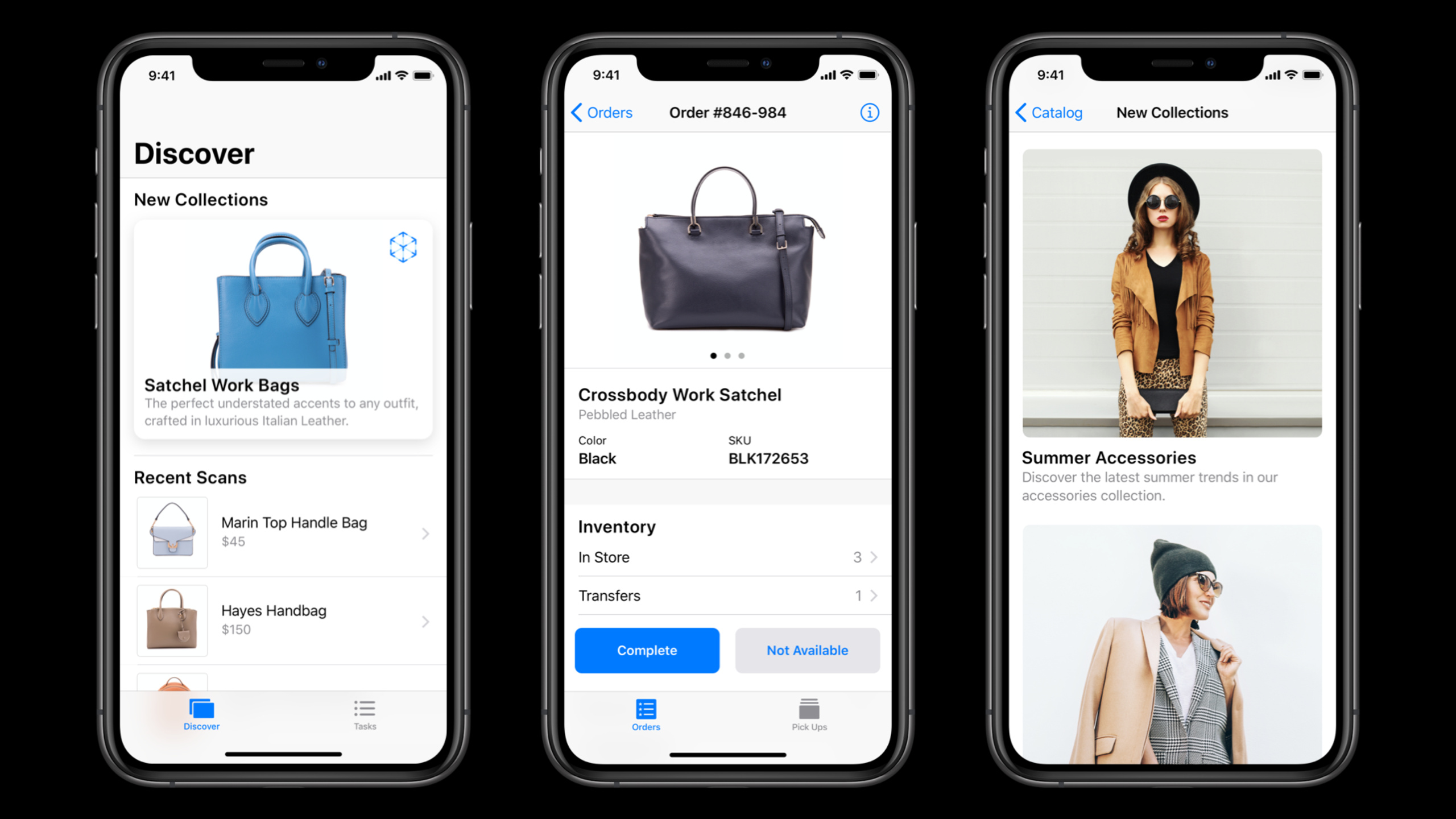
Highlight
Apple has narrowed the entry points for internal enterprise apps to mobile positions, paper processes, portable device replacement, and employee interviews, and recommends using Xcode, TestFlight, standard controls, and small-step iteration to shorten the cycle from pain points to employee-usable versions.
Core Content
Many enterprise app projects go astray from the start. The team lists system fields first, draws the approval flow first, and meets reporting needs first. As a result, after employees got the app, their daily burden was not reduced, but they just switched from paper to screen. Adam Humphrey gave a criterion at the beginning of this session: A good enterprise app should improve employees’ work and reduce the workload and mental burden required to complete tasks.
This criterion will change the way topics are selected. Scenarios suitable for making apps usually occur in mobile positions, paper-based processes, work where employees carry multiple devices with them, and tasks that require immediate response. Electrical maintenance personnel work in remote terrains, pilots once carried heavy paper documents, and claims adjusters carried computers, voice recorders, tape measures, and cameras. These scenarios all have one thing in common: iPhone, iPad, and Apple Watch can compress multiple steps into a portable workstation.
Next, the design process also needs to change. The speech repeatedly emphasized that the employees who actually do the work should drive the design. Interview newcomers, senior employees, and intermediate experiencers, observe their real work in a day, and ask why they are stuck at each step. The team once prepared to build a mobile cashier app. After interviews, they found that what sales assistants really needed was clienteling skills, so they adjusted the direction early to avoid spending the engineering cycle on minor issues.
Finally, there is the delivery method. Apple recommends using Xcode to speed development and testing, using system-standard views and controls to reduce training costs, and using TestFlight to collect employee feedback. Enterprise apps shouldn’t wait three years to become a giant system that covers everyone. First make a small and focused version for employees to use, and then continue to iterate according to changes in positions.
Detailed Content
1. First determine the working boundaries of the enterprise app
(01:06) Enterprise Apps are first and foremost employee-facing Apps. Many enterprise apps do not appear in the public App Store, but are published internally through MDM (Mobile Device Management) and Apple Business Manager. They might be all-employee tools, like address books and meeting room reservations; they might be role-based tools, like a sales assistant app; or they might be a set of apps that work together, like a sales associate, inventory runner, and product catalog to support in-store processes.
The design checklist given in this paragraph is straightforward.
Enterprise app fit check
- Employee-facing, not external-consumer-facing
- Serves one clear role, or a group of adjacent roles
- Reduces workload, waiting time, or cognitive load
- Can be delivered under MDM and Apple Business Manager management
- Can form an app suite with Single Sign-On, App Groups, and Keychain
Key points:
Employee-facingThe priority is determined, and the functions should be centered around employees completing tasks, rather than just collecting data around the business.Clear rolePrevent the app from becoming a gateway for all departments to meet their needs.Reduce burdenIt is an acceptance criterion that employees should complete the same thing faster and with fewer errors.MDMandApple Business ManagerExplain that distribution, configuration, and visibility need to be considered from early in the project.Single Sign-On、App Groups、KeychainIt is suitable for a group of enterprise apps to share login status and data, allowing employees to log in once to access the entire set of tools.
2. Find opportunities from four types of high-value scenarios
(03:09) The speech breaks down opportunity recognition into several specific entrances. Mobile workers need to complete tasks in different locations, and apps can provide directions, estimated arrival times, offline capabilities, and location services. Paper-based processes lend themselves to digitization, as is the case with pilots using iPads to store large amounts of charts and documents. iPhones and iPads often replace multiple devices as employees carry scanners, cameras, GPS, measuring equipment, audio and video equipment.
Opportunity scan
- Mobile work: routes, offline support, location accuracy
- Paper-heavy process: digitizing forms, documents, and checklists
- Device-heavy role: integrating camera, GPS, measurement, audio, and video capture
- Immediate action: handle tasks in notifications without opening the full app
- Team collaboration: Wi-Fi, Bluetooth, cellular, and iBeacon support on-site collaboration
Key points:
Mobile workPay attention to location changes and network instability. Positions such as power maintenance personnel often need to work offline.Paper-heavy processIt is suitable to start from the cost of data carrying and searching. The aviation scene has proven that iPad can replace a large amount of paper.Device-heavy roleSuitable for claims adjusters, inspectors and other positions, centralize collection, recording and submission on iPad.Immediate actionCorresponding to notification content extensions, pilots can accept or reject trip tasks directly in rich notifications.Team collaborationFor scenarios without cellular networks such as tunnel inspection, iPad can help team collaboration through Bluetooth and iBeacon.
3. Let employees drive design instead of just asking management
(06:59) The presentation suggests starting with interviews and on-site observations. The interviewees should cover new employees, senior employees and those with intermediate experience. New employees know where the training process is difficult to learn, and senior employees know real-world workarounds. Putting them in the same interview allows different experiences to calibrate each other.
Employee interview loop
1. Find the people who actually perform the tasks every day
2. Interview newcomers, senior employees, and people with intermediate experience together
3. Ask them to describe the full day, not just 9 to 5
4. Follow up on every vague step and keep asking why
5. Cross-check answers with employees in the same role
6. Collect honest feedback in a safe setting without managers present
Key points:
People who actually perform the tasks every dayExposed to on-site details better than managers or domain experts.Full dayIt will reveal the hidden work before work, during the commute, and during coffee break.Keep asking whyThis prevents teams from filling their own assumptions into employee narratives.Cross-checkCan discover differences in processes for the same position in different locations and with different experiences.No managers presentReduces the risk of employees revising answers to suit management.
4. Deliver with small releases and feedback loops
(11:34) The delivery recommendation given by Apple is to optimize design and development time. Xcode is used to speed up development and testing; system standard views and controls can reduce employee learning costs; TestFlight is used to continuously collect feedback on the first version and subsequent features. The speech clearly opposed the three-year cycle of giant apps and suggested making small, focused, and continuously evolving tools.
Iteration plan
- Build: use Xcode for fast development and testing
- Design: prefer standard views, controls, and navigation patterns
- Scope: deliver one clear employee value in the first version
- Beta: collect team feedback through TestFlight
- Roadmap: decide the next feature or next app based on employee feedback
Key points:
XcodeIt is the primary tool for development and testing, with the goal of shortening the wait time before deployment.Standard views, controls, and navigation patternsAbility to leverage employees’ existing familiarity with Apple platforms.Deliver one clear employee value in the first versionCan prevent projects from swelling into boundaryless systems.TestFlightAllow employees to participate in feedback before official launch, and continue to verify the new workflow after launch.RoadmapIt should grow naturally from employee feedback, rather than having the project team write a three-year plan in one go.
Core Takeaways
1. Prepare offline task packages for inspection personnel
- What to do: Generate the day’s route, equipment list, checklist and offline information package for power, track and warehousing inspection personnel.
- Why it’s worth doing: The speech mentioned that mobile employees often work in different locations, even away from the network; offline capabilities and location services can improve data accuracy.
- How to start: First interview front-line inspection personnel and record their routes, photos, positioning, sign-in and re-enrollment steps throughout the day; the first version only provides offline checklists, photo collection and location records.
2. Change paper approval to iPad workflow
- What it does: Convert paper forms, flight information, handover notes or field reports into searchable documents and structured forms on iPad.
- Why it’s worth doing: Aviation cases illustrate that moving paper materials to iPad can reduce carrying weight and search costs.
- How to start: Choose a process that is still printing a lot, and count the steps that employees take to carry, search, fill in, and transfer paper every day; first deliver the reading, search, offline saving, and submission functions.
3. Use rich notifications to handle urgent task confirmations
- What to do: Create actionable notifications for flight, dispatch, store operations or maintenance schedules, allowing employees to review key information and accept or reject tasks.
- Why it’s worth doing: During the speech, corporate pilots can check the flight segments and weather in the rich notifications, and directly accept or reject the itinerary.
- How to start: Sort out which tasks require only one or two decision-making actions; use notification content extensions to display task summaries, risk information and action buttons.
4. Make customer management gadgets for sales assistants
- What to do: Help sales associates view customer preferences, to-do tasks, product inventory and follow-up records.
- Why it’s worth doing: After the interview with the mobile cashier project in the speech, it was found that sales assistants are more in need of clienteling workflow.
- How to start: First interview newcomers and senior sales assistants to find out the information they check most often before and after serving customers; the first version only contains customer summaries, inventory availability and next step reminders.
5. Establish TestFlight feedback rhythm for internal apps
- What to do: Put each small version of the enterprise app into the employee beta group so that real jobs can try it out before releasing it.
- Why it’s worth doing: The speech recommends continuously obtaining feedback through TestFlight to let the product roadmap grow from employee use.
- How to start: Choose 5 to 20 representative users for each position; each beta version only verifies one workflow, and the feedback form only asks whether the problem is solved, where it is stuck, and what you want most next.
Related Sessions
- Build scalable enterprise app suites — Extending from a single job app to an enterprise app suite, talking about shared data, shared components, testing and configuration management.
- Leverage enterprise identity and authentication — Supplements enterprise app login, Single Sign-On extension, and Managed Apple ID designs.
- Deploy Apple devices using zero-touch — Talks about Apple Business Manager, MDM and automatic device deployment. It is suitable for reading before and after the launch of enterprise apps.
- Custom app distribution with Apple Business Manager — Talk about the release and purchase distribution process of private Custom App, and undertake the delivery link of this session.
Comments
GitHub Issues · utterances