
Highlight
Xcode 12 supports compiling Mac apps into Universal apps that include both arm64 and x86_64, and requires developers to check binary dependencies, low-level timing code, synchronization primitives, and plug-in architecture matching.
Core Content
After the Mac migrates to Apple Silicon, the biggest concern for many teams is rewriting. A Mac app that has been running for many years may have AppKit UI, C code, binary framework, command line build scripts, plug-in system, and performance optimization code. Past experience going from PowerPC to Intel brings to mind endianness, architectural branches, and lots of conditional compilation.
The first step in this session is straightforward: open Xcode 12, select My Mac, and press Run. The Solar System example in the lecture was compiled and run on the Apple CPU architecture without changing the project settings. The reason is that Xcode 12, SDK and toolchain can already cross-compile arm64 and x86_64 on any Mac. For high-level AppKit code, migration often starts with a normal build.
The trouble lies in old assumptions. The code may use__x86_64__means “This is a Mac”, or maybemach_absolute_time()as nanoseconds, or rely on an Intel slice only.framework. This code has been running on Intel Macs for many years and is only exposed when arm64 builds, native runs, or plug-ins are loaded.
Apple’s route is to break the migration into checkable steps: first confirm that the Intel build still passes, then switch to the native architecture to fix compilation errors, then handle link-time binary dependencies, and finally run testing, debugging, performance analysis, and plug-in verification on Apple Silicon Mac. Universal app isn’t a switch, it’s a checklist.
Detailed Content
Build Universal app from Xcode 12
(02:19) The running destination of Xcode 12 can choose native Apple Silicon, Rosetta, or build a Universal app that supports both Apple Silicon and Intel. The speech emphasized that the tool chain can be cross-compiled on Intel Macs, so building Universal apps does not require the development machine to be an Apple Silicon Mac.
Key points:
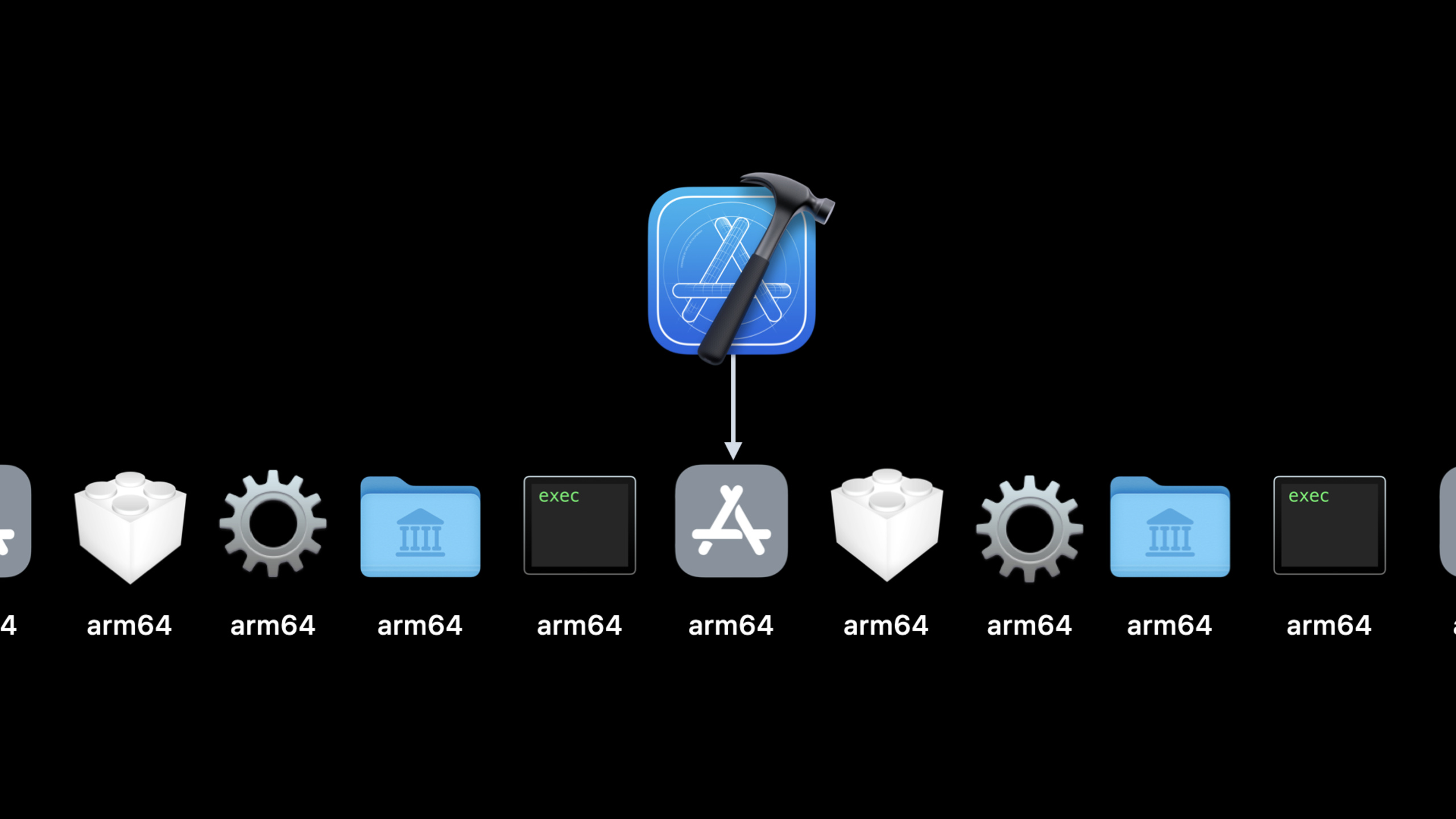
- Mach-O files can contain only one CPU architecture, or a Universal binary containing both arm64 and x86_64.
lipo -infoIt is used to check during speeches.a、.dylib、.framework、.xcframeworkSchema information commands.- Used first when building from the command line
xcodebuild -showdestinationsCheck the destination and use-destinationSpecify which architecture the test will run on. arch=arm64Corresponds to the Apple Silicon native test path,arch=x86_64Corresponds to the test path for running Intel code through Rosetta on Apple Silicon Mac.
(09:04) The first build pitfall is page size. The speech mentioned that the native page size of Apple Silicon systems is different from that of Intel machines.PAGE_SIZENo longer suitable as a compile-time constant.
Key points:
PAGE_MAX_SIZERepresents the upper bound on the maximum page size available at compile time.vm_page_sizeReturns the page size seen by the current process at runtime.- Rosetta will match the Intel environment, and the translated process still supports 4 KB pages, so this issue needs to be tested in the native path.
Use semantic conditions instead of CPU conditions
(10:09) Example function in the lectureGetDefaultTimerClassuse__x86_64__Represents macOS and simulator. With Apple Silicon Mac, this condition fails. The CPU architecture describes the instruction set, and the platform conditions describe the system environment. The two cannot be mixed.
Key points:
TARGET_OS_OSXand Swift’s#if os(macOS)Express “This code runs on macOS”.TARGET_CPU_X86_64and Swift’s#if arch(x86_64)Only use if your code really depends on Intel instructions or ABI.- If there is only Intel assembly or SSE/AVX implementation, you need to provide a second implementation for arm64, or use system frameworks such as Accelerate and Compression instead.
Fix non-Universal binary dependencies
(12:54) The demo app in the talk failed at the arm64 link stage, and the error came from a precompiled binary framework. linker reportignoring file when building for macOS-arm64, indicating that the project is linking a file that only contains x86_64.
Key points:
- link-time
Undefined symbols for architecture arm64It may be that the downstream binary does not have arm64 slice. .frameworkThe directory itself is not a Mach-O file, check the actual executable file in the framework.- Scan when migrating
.a、.dylib、.frameworkand.xcframework, then uselipo -infoConfirm whether each precompiled dependency is Universal. - The third-party binary requires the supplier to release a Universal build; the dependency can be temporarily removed for short-term troubleshooting, but it must be switched back to the Universal version before release.
Don’t treat mach_absolute_time as nanoseconds
(21:19) The runtime bug of the talk appears in the progress bar refresh frequency. Old codemach_absolute_time()Treat ticks as nanoseconds and divide by1_000_000_000Get seconds. This assumption does not hold true across different CPU architectures.
// Don’t assume the time is returned in nanoseconds

func monotonicTimestampInSeconds() -> Double {
  let ticks = mach_absolute_time()
  let seconds = Double(ticks) / 1_000_000_000
  return seconds
}
Key points:
mach_absolute_time()Returns tick units, tick is not guaranteed to be equal to 1 nanosecond.- The code treats ticks as nanoseconds, which will make the timer slow down on some architectures. The speech mentioned that the common phenomenon is about 40 times slower.
- This type of bug is usually not exposed during compilation and must run the native path on Apple Silicon Mac.
(21:40) If you really need a monotonic timestamp, the speech recommends using one that returns nanoseconds insteadclock_gettime_nsec_np(CLOCK_UPTIME_RAW), or use Foundation and GCD timers.
// Use clock_gettime_nsec_np to read timestamp in nanoseconds

func monotonicTimestampInSeconds() -> Double {
  let nanoseconds = clock_gettime_nsec_np(CLOCK_UPTIME_RAW)
  let seconds = Double(nanoseconds) / 1_000_000_000
  return seconds
}
Key points:
clock_gettime_nsec_np(CLOCK_UPTIME_RAW)Directly return nanoseconds, and subsequent divisions will have clear units.- The function name retains seconds semantics, and the caller does not need to know that the underlying time API has been replaced.
- Search the code base
mach_absolute_timeIs a low-cost action in migration checking.
Replace spinlock and busy-wait with blocking synchronization
(26:40) Apple Silicon Mac has performance cores and energy efficiency cores. The system will dynamically schedule based on performance and power. The speech specifically reminded that spinlock and busy-wait may occupy performance cores in vain and slow down the overall work completion time.
func performWorkUnderSpinlock() {
  spinlock_lock()
  performWork()
  spinlock_unlock()
}

func retrieveNextWorkTask() -> WorkTask {
  while true {
    let task = queue.sync { taskQueue.pop() }
    if let task = task { return task }
    else { continue }
  }
}
Key points:
spinlock_lock()It will continue to consume CPU when the lock cannot be obtained.while trueThe loop repeatedly checks whether there is a task in the queue, which is busy-wait.- On asymmetric CPU systems, such waits may occupy P cores that are better suited to performing real tasks.
(27:03) The alternative is to use blocking locks and condition variables. When the thread cannot continue, it should give up the CPU and wait until the conditions are met before resuming.
func performWorkUnderSpinlock() {
  os_unfair_lock_lock()
  performWork()
  os_unfair_lock_unlock()
}

func retrieveNextWorkTask() -> WorkTask {
  condition.lock()
  while !taskQueue.hasAnyWork {
    condition.wait()
  }
  let task = taskQueue.pop()
  condition.unlock()
  return task
}
Key points:
os_unfair_lock_lock()It is a blocking synchronization primitive, suitable for replacing spin wait.condition.wait()Block threads when there are no tasks and do not occupy the CPU repeatedly.- The speech also listed NSLock, pthread mutex, NSCondition, and pthread condition variables, and recommended that GCD be used first when GCD is available.
The plugin must match the process architecture
(30:16) The core rule for plug-in migration is simple: all code in the same process must use the same CPU architecture. for in-process plug-insdlopenorBundle.loadTo load, if the host is native arm64, the plug-in must also have an arm64 slice; if the host is running under Rosetta, the plug-in must be able to be loaded as Intel code.
void *plugin_module = dlopen("./path/to/plugin.dylib", RTLD_NOW);
if (plugin_module == NULL) {
  fprintf(stderr, "loading module failed:\n");
  fprintf(stderr, "%s\n", dlerror());
  return 0;
}
Key points:
dlopenreturnNULLmust be called whendlerror(), the error message will indicate that the file schema on the disk does not match.- First party plugins should remove hardcoded
x86_64Architectures setting to have Xcode use Standard Architectures. - If third-party in-process plug-ins are still Intel-only, users may only be able to force the app to open through Rosetta.
- Out-of-process plug-ins can be isolated into independent processes through XPC. An app can maintain at most plug-in processes differentiated by architecture.
Read three types of crash logs before publishing
(36:39) Xcode Organizer will display the CPU architecture contained in the archive. It will also display in the crash log which architecture the crash came from and whether the process is in the translated state. When Universal apps are released, developers will see x86 crashes on Intel Macs, native arm64 crashes on Apple Silicon Macs, and translated x86 crashes for the Rosetta path on Apple Silicon Macs.
Key points:
- Passing the Debug build does not mean that the Archive build also passes, because Archive may actually build a Universal product for the first time.
- Before publishing, make sure that the Archive product contains arm64 and x86_64, and run native arm64 and Rosetta x86_64 tests respectively.
- Plugins and binary dependencies still need to be used
lipo -infoCheck to avoid publishing only to find out that a certain path only works under Intel. - Thread Sanitizer is suitable for troubleshooting data competition exposed after migration; the speech pointed out that the memory ordering models of Intel and Apple Silicon are different.
- Kernel extension and DriverKit related software should additionally read the macOS porting documentation, because some kernel extensions are deprecated or not allowed on Apple Silicon Macs.
Core Takeaways
1. Create a one-page Universal migration dashboard for existing Mac apps
- What to do: Make a script within the team, scan
.a、.dylib、.framework、.xcframework、mach_absolute_time、__x86_64__、PAGE_SIZEand hardcoded Architectures. - Why it’s worth doing: Most of the session migration issues can be discovered in advance by static scanning, especially binary dependencies and architectural conditions.
- How to start: Wrap with shell or SwiftPM command plugin
find、lipo -info、rg, output whether each target has an arm64 slice, and the source code location that requires manual confirmation.
2. Split the Mac test into arm64 and x86_64 paths in CI
- What to do: Use the same test scheme separately
arch=arm64andarch=x86_64Run and record which path failed. - Why it’s worth doing: The speech clearly requires testing both native and Rosetta; running only one architecture will miss non-portable code.
- How to get started: On Apple Silicon runner for
xcodebuild testAdd two destinations and upload the performance test results to the dashboard by architecture.
3. Add an architecture diagnostic panel to plug-in apps
- What: When the plugin fails to load, put
dlerror(), plug-in path, host current architecture andlipo -infoThe results are displayed to the user or written to the diagnostic log. - Why it’s worth doing: The failure of in-process plug-ins often comes from architectural mismatch. Ordinary users only see the function failure, and it is difficult to know whether to update the plug-in or switch to Rosetta.
- How to start: In
dlopenorBundle.loadFailed branches collect errors, with the prompt “Plug-in vendors need to provide Universal build”, and open the entrance to support documentation for users.
4. Rewrite the waiting strategy of low-level performance code
- What to do: Find out the old implementations of spin locks, empty loop queues, and splitting tasks according to the number of CPUs, and change them to GCD, blocking locks, or condition variables.
- Why it’s worth doing: Apple Silicon Mac’s P cores and E cores are dynamically scheduled, and busy-wait wastes performance cores.
- How to start: First replace the spinlock in the hottest path, and then use Instruments to compare the CPU usage and task completion time under native arm64.
5. Establish architectural regression testing for time-related code
- What to do: Create unit tests or UI tests for refresh frequency, timeout, throttling, anti-shake, and benchmark timing.
- Why it’s worth doing:
mach_absolute_time()The tick assumption error will manifest itself as a run-time bug that is “tens of times slower” and the compiler will not alert you. - How to get started: Search
mach_absolute_time, give priority to usingclock_gettime_nsec_np(CLOCK_UPTIME_RAW)Or Foundation/GCD timer, and then run the same set of tests under arm64 and x86_64 destination.
Related Sessions
- Explore the new system architecture of Apple silicon Macs — First understand the platform foundations such as SoC, unified memory, Rosetta and secure boot, and then make app migration decisions.
- iPad and iPhone apps on Apple silicon Macs — Compare the Universal migration of existing Mac apps and the distribution path of iOS apps coming to Mac as is.
- Meet Audio Workgroups — Audio apps and audio plug-ins continue to dive into real-time thread collaboration on Apple Silicon.
- Bring your Metal app to Apple silicon Macs — Graphics-intensive Mac apps require additional understanding of Apple GPU and Metal migration details.
- Modernize PCI and SCSI drivers with DriverKit — Software that relies on drivers or kernel extensions needs to learn the DriverKit route.
Comments
GitHub Issues · utterances