
Highlight
HealthKit added 30 new symptom data types in 2020, opened up Apple Watch electrocardiogram reading, and added mobility indicators such as walking speed, step length, and gait asymmetry, allowing health apps to put symptoms, heart rhythm, and activity ability into the same user health record link.
Core Content
Health apps often hit a breaking point: users know what’s wrong with them, and their Apple Watch records heart rate or activity data, but apps have trouble connecting the dots. A chest tightness, an electrocardiogram, a decrease in pace within a week are just fragments when viewed individually. What doctors and care teams really need is context.
This session update is just to add this context. HealthKit adds 30 new symptom data types, and developers can read and write symptom samples; Apple Watch’s ECG (electrocardiogram, electrocardiogram) samples can be used asHKElectrocardiogramRead; Mobility (mobility) indicators put walking speed, step length, gait asymmetry, percentage of double support time, speed up and down stairs, and six-minute walking distance into HealthKit.
As a result, apps don’t have to be just a “record a value” interface. It can save severity when users record shortness of breath, see if symptoms are linked when reading an electrocardiogram, and track long-term changes in mobility in rehabilitation or aged care scenarios. These capabilities come from HealthKit and can only be used after user authorization, and the data remains in the system’s health data model.
Detailed Content
30 symptom data types
(00:49) Apple adds 30 symptom data types to HealthKit. The transcript clearly gives examples of shortness of breath, sleep changes, appetite changes, runny nose, etc., and explains that developers can read and write symptom samples to build virtual health experiences.
Symptom sample workflow
1. Choose one of the new HealthKit symptom data types.
2. Record what the user experienced, such as shortness of breath.
3. Record the severity of that symptom.
4. Write the symptom sample to HealthKit, or read existing symptom samples back.
Key points:
- Session support is supported by the fact that HealthKit has added 30 new symptom data types.
- Shortness of breath, changes in sleep, changes in appetite, and runny nose are examples of symptoms found in the transcript.
- Metadata mentions that these symptoms can record the severity, which is suitable for symptom diary or self-recording before remote consultation.
- The transcript clearly states that developers can read and write symptom samples, so this is reserved as a workflow and no specific Swift API is written.
Read Apple Watch ECG
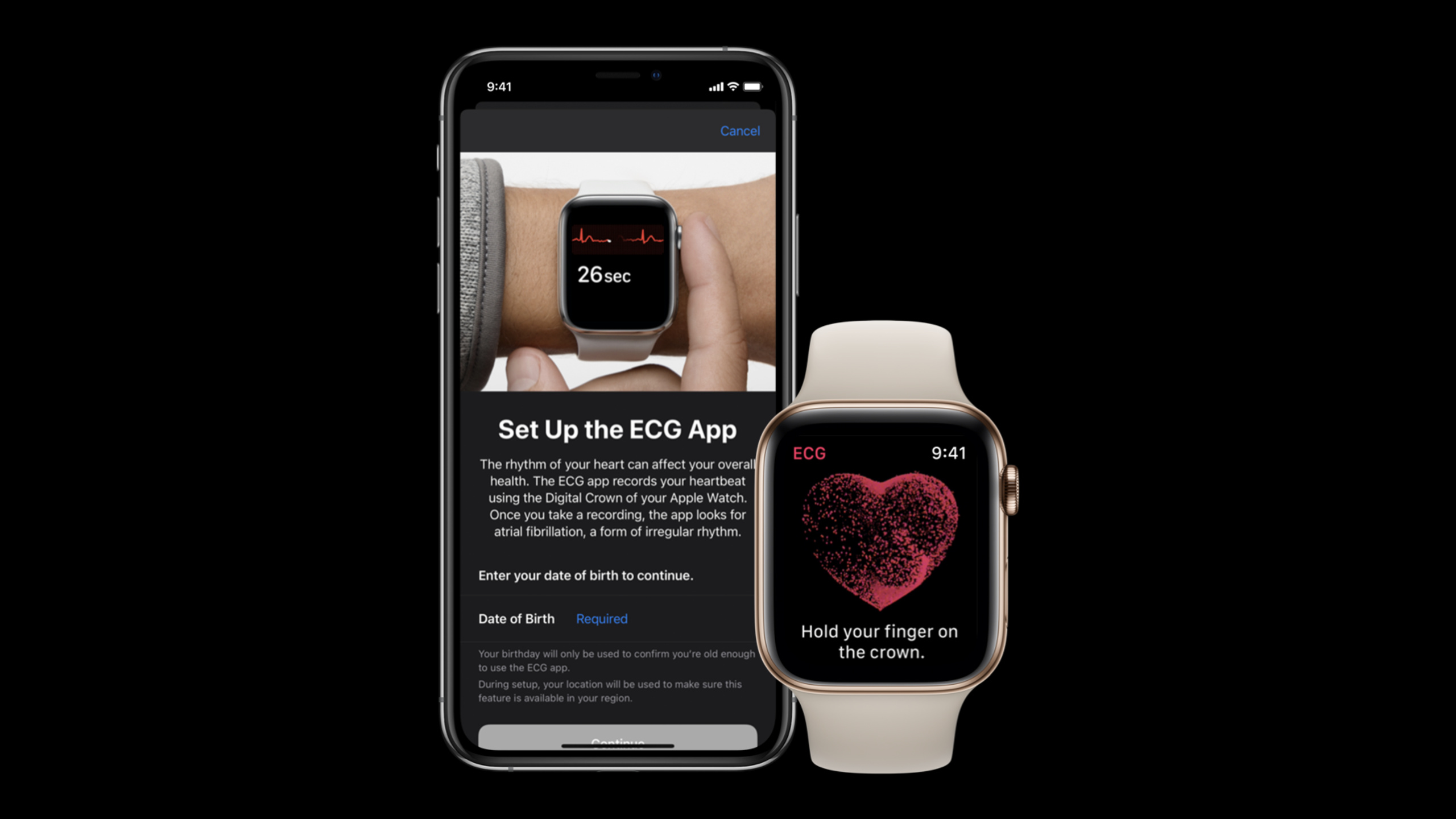
(01:45) The Apple Watch’s ECG App records heartbeats and heart rhythm waveforms. A 2020 update allows ECG samples to be read asHKElectrocardiogram. This sample has classification,symptomsStatus, average heart rate, sampling frequency, number of measurements and other attributes.
HKElectrocardiogram overview
- waveform: a series of voltage values
- classification: sinus rhythm, atrial fibrillation, or inconclusive
- symptomsStatus: whether the user associated a symptom with this ECG
- measurement context: average heart rate, sampling frequency, and number of voltage measurements
Key points:
HKElectrocardiogramis the ECG sample representation explicitly mentioned by transcript.classificationCorresponding to the results recorded by Apple Watch, sinus rhythm, atrial fibrillation and inconclusive are listed in the session.symptomsStatusIt is the attribute name that appears in transcript and is used to indicate whether this ECG is associated with symptoms.- Average heart rate, sampling frequency, and number of measurements appear as measurement descriptions in transcript. They are listed here by concept and are not written as Swift attribute calls.
(03:47) If you want to read the individual voltage values that make up the ECG waveform, session points toHKElectrocardiogramQuery. The process is to first use any HealthKit query to get the ECG sample, then use this sample to initialize the query, and finally execute it on the health store.
ECG voltage measurement workflow
1. Fetch ECG samples with any HealthKit query.
2. Initialize HKElectrocardiogramQuery with the fetched ECG sample.
3. Execute that query on the health store.
4. Receive individual voltage measurements in the query data handler.
Key points:
HKElectrocardiogramQueryThe input has been retrievedHKElectrocardiogramsample.- Session only describes the query process and data handler, and does not provide closure signatures or result enumerations.
- The data handler returns the individual voltage measurements that make up the ECG.
- This process is suitable for supporting waveform display, but this article does not write it into runnable code.
Mobility data type
(04:41) The Mobility metric measures a user’s functional movement ability. Session named walking speed, step length, walking asymmetry, double support percentage, stair ascent speed, stair descent speed, and six-minute walk test distance. This data can be read and written on the latest iOS and watchOS.
Mobility data types mentioned in this session
- walking speed
- step length
- walking asymmetry
- double support percentage
- stair ascent speed
- stair descent speed
- six-minute walk test distance

Availability
- These data types are available for reading and writing on the latest iOS and watchOS.
Key points:
- Walking speed and step length correspond to walking speed and step length, and session says they are affected by strength, fitness, balance and coordination.
- walking asymmetry and double support percentage correspond to balance and coordination.
- Stair ascent speed, stair descent speed reflect the ability to go up and down stairs, and session relates them to cardiorespiratory fitness, balance and coordination.
- six-minute walk test distance corresponds to the six-minute walk test distance commonly used clinically.
- transcript only states that these types can be read and written in the latest iOS and watchOS, without giving specific enumeration names or authorization codes.
Core Takeaways
-
SYMPTOM DIARY: What it does: Allows users to log daily symptoms and severity of shortness of breath, changes in sleep, changes in appetite, etc. Why it’s worth it: HealthKit already provides symptom sample literacy. How to start: First select the symptom type to be supported, and then save the user input as a symptom sample. The details page displays the severity changes by date.
-
ECG review page: What to do: Display the classification of each Apple Watch ECG, average heart rate, and whether it is associated with symptoms. Why it’s worth doing:
HKElectrocardiogramECG samples are provided, with transcripts clearly naming classification, symptom status, and measurement descriptions. How to get started: Query an ECG sample first, then create a timeline of classification, symptom status, and measurement context. -
ECG Waveform Check Entry: What to do: Load a single voltage measurement sequence when the user opens an ECG. Why it’s worth doing:
HKElectrocardiogramQueryCan get the voltage values that make up the ECG. How to start: Initialize the query with the retrieved ECG sample, receive the voltage measurement in the data handler, and draw the waveform after loading. -
Rehabilitation Mobility Dashboard: What to do: Track pace, stride length, gait asymmetry, double support time and six-minute walk distance. Why it’s worth doing: The session clearly links mobility to respiratory disease, heart health, recovery from injury, and mobility in the elderly. How to start: Create a weekly trend view around this set of Mobility data, and do not regard a single fluctuation as a conclusion.
Related Sessions
- Beyond counting steps — An in-depth explanation of the acquisition, aggregation and interpretation of Mobility indicators, which is an extension of the Mobility part of this session.
- Getting started with HealthKit — Complete the foundation of HealthKit authorization, read-write shared health store, query and statistics.
- Synchronize health data with HealthKit — Explains health data versions, change detection and synchronization identification, suitable for handling cross-device or server synchronization.
- What’s new in CareKit — Shows the interface and data storage updates of the care app, which can undertake symptom recording and care task scenarios.
Comments
GitHub Issues · utterances