
Highlight
Apple clarified the handling of nonce, state, credentialState and server notifications for Sign in with Apple in 2020, and added the Account Authentication Modification Extension to allow existing password accounts to be upgraded to Apple ID logins and avoid duplicate accounts.
Core Content
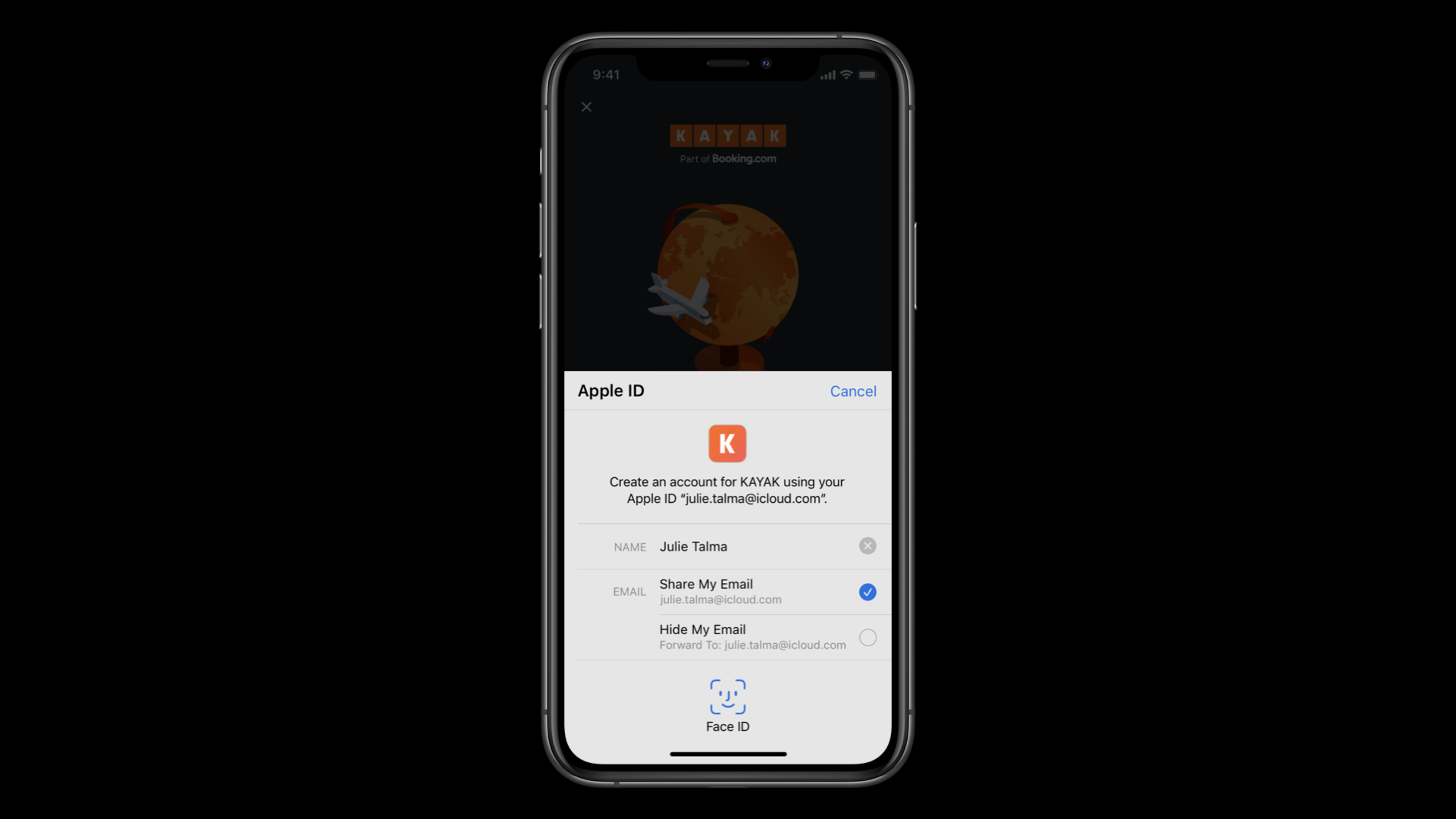
Sign in with Apple looks like just a sign-in button. When it comes to products, the trouble lies behind the button. When the user authorizes for the first time, he will give his name, email address,identityTokenandauthorizationCode; If the network fails, the name and email will not appear again next time. The user may also revoke authorization in the settings, or choose to hide the email address so that the application receives a private email relay address.
This session splits the login link into several things that need to be done right immediately: the request phase generates a uniquenonceandstate, callback phase verificationstate, the server parses and verifiesidentityToken, then useauthorizationCodeEstablish subsequent sessions with Apple ID servers (02:02, 05:37). In this way, when the client gets the certificate, it knows that it came from its own request, and the server can also check that the token has not been replayed or tampered with.
Completion of login does not mean that the status will always be valid. Apple requires apps to call when launching or returning to the foregroundgetCredentialState, and for.authorized、.revoked、.notFoundand new.transferredDo different processing (08:51, 10:16). If an application is moved from one development team to another,.transferredAllow developers to migrate user identifiers silently.
New capabilities in 2020 focus on two directions. First, the server can receive Apple-signed developer notifications and directly know whether the private email relay has been closed, whether the authorization has been revoked, and whether the Apple ID has been deleted (11:31). Second, Account Authentication Modification Extension can upgrade traditional username and password accounts to Sign in with Apple, and have the system remove old weak password credentials upon success (16:50, 29:42).
Detailed Content
1. Authorization request must bring nonce and state
nonceandstateThey are all opaque strings sent in the authorization request.nonceWill be embedded in the returnedidentityToken, the server can use it to reduce the risk of replay attacks.stateCredential will be returned directly, which the client can use to pair the callback with this request.
// Configure request, setup delegates and perform authorization request

    @objc func handleAuthorizationButtonPress() {
        let request = ASAuthorizationAppleIDProvider().createRequest()
        request.requestedScopes = [.fullName, .email]

        request.nonce = myNonceString()
        request.state = myStateString()

        let controller = ASAuthorizationController(authorizationRequests: [request])

        controller.delegate = self
        controller.presentationContextProvider = self

        controller.performRequests()
    }
Key points:
createRequest()Create an Apple ID authorization request, and all security parameters are hung on this request.requestedScopesOnly request what the application really needsfullNameandemail。request.nonceA unique value must be generated for each request, and subsequently used on the server side fromidentityTokenverification.request.stateUsed to confirm on the client that the returned credential corresponds to this request.ASAuthorizationControllerResponsible for displaying the system authorization interface and returning the results through delegate.
2. Save the necessary information in the callback and then hand it over to the server for verification.
Apple clearly reminds you that the name and email address will only appear in the credential when the user authorizes for the first time. The application needs to cache necessary objects locally to avoid losing the first authorization information when the network is not good. Then putidentityTokenandauthorizationCodeSent to the server, the server verifies the public key, expiration time,nonce, and use the authorization code to exchange for the token required for subsequent calls to Apple ID servers.
// ASAuthorizationControllerDelegate

func authorizationController(controller: ASAuthorizationController, didCompleteWithAuthorization authorization: ASAuthorization) {
        if let credential = authorization.credential as? ASAuthorizationAppleIDCredential {
            let userIdentifier = credential.user
            let fullName = credential.fullName
            let email = credential.email
            let realUserStatus = credential.realUserStatus

            let state = credential.state
            let identityToken = credential.identityToken
            let authorizationCode = credential.authorizationCode

            // Securely store the userIdentifier locally
            self.saveUserIdentifier(userIdentifier)

            // Create a session with your server and verify the information
            self.createSession(identityToken: identityToken, authorizationCode: authorizationCode)
    }
}
Key points:
credential.userIt is the local identification used by the application to subsequently identify the user and needs to be stored safely.fullNameandemailIt is only provided for the first authorization and must be able to be restored even if the server communication fails.realUserStatusReturned when authorized for the first time. Values include unsupported, unknown, and likely real.stateIt must be consistent with the value generated during the request. If the match fails, the login process should be stopped.identityTokenIt is a JSON Web Token (JWT). The server needs to use the Apple public key to verify the signature and check the expiration time.authorizationCodeAfter being sent to the server, refresh tokens, access tokens and new ones can be exchanged with Apple ID servers.identityToken。
3. Check credentialState when the application starts and returns to the foreground
getCredentialStateQuery the credential status using the saved user identifier. Apple recommends calling it when the app starts or enters the foreground, so that the app can promptly close its session after the user revokes authorization from the system settings.
// Getting a credential state

        let provider = ASAuthorizationAppleIDProvider()

        provider.getCredentialState(forUserID: getStoredUserIdentifier()) {
                                                        (credentialState, error) in
            switch(credentialState) {
            case .authorized:
                // Sign in with Apple credential Valid
            case .revoked:
                // Sign in with Apple credential Revoked, Sign out
            case .notFound:
                // Credential was not found, fallback to login screen
            case .transferred:
                // Application was recently transferred, refresh User Identifier
            @unknown default:
                break
            }
        }
Key points:
.authorizedIndicates that the credentials are still valid and you can skip the login interface and enter the application..revokedIndicates that the user has revoked authorization and the application should log out, close the session and display the login page..notFoundIndicates that the corresponding credentials cannot be found and the application should return to the login page..transferredNew in 2020, it applies to user ID migration after an app is moved from one development team to another.@unknown defaultReserved for future state to avoid crashes when new systems return unknown enumerations.
4. Use existing user identifier to trigger migration after team transfer
Sign in with Apple user identifiers are segregated by development team. After a company acquisition or application transfer, the user identifier under the old team needs to be migrated to the new team. deal with.transferredWhen, the developer fills in the currently saved user identifier into the new requestedrequest.user, the system will generate an identity matching the new team.
// Migrating a user identifier

        let request = ASAuthorizationAppleIDProvider().createRequest()
        request.requestedScopes = [.fullName, .email]

        request.user = getStoredUserIdentifier()

        request.nonce = myNonceString()
        request.state = myStateString()

        let controller = ASAuthorizationController(authorizationRequests: [request])

        controller.delegate = self
        controller.presentationContextProvider = self

        controller.performRequests()
Key points:
- The migration process reuses the authorization request for creating an account or logging in a user.
request.userFill in the currently saved user identifier to tell the system that this is a migration request.nonceandstateSettings still need to be set, and the migration process must maintain the same request validation.- callback still passes
ASAuthorizationControllerThe delegate is returned, and the application can refresh the local identity without the user being aware of it.
5. Use server notifications to handle authorization and mailbox status changes
Client lifecycle checks can only override state on the device. In 2020, Apple added server-to-server developer notifications. After the developer registers the endpoint on the Apple Developer website, Apple will send the event to the server as a self-signed JWT.
register server endpoint on Apple Developer website
events are JSON Web Tokens signed by Apple

email-disabled
email-enabled
consent-revoked
account-delete
Key points:
email-disabledIndicates that the user stops receiving emails forwarded by private email relay.email-enabledIndicates that the user reopens private email relay to receive emails.consent-revokedIndicates that the user stops using the Apple ID in the application and should be treated as a user logout.account-deleteIndicates that the user requested Apple to delete the Apple ID and the related user identifier is no longer valid.- These notifications go directly to the server and are suitable for updating account status, email sending strategies and risk control records.
6. Use SignInWithAppleButton in SwiftUI to accept the same set of request parameters
SwiftUI NewSignInWithAppleButton. The button itself can be selectedSignIn、ContinueorSignUpLabel,onRequestSet scope innonceandstate,onCompletionHandle authorization success or failure here. Button styles support black, white and white outline.
// SwiftUI example:

SignInWithAppleButton(.signIn) {
    onRequest: { (request) in
        request.requestedScopes = [.fullName, .email]
        request.nonce = myNonceString()
        request.state = myStateString()
    }
    onCompletion: { (result) in
        switch result {
        case .success(let authorization):
            // Handle Authorization
        case .failure(let error)
            // Handle Failure
        }
    }
}.signInWithAppleButtonStyle(.black)
Key points:
SignInWithAppleButton(.signIn)Create a system-style Apple login button.onRequestIt is the location to configure the authorization request. It needs to be set up in the same way as the UIKit process.nonceandstate。onCompletionProcess the authorization result and continue parsing if successfulauthorization。.signInWithAppleButtonStyle(.black)Select button style, session also mentions white and white outline.
7. Use Account Modification Extension to upgrade existing password accounts
Upgrade to Sign in with Apple is for accounts that already have a username and password. The system calls the application extension through Account Authentication Modification Extension. First try to verify the existing interface without interface.ASPasswordCredential. After successful verification, the extension requests the Apple ID credential, the server completes the account conversion, and the extension calls the completion method again, and the system will remove the old password credential.
enum VerificationResult : Int { case success; case failure; case twoFactorAuthRequired;

override func convertAccountToSignInWithAppleWithoutUserInteraction(
    for serviceIdentifier: ASCredentialServiceIdentifier,
    existingCredential: ASPasswordCredential
) {
    verifyCredential(existingCredential) { (result: VerificationResult) in
        switch result {
        case .failure:
            self.extensionContext.cancelRequest(withError:
                ASExtensionError(.failed))
        case .success:
          self.extensionContext.getSignInWithAppleAuthorizationWithState(state: myStateString(),
                                                                         nonce: myNonceString(),
                                                                         {…}
        case .twoFactorAuthRequired:
            self.extensionContext.cancelRequest(withError:
                ASExtensionError(.userInteractionRequired))
    }
}
Key points:
convertAccountToSignInWithAppleWithoutUserInteractionIt is the first step in interfaceless upgrade, and the goal is to reduce extra operations for users.existingCredentialIt is an existing password credential passed in by the system, and the extension needs to first verify whether it is still valid..failureWalkASExtensionError(.failed), end the upgrade process..successcallgetSignInWithAppleAuthorizationWithState,BundlestateandnoncePass in the Apple ID authorization process..twoFactorAuthRequiredWalkASExtensionError(.userInteractionRequired), causing the system to display the step-up security (supplementary verification) interface.- After the server completes the account conversion, the extension calls the completion method and the system removes the old weak password credentials to prevent the user from seeing two account entries when logging in next time.
Core Takeaways
-
Make the login callback into a resumable process
-
What: Cache immediately upon first authorization
userIdentifier, name, email,state、identityTokenandauthorizationCodeprocessing status. -
Why is it worth doing: The session clearly states that the name and email address are only returned during the first authorization. Network failure will cause the account creation process to lose data.
-
How to start: In
authorizationController(controller:didCompleteWithAuthorization:)First save the local recovery point, and then call the server to create a session. -
Add independent status to hidden mailbox
-
What to do: Mark the private email relay address in the user profile or mail system and record it
email-disabledandemail-enablednotify. -
Why it’s worth it: Apple explains that relay addresses are segregated by team, verified by Apple, and allow users to turn off or turn on mail forwarding.
-
How to start: Register server notification endpoint, put
email-disabledTrigger to pause marketing emails, putemail-enabledTriggered to restore the sendable state. -
Revoke authorization and log out simultaneously
-
What: Client listening
.revoked, server-side processingconsent-revoked, both paths enter the same account exit process. -
Why it’s worth doing: Users can disconnect the app from system settings; relying only on the next startup of the client will cause server-side status to lag.
-
How to start: Application startup and call back to the foreground
getCredentialState, the server receivesconsent-revokedThen close the session and clear the refresh token. -
Provide one-click upgrade entry for users with weak passwords
-
What to do: Add “Upgrade to Sign in with Apple” to the account security page, and support system-initiated upgrades from the password manager.
-
Why it’s worth doing: Account Authentication Modification Extension can use existing credentials to verify the account. After success, the system will remove the old weak password credentials.
-
How to start: Implementation
ASAccountAuthenticationModificationViewControllerSubclasses, give priority to interfaceless verification; return only when secondary verification is requireduserInteractionRequired。
Related Sessions
- One-tap account security upgrades — An in-depth explanation of the Account Authentication Modification Extension, strong password upgrades, and Sign in with Apple upgrade process.
- Meet Face ID and Touch ID for the web — Introducing an alternative to website login in Safari based on the Web Authentication API.
- Secure your app: threat modeling and anti-patterns — Suitable for completing the threat modeling ideas behind login, token and state management.
Comments
GitHub Issues · utterances