
Highlight
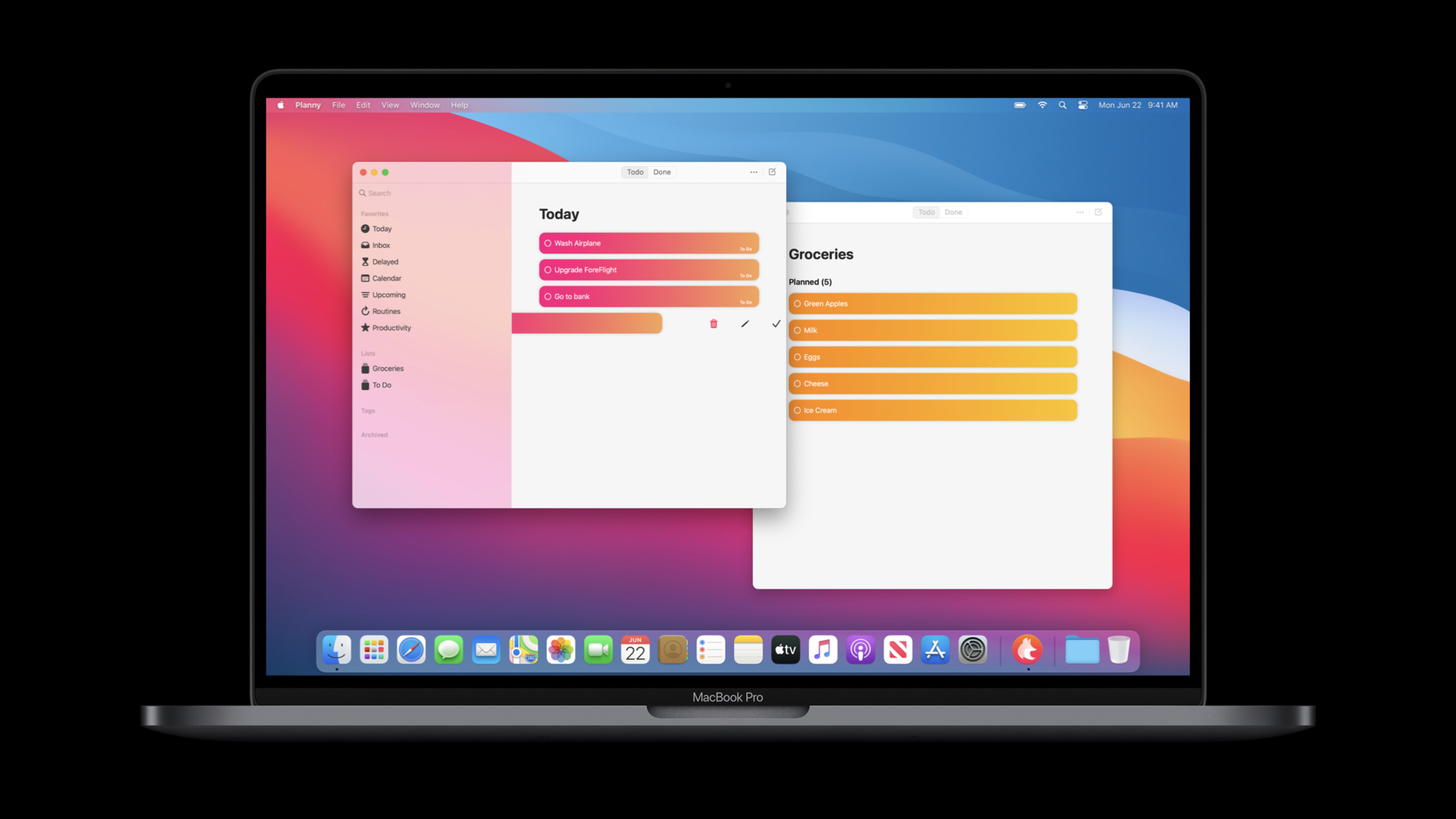
macOS Big Sur allows Mac Catalyst to link to more iOS frameworks, add hardware keyboard, focus, window behavior, and Big Sur appearance support, and use Optimized for Mac and Universal Purchase to reduce the cost of modifying iPad apps for Mac.
Core Content
The first step in bringing an iPad app to a Mac is usually to get it up and running. Mac Catalyst in the Catalina era already allowed apps to use a larger screen, add toolbars and menus, and automatically gain some macOS appearance. The real trouble comes when polishing continues: some iOS frameworks cannot be linked, the keyboard and focus behavior are not desktop-like enough, and the multi-window lifecycle is not exactly the same as the iPad’s intuition.
Big Sur updates address compatibility first. Apple has brought more iOS frameworks to Mac Catalyst this year, and even put some iOS frameworks that are not found in macOS itself into the macOS SDK. The goal is to reduce the need to exclude code for Mac target conditions. The example in the speech is ARKit: when targeting Big Sur or updating the system, the Catalyst app can link to ARKit, and then use runtime checks to determine whether to enable the AR function just like on iOS devices that do not support AR.
The second layer is input and window behavior. UIKit’s new hardware keyboard events, focus engine,selectionFollowsFocus、NSCursor, color picker, date picker, menu button, sheet, popover and three columnsUISplitViewController, all making Catalyst apps closer to users’ expectations for Mac apps. Developers still write UIKit, but get the standard right-click menu, Mac color picker, AppKit inline date picker, and a more Mac-like sidebar.
The final layer is product launch and interface quality. Optimized for Mac changes the default zoom from 77% to 100%, making text and graphics clearer and making control measurements closer to Mac. SwiftUI’s commands and toolbar can naturally enter the Mac main menu and toolbar. Universal Purchase combines the purchase relationships between iOS and Mac. New Catalyst apps are added by default, and old projects or non-Catalyst Mac apps can be migrated according to documents.
Detailed Content
1. More iOS frameworks can directly participate in Catalyst construction
(01:00) An early pain point with Catalyst was framework availability. The speech pointed out that in the past, apps that relied on ARKit needed to remove the framework from the macOS target and use conditional compilation to avoid ARKit symbols. After Big Sur, Catalyst apps can link to these frameworks and then use runtime capabilities to check and control function entries.
import ARKit

if ARWorldTrackingConfiguration.isSupported {
    showAREntryPoint()
} else {
    hideAREntryPoint()
}
Key points:
import ARKitCorresponds to the change in “ARKit can be linked” in the speech. -ARWorldTrackingConfiguration.isSupportedIt is a runtime capability check, suitable for determining whether the current Mac can enable the AR function. -showAREntryPoint()andhideAREntryPoint()Represents the switch of the product layer to avoid exposing unsupported entries to users.- This way of writing puts the differences at runtime, reducing large sections of conditional exclusion code on the Mac target.
2. Keyboard focus and raw key events enter the UIKit path
(02:12) Hardware keyboard events can be handled through the responder chain. The entrance to the speech roll call ispressesBeganandpressesEnded. Games and canvas apps can use them to add D-pad, modifier key, and hold-down behaviors to existing UIKit controllers.
(03:01) The same paragraph also mentions focus engine.UITableViewandUICollectionViewAllows selection to follow keyboard focus. For example, when the sidebar is moved with the arrow keys, the focus seen by the user and the currently selected item should be synchronized; in the details area, the arrow keys can be regarded as highlighted movement, and the selection can be triggered by pressing Enter or space.
final class SidebarViewController: UITableViewController {
    override func viewDidLoad() {
        super.viewDidLoad()
        tableView.selectionFollowsFocus = true
    }

    override func pressesBegan(_ presses: Set<UIPress>, with event: UIPressesEvent?) {
        for press in presses {
            switch press.key?.keyCode {
            case .keyboardUpArrow:
                moveSelection(delta: -1)
            case .keyboardDownArrow:
                moveSelection(delta: 1)
            default:
                super.pressesBegan(presses, with: event)
            }
        }
    }

    override func pressesEnded(_ presses: Set<UIPress>, with event: UIPressesEvent?) {
        stopKeyboardDrivenMovement()
    }

    private func moveSelection(delta: Int) {}
    private func stopKeyboardDrivenMovement() {}
}
Key points:
tableView.selectionFollowsFocus = trueAlignment speech “arrow keys move between sidebar cells” scene. -pressesBegan(_:with:)Enters the responder chain when the button is pressed, suitable for initiating continuous movement. -pressesEnded(_:with:)Stop the action when the key is released to prevent the interface from continuing to move after the user releases the direction key. -super.pressesBeganReserve the system’s opportunity to process other keystrokes.
3. Scene activation can control new tabs and new windows
(03:26)UIScene.ActivationRequestOptionsofcollectionJoinBehaviorThe property allows the Catalyst app to specify the window creation behavior when activating the scene. The type of this property isUISceneCollectionJoinBehavior. Developers can add new scenes to existing window collections to form new tabs; they can also request the creation of new top-level windows.
let options = UIScene.ActivationRequestOptions()
options.collectionJoinBehavior = .preferred

UIApplication.shared.requestSceneSessionActivation(
    nil,
    userActivity: userActivity,
    options: options,
    errorHandler: nil
)
Key points:
UIScene.ActivationRequestOptionsCorresponds to the scene activation configuration object in the speech. -collectionJoinBehavior = .preferredIndicates that priority is given to adding compatible window collections, which are suitable for opening content into tabs.- When you need a top-level window, you can change the behavior to
.disallowed, letting the scene create a new collection. - This API puts the “tab or new window” choice on Mac back into the UIKit scene lifecycle.
(08:54) The life cycle has also changed. Big Sur will allow the scene to enter the background in more scenarios, such as when the window is minimized, the space is out of view, and the app is hidden. As long as the app still has a window in the foreground, or the app controls the menu bar, the overall app state remains in the foreground. Games and real-time content apps need to determine whether to pause at the scene level.
4. The relationship between extension and purchase is closer to iOS
(10:20) Photo editing extension can be brought to Mac. The Catalyst extension also gets a life cycle closer to iOS: it enters suspended when not in use, resumes immediately when needed, and applies iOS-style memory limits and memory pressure control. WidgetKit’s iPad widgets can also run on Mac by opting in to Mac Catalyst.
(11:15) Universal Purchase solves the user purchase path. Once a user purchases a Universal Purchase app, it can be accessed on all platforms. The new Mac Catalyst app joins Universal Purchase by default; if you want to quit, you can cancel “Use iOS Bundle Identifier” in the project settings. The merge path for old Catalyst apps, non-Catalyst Mac apps, and existing iOS apps needs to follow the “Offering Universal Purchase” document.
Key points:
- The Photo editing extension and the WidgetKit widget are both entry points for existing iPad assets into the Mac.
- The extension’s suspended/unsuspended behavior reduces the pressure on developers to handle the life cycle separately for Mac.
- Universal Purchase changes the business model from “Mac buy another time” to cross-platform benefits.
- When migrating old projects, first check the ownership relationship of bundle identifier, capabilities and App Store metadata.
5. Big Sur appearance will automatically cover a batch of Catalyst interfaces
(12:10) A new look for Big Sur is coming to the Catalyst app in a big way. Toolbar styles can be passedUITitlebaroftoolbarStyleProperty settingsUITitlebarToolbarStyle, applied to the titlebar of each window. separator identifiers can be put intoolbarDefaultItemIdentifiers, used to assign toolbar items to the sidebar, content area and right area. The accent color comes from the symbolic color in the asset catalog and is used as the app-wide default tint color.
if let titlebar = view.window?.windowScene?.titlebar {
    titlebar.toolbarStyle = .unified
}
Key points:
windowScene.titlebarIt is the UIKit entry for Catalyst apps to access the Mac titlebar. -toolbarStyle = .unifiedAlign Big Sur unified toolbar appearance.- Toolbar separator identifiers and accent colors do not require rewriting the entire UIKit layout, but require developers to review existing toolbars and resource directories.
- The speech also mentioned the automatic drag reordering of the collection view in the sidebar. Apps using List Layout can directly obtain more Mac-like sidebar behavior.
Core Takeaways
-
Make a keyboard-first Mac version of the database: Change the list/details app on the iPad into a three-column sidebar, driven by the arrow keys
selectionFollowsFocus, Enter or space triggers detail selection. Why it’s worth doing: This is exactly the target scenario for sidebars and focus engines in presentations. How to start: First migrate the main navigation toUISplitViewControllerThree-column structure, and then add focus following selection to the table view or collection view. -
Add raw keyboard controls to drawing, gaming or media apps: arrow keys to move objects, space to play/pause, modifier keys to change drag behavior. Why it’s worth it: Mac users naturally look for keyboard and mouse paths,
pressesBegan、pressesEndedandNSCursorLet your UIKit app handle these inputs. How to start: Start connecting to the responder chain from the most commonly used group of keys, and then configure the cursor image of the mouse area. -
Make existing photo editing capabilities into a Mac extension: Make the existing photo editing extension on iPad available on Mac. Why it’s worth it: The Catalyst extension automatically gets suspended lifecycle and memory pressure behavior closer to iOS. How to start: First opt in to Mac Catalyst for the extension target, then use Instruments and memory stress testing to confirm the large image processing path.
-
Complete Universal Purchase for paid iPad tools: Let old users get the same app rights directly on Mac. Why it’s worth doing: The talk explicitly mentions Universal Purchase as a key change for Mac releases on Catalyst. How to start: Check “Use iOS Bundle Identifier” in the project, and then click the Offering Universal Purchase document to merge capabilities and App Store metadata.
-
Do a Big Sur appearance audit: Check toolbar style, accent color, SF Symbols, color picker, date picker, pull-down menu, sheet and popover. Why it’s worth doing: Many of these UI updates will take effect automatically, but toolbar partitions, brand colors, and old custom controls still require manual judgment. How to start: First run the existing Catalyst app on the Big Sur target system and make a checklist of the titlebar, sidebar, form controls and popup layers of each window.
Related Sessions
- Optimize the interface of your Mac Catalyst app — In-depth explanation of Optimized for Mac, Mac idiom, 1:1 rendering, Mac control appearance and Catalyst layout migration.
- Adopt the new look of macOS — Explains Big Sur’s sidebar, toolbar, accent color, controls, and SF Symbols changes, the Mac-side background for the UI part of this session.
- Build with iOS pickers, menus and actions — Expand the color picker, date picker, pull-down menu and UIAction mentioned in this session.
- Support hardware keyboards in your app — An in-depth explanation of hardware keyboards, responder chain, shortcut keys, and raw key events.
- Accessibility design for Mac Catalyst — Supplements Mac Catalyst’s keyboard focus, shortcuts, grouping, and testing flow from an accessibility perspective.
Comments
GitHub Issues · utterances