
Highlight
Apple Retail uses App Groups, Swift packages, XCTest, Instruments, and configuration-driven UI to manage multiple in-store employee apps, so that shared data, shared components, test priorities, and regional store configurations can all be implemented under the same set of engineering practices.
Core Content
Apple Retail has more than 500 stores. Employees use multiple internal apps every day to handle appointments, product catalogs, store layout, customer communications and operational status. If each app handled authentication, image caching, scanning, model objects, and UI components independently, the engineering team would spend a lot of time on duplicate implementations and consistency fixes.
The approach given in this session is to treat the “suite” as an engineering system design. Multiple apps remain focused, but sharing capabilities are put into clear boundaries: App Groups are responsible for cross-App data, Swift packages are responsible for reusing code, tests are prioritized into execution queues with different frequencies, and production environment differences are driven by configuration files and server-side switches.
This approach does not focus on a single framework. It puts together four long-term issues for enterprise apps: how to share them among multiple apps, how to precipitate public code, how to verify before release, and how to adapt to different regions, markets and stores after release. For enterprise teams, this is easier to maintain than building a huge single App, and is more suitable for parallel evolution of multiple business teams.
The scanning examples in the lecture are also representative. Apple Retail wraps Vision and AVFoundation in-houseRetailScannerpackage, which exposes unified configuration objects, default UI and delegate callbacks to business apps. Business engineers do not need to repeatedly understand the details of cameras, barcodes, OCR and accessibility functions to get a consistent scanning experience in different apps.
Finally, production configuration separates business changes from client releases. When the Email or Phone Number field in the customer form is to be taken offline, the team modifies the configuration file hosted on the server. When the app is started next time, it reads the new configuration and the UI can be updated. This mechanism reduces temporary releases, but also requires that the client, server, and configuration versions remain compatible.
Detailed Content
App Groups: First solve the problem of sharing data across apps
(01:23) One of the first iOS capabilities adopted by Apple Retail is App Groups. Once enabled, multiple apps under the same developer portal can be exchanged through shared containers.UserDefaultsand documents. The entrance to Xcode is in Signing and Capabilities. Add the App Groups capability and then create the group.
(01:57) Code given in the talk is shared fromUserDefaultsstart:
let sharedDefaults = UserDefaults(suiteName: "group.com.apple.myappgroup")!

sharedDefaults.set("My Cool Value", forKey: "MyKeyName")

let myKeyNameValue = sharedDefaults.string(forKey: "MyKeyName")
Key points:
suiteNameUsing the App Group identifier, only apps that join the same group can access this defaults. -set(_:forKey:)Write shared key values, suitable for lightweight configuration and status. -string(forKey:)Read the value in the same shared domain, and other apps in the same group can also obtain it based on the same key.- transcript also mentions shared files, suitable for shared data larger than key values.
Swift packages: Converg repeatability into stable boundaries
(02:23) The role of Swift packages in this presentation is to reduce duplicate code, reduce human errors, and make it easier for engineers to understand existing code when moving across teams. Apple Retail has also established a team dedicated to maintaining packages so that these components have long-term owners.
(02:57) The candidate capabilities listed in the speech are very specific: Based onURLSessionAuthentication package, image capture and disk caching package, UIKit’s custom table view cell and product details view, customer/appointment/product and other model objects, and scanning package. These capabilities have one thing in common: they must be used by multiple apps, and their behavior needs to be consistent.
(05:03) The scan package barcode example shows the unified configuration object and view controller initialization mode. Here’sRetailScannerIt is an internal package of Apple Retail, used to describe the packaging method, not a public system framework.
import RetailScanner

let scanOptions = BarcodeScanOptions()
scanOptions.scanRegion = .regular
scanOptions.shouldAddSupplementaryView = false
scanOptions.shouldShowBarcodeDetector = true

let barcodeViewController = BarcodeScannerViewController(scanOptions: scanOptions)
barcodeViewController.delegate = self
Key points:
BarcodeScanOptionsCentrally save scan areas, auxiliary views and detector display settings. -BarcodeScannerViewController(scanOptions:)Use configuration as initialization parameters to facilitate reuse of the same set of configurations in multiple apps. -delegateReceive scanning success and failure messages, and the business app only processes the results without repeating the camera and recognition process.
(05:23) The OCR example follows the same configuration and initialization pattern:
import RetailScanner

let scanOptions = OCRScanOptions(
    scanRegion: .custom(CGSize(width: 400, height: 100)),
    accessibilityBehavior: .vibrate,
    shouldAddSupplementaryView: true,
    validation: nil,
    shouldShowResultView: true
)
scanOptions.recognitionLevel = .fast

let ocrViewController = OCRScannerViewController(
    scanOptions: scanOptions
)
ocrViewController.delegate = self
Key points:
scanRegionLimit the OCR recognition range to custom sizes to reduce irrelevant screen interference. -accessibilityBehaviorLet scanning feedback take care of accessibility needs. It was mentioned in the speech that the scanning package supports customized accessibility support. -recognitionLevel = .fastCorresponding to real-time OCR scenarios, priority is given to ensuring the feedback speed during the scanning process.- Barcode and OCR use the same design model, so business engineers do not need to relearn a set of APIs when switching capabilities.
Test: Split manual regression into runnable engineering processes
(05:48) After the App was completed, Apple Retail did not rely on a lot of manual testing. The talk divided testing into unit testing, UI testing and performance testing. Unit tests are completed by the engineering team when writing classes and functions, with the goal of covering the expected return values of each code path.
(06:40) UI testing uses XCUITest to code the QE team’s existing manual test cases into Swift. After the tests are created, they are also split according to importance, because UI tests take a long time to run, and the most important tests need to be executed more frequently.
check-in: run the most important UI tests
daily: run a broader set of regression tests
weekly: run lower-priority or longer tests
Key points:
check-inLevel testing is responsible for blocking high-risk regressions as quickly as possible.dailytesting expands coverage and is suitable for scenarios outside the core path. -weeklyTests host longer, lower-priority regression content.- Scheduling by priority can shorten the discovery time of critical failures.
(07:21) Performance testing focuses on two things: rendering performance and battery performance. Store equipment is used in the store all day long, and employees will lose productivity if they take the equipment to charge. Therefore, battery performance is as important as the smoothness of interactions such as scrolling and dragging.
Instruments
→ rendering performance
→ memory usage
→ battery usage
→ long-running operations
Key points:
InstrumentsIt is a built-in tool in Xcode and is used in the speech to analyze execution time, memory and power anomalies. -rendering performanceCorresponds to high-frequency interactions such as list scrolling and dragging. -battery usageIt is critical for corporate store scenarios because the equipment will affect the work of employees if it leaves the store.- These indicators need to be observed on real devices to be close to what employees use throughout the day.
Configuration-driven UI: Keep production differences out of client releases
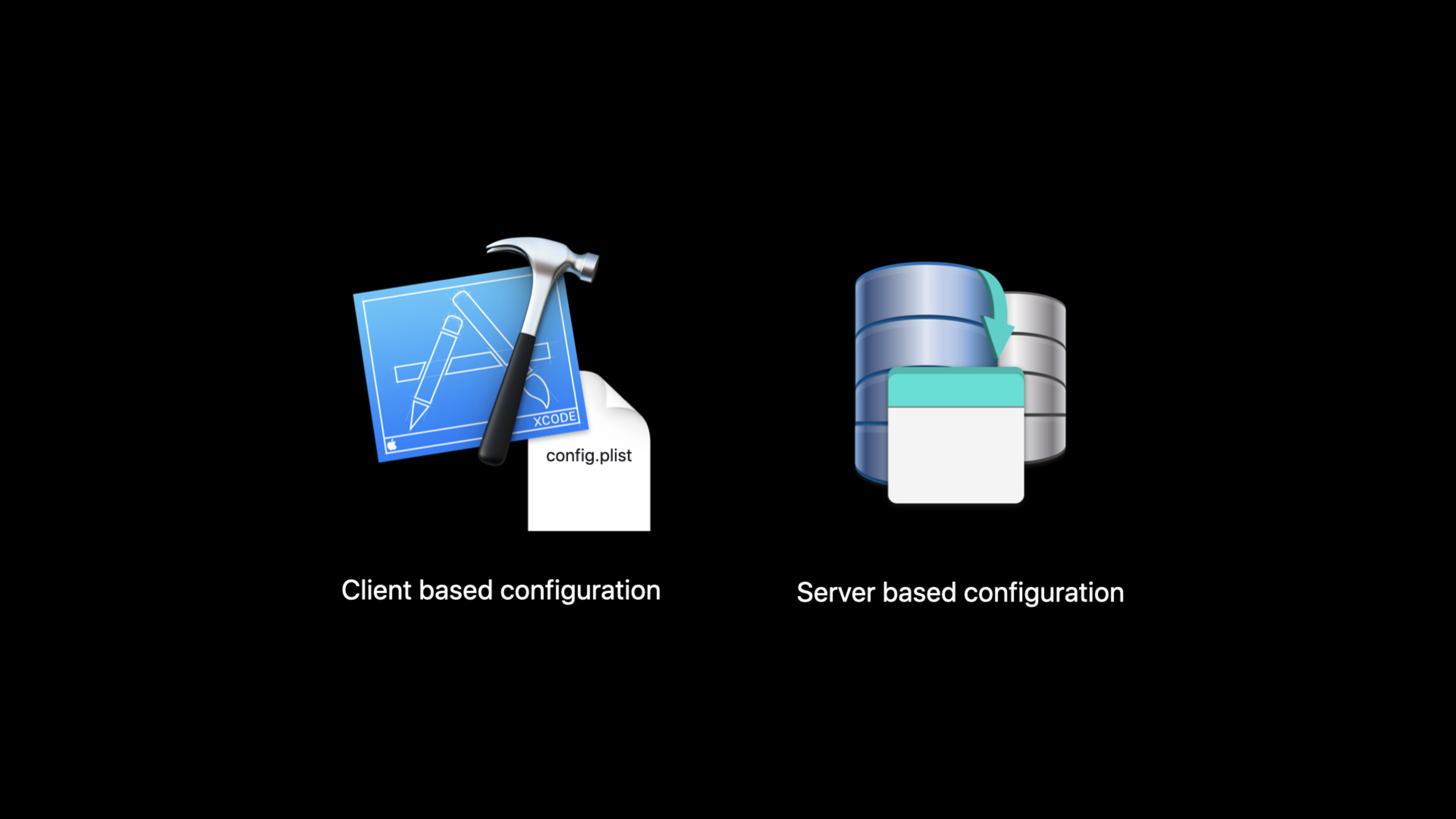
(08:41) The production management part talks about two types of configuration: client based configuration file and server based configuration. The former has mapping in the client, but the configuration file is hosted on the server; the latter is a Boolean value downloaded from the server and used to drive App behavior.
(09:10) Client configuration is suitable for controlling UI elements. Apple Retail can adjust the experience by geo, market, and store level without changing code or resubmitting client builds.
PLIST attributes in client code
→ hosted as JSON on the server
→ app downloads attributes during startup
→ UI renders only the configured fields
Key points:
PLIST attributesIs a field definition known to the client. -hosted as JSONIndicates that configuration content is distributed from the server. -startupDownload the configuration in stages to ensure that the latest fields are used when the app is opened.- UI is rendered as configured, allowing business teams to quickly adjust for store or market-level differences.
(12:10) The customer form example shows where configuration-driven UI falls. The official code snippet only shows the configuration entries of two types of cells:
func configuredCellForLabel(for customerInfoField: CustomerInfoField, at indexPath: IndexPath) -> UITableViewCell { ... }

func configuredCellForPhoneNumber(for customerInfoField: CustomerInfoField, at indexPath: IndexPath) -> UITableViewCell { ... }
Key points:
CustomerInfoFieldAbstract form fields into universal inputs, making it easier to configure which fields to display. -configuredCellForLabelHandles normal text fields such as First Name, Last Name, or Email. -configuredCellForPhoneNumberHandle fields such as Phone Number that require special input behavior.- When the Email or Phone Number is deleted from the configuration file, the corresponding cell will no longer be rendered after the App is started next time.
(13:42) The cost of configuring the driver is compatibility management. The new server configuration may not be recognized by the old client, and the new client attributes may not have server mapping yet. Apple Retail uses config versioning to determine the downloaded client/server configuration version, and then decides which experience to display; when the two parties cannot support each other, the user is required to update the app.
Core Takeaways
-
What to do: Put authentication and network access into a shared package. Why it’s worth doing: The transcript clearly mentions that Apple Retail builds certification into
URLSessionAbove, business engineers don’t have to deal with certification details repeatedly. How to start: First extract the request structure, token refresh and error handling, and then let each business app rely on the same Swift package. -
What to do: Build a unified scanning portal for barcodes and OCR. Why it’s worth doing: Scanning capabilities require Vision, AVFoundation, default UI, accessibility feedback, and delegate callbacks. Repeated implementations are prone to experience differences. How to start: Follow the speech
BarcodeScanOptions、OCRScanOptionsAnd view controller initialization mode, first package the most commonly used scanning process into a package. -
What to do: Run enterprise app UI tests in hierarchical order. Why it’s worth doing: The check-in, daily, and weekly cadence of presentations exposes critical failures earlier while retaining full regression coverage. How to get started: Convert existing manual use cases into XCUITest, then mark each use case with priority and run frequency.
-
What to do: Put store or region differences into the configuration driver form. Why it’s worth doing: The customer form example shows that field removal can be done through configuration and does not require a new client build. How to start: First abstract the form fields into
CustomerInfoField, and then have the startup process download the JSON configuration hosted on the server. -
What to do: Add version compatibility and forced update rules to the configuration system. Why it’s worth doing: The session clearly points out that the server and client configurations may not support each other. The lack of version judgment will allow old clients to get new configurations that they cannot understand. How to start: Record versions for client config and server config separately, check the compatibility matrix when starting, and then decide to enable the new experience or prompt for updates.
Related Sessions
- Create custom apps for employees — Talking about how to design enterprise apps from the pain points of employees is the pre-product content of this session.
- Leverage enterprise identity and authentication — Talking about enterprise identity, SSO extension and Managed Apple ID, which can complete the login and credential management in the App suite.
- Custom app distribution with Apple Business Manager — Talk about the creation and distribution process of custom enterprise apps, following the completion of kit development.
- Distribute binary frameworks as Swift packages — Talk about Swift packages distributing binary frameworks to supplement the packaged delivery method of shared components.
- Get your test results faster — Talk about Xcode test plans, xcodebuild and XCTest timeout mechanisms, extending the test scalability topic of this session.
Comments
GitHub Issues · utterances