
Highlight
Apple takes the Caffè Macs enterprise app as an example to demonstrate how to extend the campus-level positioning experience to global employee scenarios using the user’s default location, Core Location’s iBeacon monitoring and ranging, DateFormatter, and NumberFormatter.
Core Content
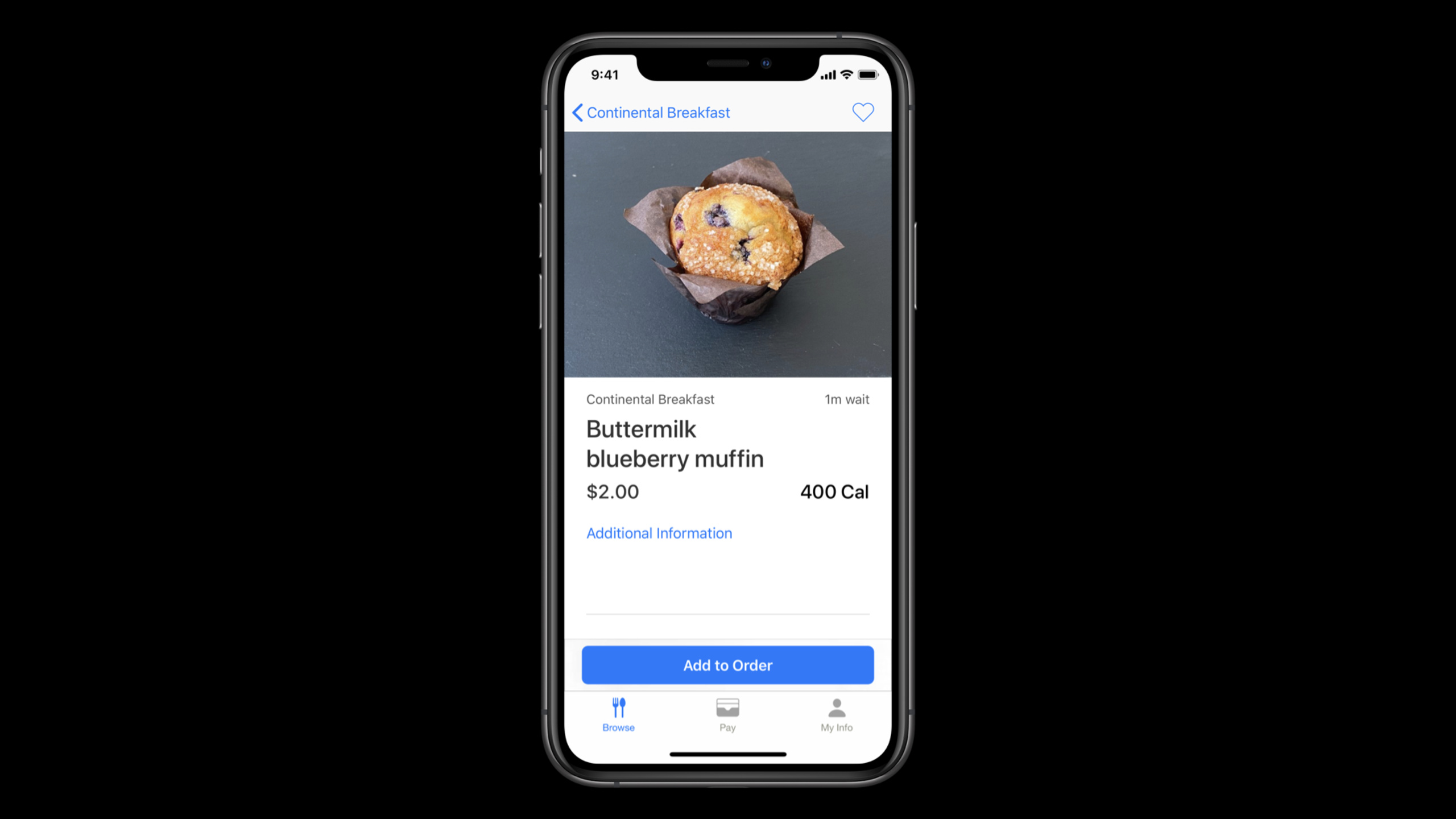
Caffè Macs serves as the entrance to the employee cafeteria in Apple Park. Employees use the iPhone App to browse the menu, place orders, and pay with Apple Pay; visitors use iPad kiosks to order food; the kitchen then uses the Kitchen Display System on the iPad to receive orders and notify food pickup. The positioning requirements here are very specific: when employees open the app, they should see the menu of the Caffè they want to go to.
The difficulty comes from the park environment. The main Caffè and the nearby coffee station are very close, and one person may be close to multiple dining spots at the same time. If the app only uses coarse-grained locations, it’s easy to cut the menu to the wrong location and order to a counter the user didn’t intend to go to.
Apple’s approach is restrained. First, let employees choose a default location, and provide two entrances: “Closest to Me” and a specific Caffè; only when users need to automatically match nearby locations, they enter the Core Location authorization process. This way, even if an employee denies location permission, the app can still open the designated menu according to the user’s preference.
When an app really needs a live experience, it uses Core Location and iBeacon. Region monitoring first determines whether there is a target beacon nearby, and beacon ranging determines the closest location based on the distance. Finally, DateFormatter, NumberFormatter and localized layout bring the same set of enterprise experiences to different regions to avoid errors in time, amount and reading language in global employee scenarios.
Detailed Content
First create a default location using user preferences
(03:28) The speech will first deal with an issue that is easily overlooked: don’t rush to flick the location permissions. Caffè Macs allows employees to choose “Closest to Me” or directly specify a Caffè. The latter does not require positioning permission at all and is suitable for situations where the user refuses in advance or does not want to authorize it temporarily.
// Storing the user's preference using UserDefaults

UserDefaults.standard.set(defaultLocation.id, forKey: "defaultLocationId")

let defaultLocationId = UserDefaults.standard.integer(forKey: "defaultLocationId")
Key points:
defaultLocation.idis the default location selected by the user and is suitable for placingUserDefaultsThis type of small persistent storage. -defaultLocationIdRead back the next time it is started and used to decide which Caffè menu to display on the home page.- This step occurs before the location service, so it is also a fallback when location authorization fails.
Request just enough location permissions
(06:14) Caffè Macs only requests “When in Use” authorization. The talk clearly says that the “Always” grant allows background access to location, but this app’s scenario doesn’t require it. Enterprise apps should only request data required for functionality and explain why using the purpose string in Info.plist.
// Add NSLocationWhenInUseUsageDescription to your Info.plist
// e.g. "Location is required for placing orders while using the app."

locationManager.requestWhenInUseAuthorization()

func locationManager(
    _ manager: CLLocationManager,
    didChangeAuthorization status: CLAuthorizationStatus) {

    switch status {
    case .restricted, .denied:
        disableLocationFeatures()

    case .authorizedWhenInUse, .authorizedAlways:
        enableLocationFeatures()

    case .notDetermined:
        // The user hasn't chosen an authorization status
    }
}
Key points:
NSLocationWhenInUseUsageDescriptionMust exist, otherwise the authorization request will fail immediately. -requestWhenInUseAuthorization()It should be called when the user performs related tasks to prevent the user from not understanding the source of the pop-up window. -didChangeAuthorizationIt is the entry point for permission status changes. It will also be triggered when the user turns off permissions in the system settings. -.restrictedand.deniedTake the downgrade path and return to the previous default location preference.
First confirm that the device supports beacon capabilities
(07:02) Location services rely on hardware capabilities. Speech requires calling a location service before using itCLLocationManagerAbility check method. This way, when the iPad kiosk, old device, or managed device lacks relevant capabilities, the app has a controllable alternative path.
if CLLocationManager.isMonitoringAvailable(for: CLBeaconRegion.self) {
    // Supports region monitoring to detect beacon regions
}

if CLLocationManager.isRangingAvailable() {
    // Supports obtaining the relative distance to a nearby iBeacon device
}
Key points:
isMonitoringAvailable(for:)Check whether it can monitor the entry and exit of the beacon region. -isRangingAvailable()Checks whether the device can estimate the relative distance of nearby iBeacons.- When any capability is unavailable, the app should not leave the user stuck in the on-site location process.
Use region monitoring to find nearby beacons
(08:54) iBeacon supports two steps: first use region monitoring to discover whether there is a matching beacon nearby. When deploying beacon hardware, proximity UUID, major, and minor need to be written. The talk suggests using these values to express a hierarchy, such as a Caffè hierarchy or a certain food station.
// Stage 1: Region Monitoring

func monitorBeacons() {
    if CLLocationManager.isMonitoringAvailable(for: CLBeaconRegion.self) {

        let constraint = CLBeaconIdentityConstraint(uuid: proximityUUID)

        let beaconRegion = CLBeaconRegion(
            beaconIdentityConstraint: constraint,
            identifier: beaconID
        )

        self.locationManager.startMonitoring(for: beaconRegion)
    }
}
Key points:
CLBeaconIdentityConstraintUse proximity UUID to describe the set of beacons to be matched. -CLBeaconRegionBind constraints to business identifiers. -startMonitoring(for:)Once registered, the delegate will be notified when entering or leaving the matching area.- Need to be created before calling
CLLocationManagerand set the delegate.
Use beacon ranging to determine the nearest location
(09:30) After entering the region, the App starts ranging. ranging provides more detailed relative distance information and is suitable for solving the problem of close proximity of multiple dining spots in the same park.
// Stage 2: Beacon Ranging

func locationManager(_ manager: CLLocationManager, didEnterRegion region: CLRegion) {
    guard let region = region as? CLBeaconRegion,
        CLLocationManager.isRangingAvailable()
        else { return }

    let constraint = CLBeaconIdentityConstraint(uuid: region.uuid)
    manager.startRangingBeacons(satisfying: constraint)
    beaconsToRange.append(region)
}

func locationManager(_ manager: CLLocationManager, didExitRegion region: CLRegion) {

}
Key points:
didEnterRegionIndicates that the system has detected a matching beacon. -guardAlso confirm the region type and ranging capabilities. -startRangingBeacons(satisfying:)Start getting the distance information of nearby beacons. -beaconsToRangeRecord the current ranging object to facilitate subsequent stopping as needed.
(10:09) After receiving the ranging result, Caffè Macs takes the nearest beacon and uses major, minor and proximity to determine which location information to display.
// Stage 2: Beacon Ranging

func locationManager(
    _ manager: CLLocationManager,
    didRangeBeacons beacons: [CLBeacon],
    in region: CLBeaconRegion) {

    guard let nearestBeacon = beacons.first else { return }
    let major = CLBeaconMajorValue(truncating: nearestBeacon.major)
    let minor = CLBeaconMinorValue(truncating: nearestBeacon.major)

    switch nearestBeacon.proximity {
    case .near, .immediate:
        displayInformation(for: major, and: minor)

    default:
        handleUnknownOrFarBeacon(for: major, and: minor)
    }
}
Key points:
beacons.firstRepresents the closest beacon in the current result. -majorandminorUsed to map business objects, such as a certain layer, a certain Caffè or a certain station. -.nearand.immediateLocation information is displayed only when the location is unknown or far away, and it is handled conservatively.- If multiple beacons share the same UUID, major, and minor, the lecture reminder results may only be distinguished by proximity and accuracy.
Extend location experience to global workforce
(11:32) There is also a macro level to position. When employees are located in different regions, the same meal pickup time cannot be displayed in a single format. DateFormatter is responsible for converting Date into text according to user locale habits.
// Formatting Dates
let dateFormatter = DateFormatter()
dateFormatter.dateStyle = .medium
dateFormatter.timeStyle = .short
dateFormatter.string(from: Date())
// "Jun 25, 2020 at 9:41 AM"
Key points:
dateStyleControl the display granularity of the date part. -timeStyleControl the display granularity of the time part. -string(from:)User-readable text will be generated based on the formatter configuration.- Caffè Macs’ pickup window scene requires correct localization time.
(12:41) The amount format cannot only look at the device locale. The kiosk example in the talk shows that user locale and business location may be different; order amounts for Texas restaurants should be configured in US dollars, rather than misusing other regional currencies.
// Configuring the Format of Currency
let formatter = NumberFormatter()
formatter.currencyCode = "CAD"
formatter.numberStyle = .currency
formatter.string(from: amount)
// "CA$1.00"
Key points:
numberStyle = .currencyUse predefined currency formats. -currencyCodeUse ISO 4217 three-letter currency codes, e.g.CAD.- NumberFormatter is only responsible for formatting, not currency conversion.
- Global enterprise apps often have to take into account currency rules for both the user locale and the location of the business.
Core Takeaways
1. The default location of the park ordering app
What to do: Add default location settings for your company restaurant, gym, or shuttle app.
Why it’s worth doing: Caffè Macs in this session first uses user preferences to determine the homepage status, and can still display the correct location when positioning permission fails.
How to start: UseUserDefaultsSave the location ID; read the preferences first when the home page starts; enter the Core Location process only when the user selects “Closest to Me”.
2. Recognition of close-range facilities
What to do: Deploy beacons on warehouse shelves, floor entrances, or conference room doors to let the app automatically identify the area where employees are located.
Why it’s worth doing: Region monitoring and beacon ranging can solve the identification problem when multiple locations are very close to each other.
How to start: Plan proximity UUID, major, minor for beacon; useCLBeaconIdentityConstraintandCLBeaconRegionMonitoring area; called after entering the areastartRangingBeaconsGet relative distance.
3. Privacy-first location portal
What to do: Add the ability to manually select locations to enterprise apps and use location permissions as enhancements.
Why it’s worth doing: The speech emphasized that employees decide whether to authorize location services themselves, and apps still need to handle denial, restricted, and temporary authorization gracefully.
How to start: Show business options before authorization; write clearly the purpose in Info.plist;didChangeAuthorizationMiddle handle.restrictedand.deniedMap to manual location mode.
4. Display of time and amount of global employees
What to do: Unify the meal pickup time, appointment window, order amount and reimbursement amount for cross-regional employee apps.
Why it’s worth doing: DateFormatter and NumberFormatter can reduce local format errors caused by handwritten strings.
How to start: Use dateDateFormatterConfigurationdateStyleandtimeStyle;For amountNumberFormatterof.currencystyles, and explicitly set what the business requirescurrencyCode。
5. Multilingual enterprise interface acceptance
What to do: Incorporate the localized layout of your enterprise app into pre-launch checks.
Why it’s worth doing: The speech ends with internationalization as part of the global enterprise experience, and the user interface files will be generated.stringsPlaceholder text for translation.
How to start: First extract user-visible copy; use Xcode’s localization tool to generate it.strings; Check layout flexibility with longer languages and right-to-left languages.
Related Sessions
- What’s new in location — Continue to see Core Location’s location privacy controls and authorization behavior changes in iOS 14.
- Design for location privacy — Understand how to request location data from a design perspective and let users know what they are authorizing.
- Formatters: Make data human-friendly — Learn more about localized formatting of dates, times, numbers, names, and lists.
- Build localization-friendly layouts using Xcode — Complete long text and right-to-left language layout checks in global employee scenarios.
- Build scalable enterprise app suites — Continue to learn how multiple enterprise apps share capabilities, configurations, and production release strategies.
Comments
GitHub Issues · utterances