
Highlight
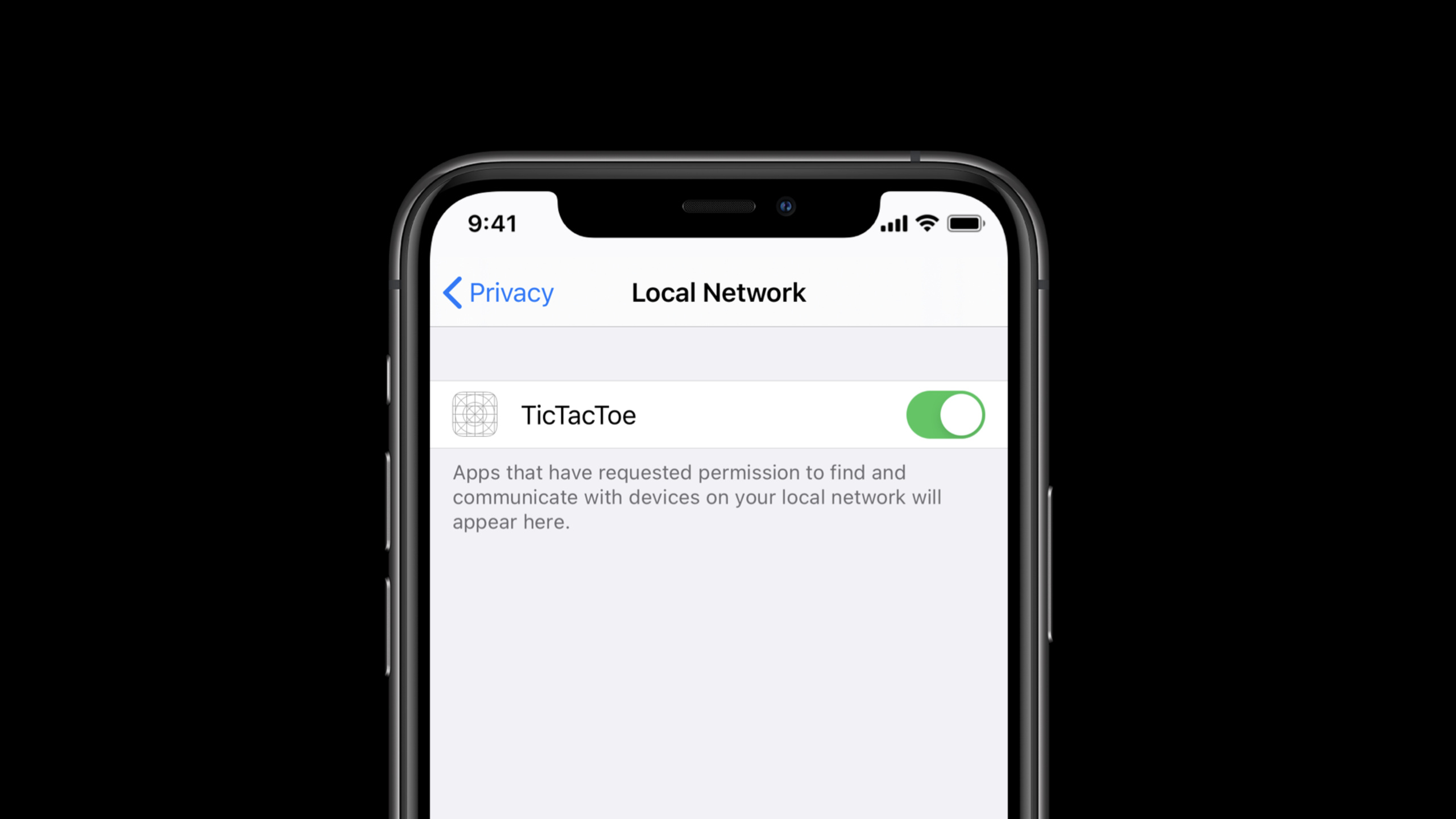
iOS 14 adds user authorization for apps to directly access the local network; when an app uses Bonjour, unicast, multicast or broadcast to find nearby devices, developers must indicate the purpose in Info.plist and declare the Bonjour service type, otherwise the local discovery process will be blocked by the permission system.
Core Content
Many apps use the local network as the default available environment. The user clicks on the light bulb switch, and the mobile phone searches for smart home devices; when the player wants to start a nearby battle, the App starts using Bonjour to search for services on the same network; cameras, printers, and router management tools will also communicate directly with LAN devices. Prior to iOS 14, these actions often occurred in the background, making it difficult for users to know which app was viewing which devices in their home.
Apple first explained the privacy reasons in this session. The combination of devices in the local network is unique enough to form location clues; device control is also sensitive. Apps that can manage cameras should be able to synchronize photos, and other apps should not randomly detect the same device. iOS 14 therefore puts local network access into system permissions, allowing users to decide which apps can discover and connect to nearby devices.
This permission only affects the app’s own direct access to the local network. Apps that only access public network resources do not require additional processing; device discovery is completed through system services such as AirPrint, AirPlay, AirDrop or HomeKit, and there is no need to manage local network permissions yourself. When using Bonjour, unicast, local multicast or broadcast protocols directly, the App needs to update the configuration and experience.
The demonstration uses a TicTacToe App written in iOS 13. After it was rebuilt with the iOS 14 SDK, nearby players could not be seen when starting, and the debug output showedNoAuth. The repair point lies in Info.plist: add local network usage description and Bonjour service type. After completion, the system will pop up a local network permission prompt when the app actually starts browsing the Bonjour service.
Detailed Content
There are no official code snippets for this game. The code block below only organizes the configuration items, permission boundaries, and API behaviors that are explicitly mentioned in the verbatim draft to help you inspect your existing app.
1. Determine which accesses will trigger permissions
(03:16) If the App only accesses public network resources, or completes device discovery through system services, there is no need to change the code for iOS 14’s local network permissions. The permission system will only intervene when accessing the LAN directly.
No need for the app to handle local network permission itself:
- Only accesses resources on the wide internet
- AirPrint
- AirPlay
- AirDrop
- HomeKit

Needs local network permission:
- Directly uses Bonjour browsing or service advertising inside the app
- Directly accesses local unicast addresses
- Uses a custom multicast protocol
- Uses a custom broadcast protocol
Key points:
- AirPrint, AirPlay, AirDrop, and HomeKit will be discovered by the system, and the App will not get the complete device list.
- When accessing the local network directly using unicast, multicast or broadcast, the app needs user permission.
- If a third-party framework accesses the local network in your process, system permissions will still be attributed to your App.
2. Declare the purpose and Bonjour service in Info.plist
(05:24) iOS 14 requires the app to provide two Info.plist information: a description of the local network usage, and a list of service types used by Bonjour when browsing or broadcasting. The TicTacToe App in the demo uses only one service type, and the value in the verbatim istictactoe.tcp。
<key>NSLocalNetworkUsageDescription</key>
<string>TicTacToe uses the local network to discover players around you.</string>

<key>NSBonjourServices</key>
<array>
  <string>tictactoe.tcp</string>
</array>
Key points:
NSLocalNetworkUsageDescriptionA system permission pop-up window will appear, which should indicate which specific function requires the local network. -NSBonjourServicesOnly list the Bonjour service types that the App actually browses or broadcasts.- If the app lacks these configurations, the Bonjour browser in the demo will return
NoAuth, and the local network permission pop-up window will not be displayed first.
3. A few discovery methods require additional entitlement
(06:18) Apple specifically highlights two types of Apps: one does not use Bonjour for local multicast discovery, and the other needs to enumerate all Bonjour service types on the network. These two types of operations require entitlement application through the developer portal in iOS 14.
Info.plist declarations apply to:
- Using Bonjour to browse known service types
- Using Bonjour to advertise your own service type

Requires an entitlement request:
- Performing local multicast discovery without Bonjour
- Enumerating all Bonjour service types on the network
Key points:
- entitlement is not a default requirement for the normal Bonjour App.
- If you only search for the service type you have declared, use Bonjour and
NSBonjourServices. - If the business relies on custom multicast protocols of legacy hardware, entitlement applications need to be included in the iOS 14 adaptation plan.
4. Trigger browsing after user action
(08:42) After completing the Info.plist, the demo app starts Bonjour browsing as soon as it is launched, and the system immediately pops up a permission prompt. Apple later showed a better version: not browsing the Internet when starting, and waiting for the user to click “Search for games” before triggering the search.
Poorer experience:
App launch -> start Bonjour browsing -> system prompt appears immediately

Better experience:
App launch -> wait
User taps "Search for games" -> start Bonjour browsing -> system prompt explains this action
Key points:
- Permission prompts should be close to the action the user just initiated.
- The local network usage description should state the enabled functions, such as discovering nearby players.
- If the app starts browsing the web at launch, users can easily view permission requests as contextless interruptions.
5. Handling API behavior during permission waiting period
(10:32) Local network permissions can change the behavior of some APIs. Bonjour results are returned asynchronously and may look like there are no devices nearby while waiting for permission.NWConnectionWill stay in waiting state. using local networkURLSessiontask should be setwaitsForConnectivity, the socket code needs to handle system call errors.
let configuration = URLSessionConfiguration.default
configuration.waitsForConnectivity = true

let session = URLSession(configuration: configuration)
Key points:
waitsForConnectivityis an attribute explicitly named in the verbatim that allows local network tasks to continue completion after permission is granted. -NWConnectionThe waiting status does not necessarily mean that the server is unreachable, it may just be that local network permissions have not been granted yet.- When using sockets directly, you cannot assume that the local network is always reachable, and system call errors must be included in the normal path.
Core Takeaways
1. Search entrance for nearby players
What it does: Put nearby play, screen collaboration, and LAN room lists behind an explicit “Search for nearby devices” button.
Why it’s worth doing: The session demonstration shows that by waiting for the user to actively start searching before triggering Bonjour browsing, the permission pop-up window will be easier to understand.
How to start: First write in Info.plistNSLocalNetworkUsageDescriptionandNSBonjourServices, and then move the Bonjour browser startup timing from App launch to the user action callback.
2. Smart home or camera pairing process
What to do: Explain on the device pairing page that the app will look for cameras, lights, speakers, or controllers on the same Wi-Fi before starting the discovery process.
Why it’s worth doing: Apple clearly lists local network device control as a sensitive scenario, and users need to know why the app can see nearby devices.
How to start: List the Bonjour service types actually used, write a clear description of the use of each pairing entry, andNoAuthOr direct the user to check local network permissions when the device list is empty.
3. LAN protocol audit of old hardware
What to do: Make an iOS 14 compatibility checklist for hardware apps that use multicast, broadcast, or custom discovery protocols.
Why it’s worth doing: session description, bypassing Bonjour’s local multicast discovery may require additional entitlement.
How to start: First migrate the discovery process that can be migrated to Bonjour to the declared service type; if you really need to enumerate or customize multicast, then prepare the entitlement application for the developer portal.
4. Waiting state UI for local network connection
What to do: When connecting to a local server, printer or media device, change “Waiting for permission or network connection” to a normal state instead of directly showing failure.
Why it’s worth doing: The verbatim draft mentioned that Bonjour may not have results for the time being,NWConnectionmay be waiting,URLSessionCan wait for connectivity.
How to get started: Request settings for local networkwaitsForConnectivity,BundleNWConnectionThe waiting state is integrated into the UI and provides a user-understandable recovery path for socket errors.
Related Sessions
- Boost performance and security with modern networking — Introduction to modern network capabilities such as IPv6, HTTP/2, TLS 1.3, Encrypted DNS, etc., is an extension of understanding network performance and security defaults.
- Build local push connectivity for restricted networks — Talking about push connectivity in local restricted networks, it is suitable for continuing to understand LAN communication in scenarios without the Internet.
- Enable encrypted DNS — Introduces how Encrypted DNS protects the privacy of network access within applications and complements the DNS link on the network privacy link.
- Design for location privacy — Illustration of location permissions and approximate location from a design perspective, related to local network location fingerprinting risks for this site.
- Build trust through better privacy — Overview of iOS 14 privacy capabilities and transparency principles, providing platform context behind local network permissions.
Comments
GitHub Issues · utterances