
Highlight
Universal Links allows users to click on an HTTPS link to open your app directly instead of a browser.Its core mechanism is: your web server root directory or
.well-knownPlace one in the directoryapple-app-site-association(AASA) file that declares which URL paths should be handled by which app.
Core Content
The goal of Universal Links is straightforward: the same HTTPS link can both represent web content and bring users to the corresponding page in the app.The system requires the App to bring Associated Domains entitlement, which is provided by the website.apple-app-site-associationdocument.The app declares which domain names it trusts, and the website declares which apps can handle which paths. The two sides together form a set of security associations.
The problem in 2020 is scale.A catering app may support hundreds of countries, multiple languages, and multiple products.Old AASA routing rules rely on*and?For matching, the number of rules will expand rapidly when languages, regions, and products are combined.The example in the speech only considers two-digit language codes, two-digit region codes, and four products. The number of patterns reaches 1.8 million, occupying more than 27 MB.
Apple added three capabilities in this session.First, Universal Links extends to watchOS and gains SwiftUI support.Second, AASA’scomponentsMatching adds case, Unicode, default values, and substitution variables to express complex paths with fewer rules.Third, Associated Domains data is changed from the device directly connected to the website to being cached and distributed by Apple CDN, making the first availability after installation more stable.
This also changes the way debugging is done.Development and intra-enterprise distribution do not necessarily expose test servers to the public network.macOS Big Sur and iOS 14 introduce alternate modes: developer mode for development and debugging, and managed mode for MDM management devices.Developers can add entitlement for specific domain namesmodeQuery items to allow the system to bypass the CDN and connect directly to the controlled server.
Detailed Content
Universal Links platform entrance
(00:21) Universal Links are HTTP or HTTPS URLs that represent the same content in web pages and apps.Adopting it requires two configurations: Associated Domains entitlement in the app, and the AASA JSON file on the website.Apple explicitly recommends that projects still using custom URL schemes migrate as soon as possible, as custom URL schemes are no longer recommended.
App entitlement:
  Associated Domains -> applinks:example.com

Web server:
  /.well-known/apple-app-site-association
  or /apple-app-site-association

Association:
  entitlement names the web domain
  AASA names the app application identifier
Key points:
applinks:example.comIt is a declaration on the App side, indicating that this App should handle Universal Links under this domain name.apple-app-site-associationIt is a declaration on the website side, describing which paths are handed over to which apps.- Entitlement and AASA must point to each other before the system will give the link to the App.
- The verbatim mentions that AASA can be placed in the root of the website or
.well-knownTable of contents.
(01:27) watchOS is a new platform added in 2020.The entrance to WatchKit is different from UIKit and AppKit. Associated Domains entitlement must also be added to the WatchKit extension, not the WatchKit app that contains it.
UIKit incoming link:
  application:continueUserActivity:restorationHandler:

UIKit outgoing link:
  UIApplication.openURL

WatchKit incoming link:
  WKExtensionDelegate.handle(_ userActivity:)

WatchKit outgoing link:
  WKExtension.openSystemURL
Key points:
WKExtensionDelegate.handle(_ userActivity:)Responsible for receiving incoming Universal Links on watchOS.WKExtension.openSystemURLUniversal Link used to open another app from a watchOS App.- If the target app is not installed, watchOS will prompt the user to continue to the paired iPhone.
- use
UISceneThe iOS App should implement scene-related delegate methods instead of just implementingUIApplicationDelegatemethod.
Make AASA matching rules shorter
(05:14) Old rules support*and?。*Greedily matches zero or more characters,?Match a character,?*Represents at least one character.Starting with iOS 13.5 and macOS Catalina 10.15.5,componentsDictionary can be addedcaseSensitive: false, allowing the same rule to cover case changes.
{
  "components": [
    {
      "/": "/sourdough?*",
      "caseSensitive": false
    }
  ]
}
Key points:
"/"Indicates that this component matches the URL path."/sourdough?*"Requires path tosourdoughbegins and is followed by at least one character."caseSensitive": falseTurn off case-sensitive matching.- This capability is suitable for correcting case differences when users manually enter or when links are generated by external channels.
(06:11) The URL itself is ASCII.When containing Unicode content such as Chinese and French accented characters, the browser usually sees percent encoding.New for iOS 14 and macOS Big SurpercentEncoded: false, causing AASA rules to match by Unicode code points.
{
  "defaults": {
    "caseSensitive": false,
    "percentEncoded": false
  },
  "components": [
    {
      "/": "/zh_CN/ants-climbing-a-tree"
    },
    {
      "/": "/fr_CA/pâté"
    }
  ]
}
Key points:
"percentEncoded": falseLet the rule write Unicode characters directly."defaults"can be placedcomponentsSame level, give to the same onecomponentsThe rules in the array provide default values."defaults"Can also be placed indetailsSame level, effective for Universal Links under this domain name.- This reduces duplicate keys and keeps only the truly distinct parts of each path rule.
Compress combinatorial explosion with substitution variables
(09:43) Substitution variables are the core update of this session.It names a set of strings into variables and then references them in the path pattern.Speech is built in$(lang)、$(region)、$(alpha)、$(digit)variables, also allows developers tosubstitutionVariablesDefine your own business variables here.
{
  "applinks": {
    "substitutionVariables": {
      "food": ["sourdough", "baguette", "noodles", "dumplings"]
    },
    "details": [
      {
        "components": [
          {
            "/": "/$(lang)_$(region)/$(food)"
          }
        ]
      }
    ]
  }
}
Key points:
"food"is the name of the business variable, and the value is the list of products that are allowed to match.$(lang)and$(region)are system built-in variables, respectively from FoundationLocaleSupported languages and region codes.$(food)Reference variables defined by the developer.- Variable values can contain
?and*Wildcard, but cannot continue to refer to other variables.
(12:49) Variables do not mean giving up precise control.The speech uses the Canadian market as an example: firstCAExclude regions and define a separate menu for Canada.Regional exceptions, language translations, and Unicode trade names can coexist.
{
  "applinks": {
    "substitutionVariables": {
      "food": ["sourdough", "baguette", "noodles", "dumplings"],
      "Canadian food": ["poutine", "tourtière"]
    },
    "details": [
      {
        "defaults": {
          "percentEncoded": false
        },
        "components": [
          {
            "/": "/$(lang)_CA/$(food)",
            "exclude": true
          },
          {
            "/": "/$(lang)_CA/$(Canadian food)"
          },
          {
            "/": "/$(lang)_$(region)/$(food)"
          }
        ]
      }
    ]
  }
}
Key points:
"exclude": trueIndicates that URLs matching this pattern should not be opened as Universal Links by this app.- The exclusion rules are placed before the Canadian-specific rules to prevent the normal menu from continuing to take effect in Canada.
"Canadian food"is another business variable that can be combined with"food"There are overlapping values.tourtièreThe value of this type of accented character depends onpercentEncoded: falseIt can be written directly in the rules.
CDN and alternate modes
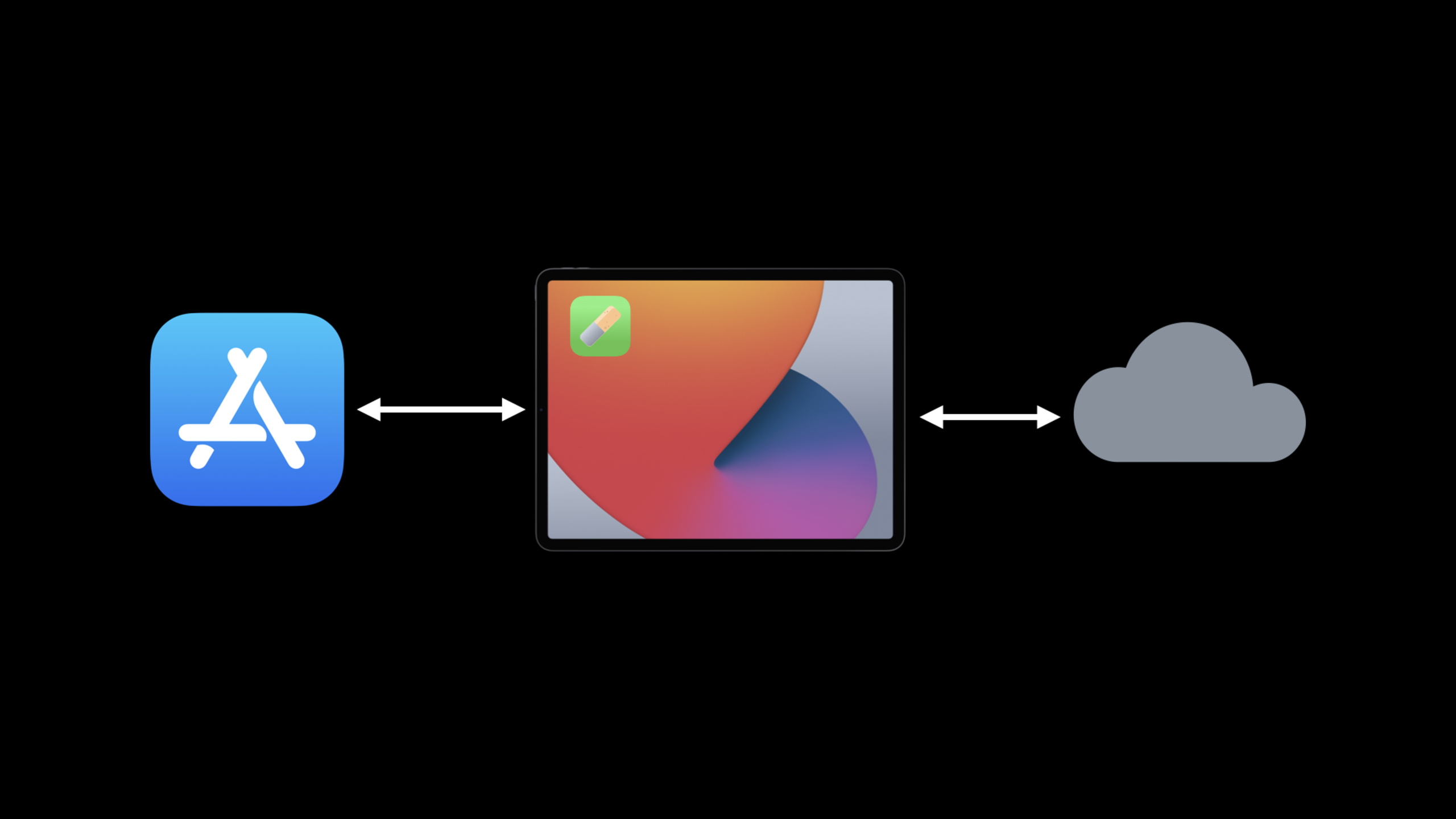
(16:31) Starting with iOS 14 and macOS Big Sur, the device will no longer download AASA directly from each website after installing the App.The system will connect to Apple’s CDN for Associated Domains.CDN can pull AASA from multiple websites at the same time, cache the results, and then send the data to the device through a connection.
Before:
  device -> each associated web server -> AASA files

Starting with iOS 14 and macOS Big Sur:
  device -> Apple Associated Domains CDN -> cached AASA data
Key points:
- CDN can reduce the number of requests to the developer’s server.
- The device can obtain Associated Domains data for multiple domain names through a single HTTP/2 connection.
- Universal Links are more likely to be available on first launch when a user has just installed the app.
- Test servers that are unreachable from the public network require alternate modes.
(18:37) There are two alternative modes: developer mode for development and testing, and managed mode for apps installed through MDM profile.Developer mode requires users to actively enable it.Turn on Associated Domains Development in Developer Settings for iOS, watchOS, and tvOS; turn it on from the command line for macOS.
swcutil developer-mode -e trueKey points:
developer-modeis the macOS command given verbatim.- Requires administrator password or Touch ID when turned on.
- developer mode is per-user operation.
- It only takes effect for development-signed apps. App Store, TestFlight, and notarized Mac Apps cannot use this mode.
(21:23) App selects whether a domain name uses alternate mode through Associated Domains entitlement.The query item name ismode, the value specifies the mode.When using developer or managed mode, AASA must be placed in.well-knownDirectory cannot just be placed in the root directory of the domain name.
applinks:www.example.com
applinks:dev.example.com?mode=developer
applinks:managed.example.com?mode=managed
Key points:
- The first line is the ordinary Universal Links domain name, which will use CDN.
?mode=developerDomain name used for development and testing.?mode=managedFor enterprise deployment on MDM managed devices.- These domain names are examples only, actual domain names are determined by the team’s own environment.
Core Takeaways
Make an international routing convergence
What to do: Organize the URL rules for product pages, content pages, and event pages into an AASA variable table.
Why it’s worth doing: Substitution variables can extract language, region, and business enumerations from a large number of path patterns, preventing the number of rules from doubling with combinations.
How to start: First list the language, region and product dimensions in the current URL, and build the system into$(lang)、$(region)Combine it with custom variables and useexcludeAddress unserviceable areas.
Add deep link entry to watchOS App
What to do: Enable the watch app to receive Universal Links for restaurants, orders, tickets, or content detail pages.
Why it’s worth doing: watchOS now supports Universal Links, a lightweight process that allows users to stay on the watch when entering from a link in Messages or Mail.
How to start: Add Associated Domains entitlement to WatchKit extension to achieveWKExtensionDelegate.handle(_ userActivity:),fromNSUserActivityParse the URL and jump to the corresponding interface.
Build a set of AASA pre-release checks
What to do: Check AASA’s path rules, casing, Unicode and.well-knownDeployment location.
Why it’s worth doing: iOS 14 and macOS Big Sur will obtain Associated Domains data through Apple CDN. Public network accessibility and file location will directly affect the first experience of newly installed users.
How to start: Prepare a minimal AASA with real domain names, coveringcaseSensitive、percentEncoded、defaultsand substitution variables; for development environment?mode=developerTake the direct connection.
Prepare managed mode domain names for enterprise apps
What to do: Design the Universal Links and MDM installation process of the internal business system together.
Why it’s worth doing: managed mode is for apps installed through MDM profile and is suitable for domain names that are only accessible within the corporate network or controlled environment.
How to get started: Add a business domain name?mode=managedentitlement entry, put AASA in.well-knowndirectory, and work with the device management team to confirm the profile installation path.
Related Sessions
- Configure and link your App Clips - The calling and link configuration of App Clips relies on Associated Domains, which is a direct extension of Universal Links in a lightweight experience.
- What’s new in SwiftUI - This Universal Links session clearly mentioned that SwiftUI will support receiving Universal Links in 2020.
- What’s new for web developers - Supplements the web capabilities of Safari and WebKit, suitable for planning together with the web experience of Universal Links.
- What’s new in managing Apple devices - managed mode belongs to the enterprise device management scenario, and understanding MDM deployment can help design internal Universal Links.
Comments
GitHub Issues · utterances