
Highlight
Reality Composer Pro 新增 Timelines 功能,可在可视化编辑器中按时间线编排 Spin、Transform To、Animation、Audio 等 action,并通过 tap、collision、notification 等触发器启动播放,无需手写动画序列代码。
核心内容
做 visionOS 交互式 3D 内容时,最让人头疼的是动画编排。一个”角色走到目标点再伸手”的简单序列,在代码里要手动管理旋转、移动、播放骨骼动画、播放音效的时序和并行关系,改一个时间点就牵一发动全身。
Reality Composer Pro 的 Timelines 功能就是为了解决这个问题。它在编辑器底部新增了一个时间线面板,左侧列出所有 Timeline,中间是拖拽式编辑区,右侧是预置 action 列表(Spin、Transform To、Animation、Audio、Notification 等)。你可以把 action 拖到时间线上设定顺序和并行关系,拖动尾部调整时长,右键一个 Timeline 嵌套进另一个 Timeline 实现复用。播放触发方式有两种:在代码里调用 entity.playAnimation,或在 Reality Composer Pro 里给实体添加 Behaviors 组件,绑定 tap / collision / notification 触发器,零代码启动。
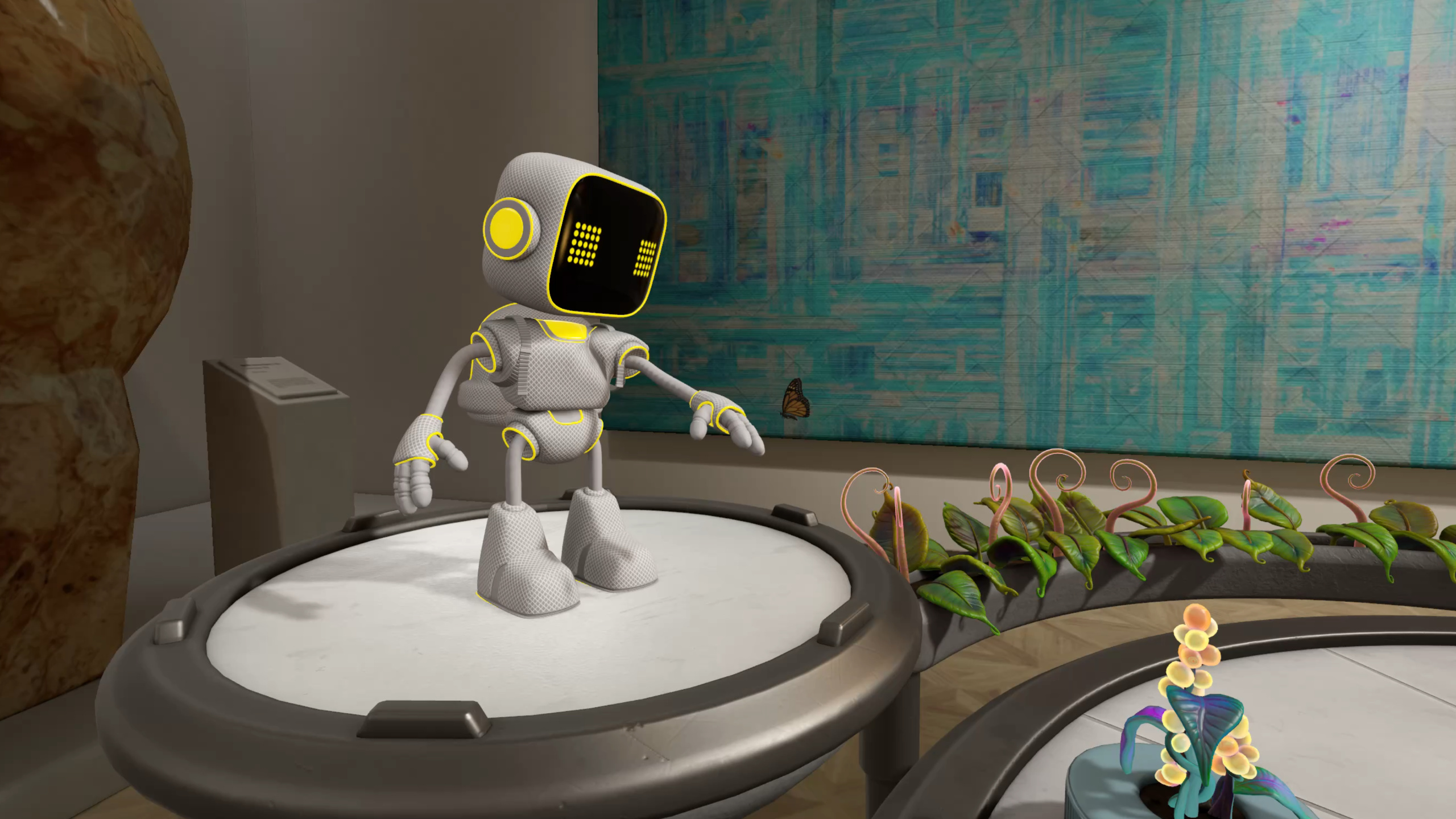
Session 以 Botanist 样例的扩展版贯穿全场:三棵枯萎的植物,点击后机器人转向、移动过去、伸手浇水、植物恢复健康、机器人回到起点。每一环节分别演示了 Timelines 编排、Full Body IK、Animation Actions、Blend Shape 和 Skeletal Poses 五种动画手段。
详细内容
Timelines 编排
Timelines 是 Reality Composer Pro 的核心新功能。创建一个 Timeline 后,从右侧面板拖入 action,在 Inspector 中设置目标实体和参数。例如 Spin action 设 revolutions 为 0.12 做微调转向,Transform To action 用 manipulator 拖拽目标位置到植物前方。Timeline 支持嵌套——先建一个 RobotMove Timeline 放行走动画+脚步声,再在 MoveToPoppy Timeline 里右键插入 RobotMove,让动画和移动并行播放(04:17)。
AnimationLibraryComponent 和 AudioLibraryComponent 是两个配套的新组件。USD 动画导入后 Reality Composer Pro 自动创建 AnimationLibraryComponent,你可以在 Inspector 中用剪刀图标把长动画切成 startWalk / endWalk 两个片段,再分别拖到时间线上背靠背播放。AudioLibraryComponent 需要手动添加,点击加号选取项目中的音频文件即可(07:32)。
Full Body Inverse Kinematics
机器人到达植物后要伸手浇水,这用到了 RealityKit 新增的 Full Body IK 系统。IKRig 定义求解器配置,约束控制关节变化范围,IKResource 是运行时数据,IKComponent 挂到实体上即可逐帧更新目标位置。
// Setup IKComponent
import RealityKit

struct HeroRobotRuntimeComponent: Component {
    var rig = try? IKRig(for: modelSkeleton)

    rig.maxIterations = 30
    rig.globalFkWeight = 0.02

    let hipsJointName = "root/hips"
    let chestJointName = "root/hips/spine1/spine2/chest"
    let leftHandJointName = "root/hips/spine1/spine2/chest/…/L_arm3/L_arm4/L_arm5/L_wrist"

    rig.constraints = [
        .parent(named: "hips_constraint",
                on: hipsJointName,
                positionWeight: SIMD3(repeating: 90.0),
                orientationWeight: SIMD3(repeating: 90.0)),
        .parent(named: "chest_constraint",
                on: chestJointName,
                positionWeight: SIMD3(repeating: 120.0),
                orientationWeight: SIMD3(repeating: 120.0)),
        .point(named: "left_hand_constraint",
               on: leftHandJointName,
               positionWeight: SIMD3(repeating: 10.0))
    ]

    let resource = try? IKResource(rig: rig)
    modelComponentEntity.components.set(IKComponent(resource: resource))
}
关键点:
IKRig(for:)传入模型骨骼,初始化求解器配置maxIterations控制求解精度,30 是经验值;globalFkWeight为 0.02 让正向运动学权重极低,IK 占主导.parent约束同时限制位置和朝向,用于髋部和胸部;.point约束只限制位置,用于手掌positionWeight值越大约束越强——胸部 120 比髋部 90 更稳定,手掌 10 最灵活
逐帧更新时,通过 animationOverrideWeight 在 0–1 之间渐变,实现”开始伸手时 IK 影响力从 0 渐增到 1,收回时从 1 渐减到 0”的平滑过渡(21:33)。
Animation Actions
机器人回到起点用的是 Animation Actions API——这也是 Timelines 的底层 API。内置 action 有 SpinAction、PlayAnimationAction 等;不满足需求时可自定义 EntityAction。
// Sequence and play animation actions
import RealityKit

struct HeroRobotRuntimeComponent: Component {
    let rotateAnimationResource = createRotateAnimationResource()
    let walkAndMoveAnimationGroup = createWalkAndMoveAnimationGroup()
    let alignAtHomeActionResource = createAlignAtHomeActionResource()
    let robotTravelHomeCompleteActionResource = createRobotTravelHomeCompleteAction()

    let moveHomeSequence = try? AnimationResource.sequence(with: [
        rotateAnimationResource,
        walkAndMoveAnimationGroup,
        alignAtHomeActionResource,
        robotTravelHomeCompleteActionResource
    ])

    _ = robotEntity.playAnimation(moveHomeSequence)
}
关键点:
AnimationResource.sequence(with:)把多个资源按顺序串联AnimationResource.group(with:)可让多个资源并行播放- 自定义 EntityAction 需实现
animatedValueType(返回 nil 表示无插值数据),再用makeActionAnimation生成资源 - 通过
EntityAction.subscribe(to: .started / .ended)监听自定义 action 的生命周期事件(26:39)
Blend Shape 动画
植物从枯萎恢复健康用的是 BlendShapeWeightsComponent。权重 1 = 枯萎,0 = 健康,中间值是过渡态。
// Setup BlendShapeWeightsComponent
import RealityKit

struct HeroPlantComponent: Component, Codable {
    guard let modelComponentEntity = findModelComponentEntity(entity: entity),
          let modelComponent = modelComponentEntity.components[ModelComponent.self]
    else { return }

    let blendShapeWeightsMapping
        = BlendShapeWeightsMapping(meshResource: modelComponent.mesh)

    entity.components.set(BlendShapeWeightsComponent(weightsMapping:
                                                        blendShapeWeightsMapping))
}
关键点:
BlendShapeWeightsMapping从MeshResource读取 blend target 定义BlendShapeWeightsComponent挂到实体后,逐帧更新weightSet中的权重值即可驱动变形- 也可以直接播放 USD blend shape 动画,走
playAnimation路径
Skeletal Poses
第二个机器人追蝴蝶时头部跟随蝴蝶转动,用的是 SkeletalPosesComponent。USD 导入的带骨骼角色自动携带此组件,无需手动创建。
// Update Skeletal Poses
import RealityKit

struct StationaryRobotRuntimeComponent: Component {
    guard var component = entity.components[SkeletalPosesComponent.self]
    else { return }

    let neckRotation = calculateRotation()

    component.poses.default?.jointTransforms[neckJointIndex].rotation = neckRotation
}
关键点:
- 从实体取出
SkeletalPosesComponent,修改指定关节的 rotation(局部空间) - 在 RealityKit 的 System update 函数中每帧调用,实现实时跟随
- 可单独修改 translation、scale 或 rotation,也可更新整个 jointTransform
核心启发
-
做什么:用 Timelines 替代手写动画序列代码。把角色移动、旋转、播放动画/音效的时序逻辑全部在 Reality Composer Pro 中拖拽编排,代码只负责触发。为什么值得做:动画时序调整不再需要重新编译,美术可以独立迭代。怎么开始:在 Reality Composer Pro 底部面板创建 Timeline,拖入 Spin + Transform To + Animation action,给目标实体加 Behaviors 组件绑定 tap 触发器。
-
做什么:用 Full Body IK 实现角色自然伸手/抓取动作。设定手掌目标位置和关节约束,RealityKit 自动计算中间关节姿态,
animationOverrideWeight渐变实现平滑过渡。为什么值得做:手调关键帧做伸手动画需要反复微调每个关节,IK 只需要指定目标点。怎么开始:创建IKRig,添加.parent和.point约束,生成IKResource和IKComponent,在每帧更新中设置target.translation和animationOverrideWeight。 -
做什么:用 BlendShapeWeightsComponent 做角色表情或物体形态渐变。设置 0–1 权重驱动 blend target,逐帧更新即可实现从一种形态到另一种的平滑过渡。为什么值得做:比骨骼动画更轻量,适合面部表情、植物枯萎/恢复等非骨骼驱动的形态变化。怎么开始:从
MeshResource创建BlendShapeWeightsMapping,初始化BlendShapeWeightsComponent挂到实体,在 update 中修改weightSet权重。 -
做什么:用 SkeletalPosesComponent 做角色局部关节实时控制,比如头部跟随视线、手指独立弯曲。为什么值得做:不需要为每个跟随动作制作动画片段,直接在代码中算旋转值每帧写入关节。怎么开始:从 USD 导入的实体取出
SkeletalPosesComponent,在 RealityKit System 的 update 中修改jointTransforms[关节索引].rotation。
关联 Session
- Discover RealityKit APIs for iOS, macOS, and visionOS — 跨平台 RealityKit 新 API 总览,包含视频停靠和环境创作
- Build a spatial drawing app with RealityKit — 用 RealityKit 构建空间绘图应用的实战案例
- Work with RealityKit APIs — RealityKit API 使用方法与最佳实践
- Enhance the immersion of media viewing in custom environments — 视频停靠与环境创作增强沉浸感
评论
GitHub Issues · utterances