
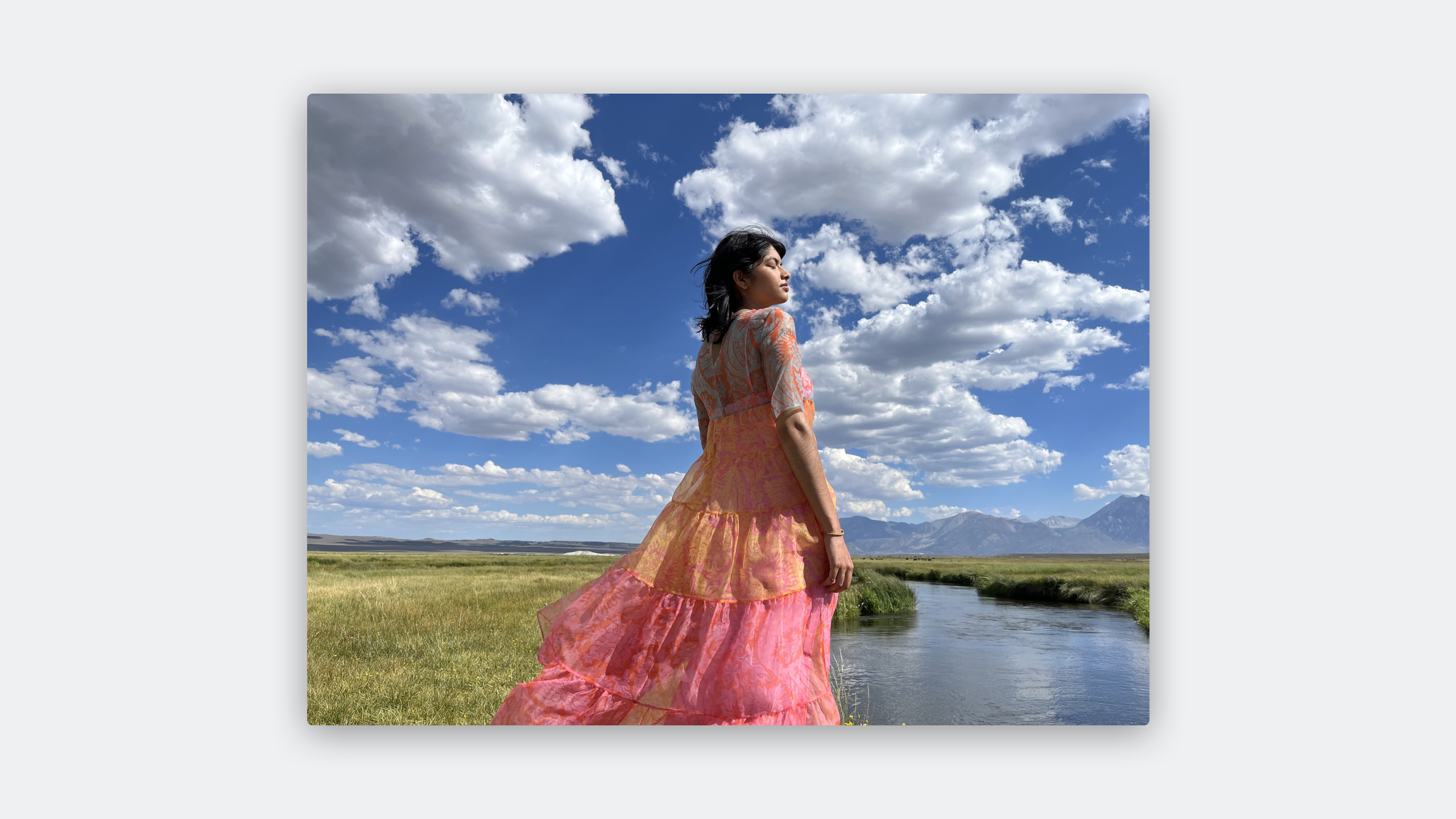
Highlight
iOS 17 引入了对 ISO HDR 静态图像标准的完整支持,开发者可以用 SwiftUI、UIKit 和 Core Graphics 直接加载、显示和创建 HDR 照片,无需手动处理复杂的色调映射。
核心内容
SDR(标准动态范围)显示器的亮度范围有限,拍摄场景中的高光部分只能被压缩或裁切。HDR 显示器可以呈现更宽的亮度范围,让图像更接近真实场景。
Apple 今年引入了对 ISO HDR 标准的支持。这个标准(TS22028-5)定义了如何把 HDR 内容编码到现有的静态图像格式中。关键参数包括:使用 HLG 或 PQ 作为传递函数,BT.2020 宽色域,10 位或更高位深。HEIF 可以编码 HDR,但传统 JPEG 不行(只有 8 位)。
对于开发者来说,最大的变化是系统框架已经帮你处理好了 HDR 的识别和显示。SwiftUI 的 Image、UIKit 的 UIImageView、以及 CALayer 都能自动识别 HDR 内容并正确渲染。你只需要确保图像元数据正确,系统会自动利用 EDR(Extended Dynamic Range)在支持的显示器上呈现超出 SDR 白点亮度的内容。
详细内容
HDR 基础概念
(00:40)HDR 显示的核心是 headroom(头部空间)。SDR 显示器的最亮白色称为 reference white(参考白),HDR 可以显示比 reference white 更亮的内容。
在 EDR 范式中:
- reference white = 1.0
- peak = 显示器能表示的最大值
ISO HDR 标准定义:
- 黑色:0.0005 cd/m²
- 默认 reference white:203 cd/m²
- 高于 203 的部分都是 headroom
对比 SDR:
- sRGB/Display P3 的黑色:0.2 cd/m²
- 白色:80 cd/m²
识别 HDR 图像
(02:35)系统提供了多种方式判断一张图是否是 HDR:
SwiftUI 自动处理:
import SwiftUI

struct ContentView: View {
    var body: some View {
        Image("sunrise_hdr")
            .resizable()
            .scaledToFit()
    }
}
SwiftUI 的 Image 会自动识别 HDR 内容并在支持 EDR 的显示器上正确渲染。
UIKit 处理:
import UIKit

let imageView = UIImageView()
imageView.image = UIImage(named: "sunrise_hdr")
imageView.preferredImageDynamicRange = .high
关键点:
preferredImageDynamicRange = .high告诉系统这张图像应该按 HDR 渲染- 系统会自动处理 EDR 映射
从 ProRAW/RAW 创建 HDR 图像
(04:30)iPhone 拍摄的 ProRAW 包含高动态范围数据,可以导出为 HDR 静态图像:
import CoreImage
import ImageIO

// 从 ProRAW 创建 HDR CGImage
guard let rawImage = CIImage(contentsOf: prorawURL,
                             options: [.rawFilterOptions: true]) else { return }

// 应用色调映射以保留 HDR 数据
let toneMapped = rawImage.applyingFilter("CIToneCurve",
    parameters: [
        "inputPoint0": CIVector(x: 0, y: 0),
        "inputPoint1": CIVector(x: 0.25, y: 0.25),
        "inputPoint2": CIVector(x: 0.5, y: 0.5),
        "inputPoint3": CIVector(x: 0.75, y: 0.75),
        "inputPoint4": CIVector(x: 1, y: 1.2)  // 超白区域保留
    ])

// 导出为 HEIF with HDR
let context = CIContext()
guard let cgImage = context.createCGImage(toneMapped, from: toneMapped.extent) else { return }

let destination = CGImageDestinationCreateWithURL(outputURL,
                                                   UTType.heic.identifier as CFString,
                                                   1,
                                                   nil)
let hdrProperties: [String: Any] = [
    kCGImagePropertyHEICSDRHint as String: true,
    kCGImagePropertyHEICGainMap as String: gainMapData
]
CGImageDestinationAddImage(destination!, cgImage, hdrProperties as CFDictionary)
CGImageDestinationFinalize(destination!)
关键点:
- ProRAW 保留了传感器级别的动态范围数据
- 导出时选择 HEIF 格式以支持 HDR 元数据
kCGImagePropertyHEICSDRHint标记图像包含 HDR 内容
在 CALayer 中显示 HDR
(06:15)对于自定义渲染场景,可以用 CALayer 的 EDR 支持:
import QuartzCore

let layer = CALayer()
layer.contents = hdrCGImage
layer.wantsExtendedDynamicRangeContent = true

// 设置 EDR 头部空间
layer.edrMetadata = .hdrContent(
    luminance: 1000.0  // 内容峰值亮度,单位 nits
)
关键点:
wantsExtendedDynamicRangeContent = true启用 EDR 渲染edrMetadata告诉系统内容的亮度范围,帮助正确映射
Core Graphics 对 ISO HDR 的支持
(08:00)Core Graphics 新增了对 ISO HDR 图像的读取和写入支持:
import CoreGraphics

// 读取 HDR 图像的元数据
let source = CGImageSourceCreateWithURL(imageURL as CFURL, nil)
let properties = CGImageSourceCopyPropertiesAtIndex(source!, 0, nil) as? [String: Any]

// 检查 HDR 相关属性
let isHDR = properties?[kCGImagePropertyHDRDictionary as String] != nil
let transferFunction = properties?[kCGImagePropertyHDRTransferFunction as String]
// "HLG" 或 "PQ"

// 写入 HDR 图像
let destination = CGImageDestinationCreateWithURL(outputURL as CFURL,
                                                   UTType.heic.identifier as CFString,
                                                   1, nil)
let hdrProps: [String: Any] = [
    kCGImagePropertyHDRDictionary as String: [
        kCGImagePropertyHDRTransferFunction as String: "HLG",
        kCGImagePropertyHDRReferenceWhite as String: 203.0
    ]
]
CGImageDestinationAddImage(destination!, cgImage, hdrProps as CFDictionary)
关键点:
kCGImagePropertyHDRDictionary包含 HDR 特定元数据- 支持 HLG 和 PQ 两种传递函数
- 10 位位深是 ISO HDR 的最低要求
核心启发
1. 照片编辑 App 的 HDR 导出
- 做什么:让用户编辑后的照片可以导出为 HDR,保留高光细节
- 为什么值得做:iPhone 15 Pro 系列用户拍摄的照片越来越多是 HDR,编辑后如果只能导出 SDR 就浪费了原始数据
- 怎么开始:使用
CGImageDestination导出 HEIF,设置kCGImagePropertyHDRDictionary元数据
2. 图库/社交 App 的 HDR 显示
- 做什么:在 feed 和详情页自动识别并正确显示 HDR 照片
- 为什么值得做:SwiftUI
Image和 UIKitUIImageView已经自动支持,只需确保不破坏元数据 - 怎么开始:检查图片加载流程,确保不丢失 HDR 元数据;在
UIImageView上设置preferredImageDynamicRange = .high
3. 相机 App 的 HDR 拍照预览
- 做什么:在取景器实时显示 HDR 效果,让用户看到最终成像
- 为什么值得做:HDR 预览帮助用户构图时判断曝光,特别是逆光场景
- 怎么开始:使用
AVCaptureVideoPreviewLayer,设置wantsExtendedDynamicRangeContent = true
4. 从 ProRAW 批量生成 HDR 相册
- 做什么:把用户的 ProRAW 照片批量转换为可分享的 HDR HEIF
- 为什么值得做:ProRAW 文件很大(25MB+),HDR HEIF 只有几 MB,更适合分享和存储
- 怎么开始:用
CIImage(contentsOf:options:)读取 ProRAW,通过CGImageDestination导出为带 HDR 元数据的 HEIF
关联 Session
- Edit and play back HDR video with AVFoundation — HDR 视频的编辑与播放
- What’s new in SwiftUI — SwiftUI 图像显示相关更新
- Explore HDR Rendering with EDR — 深入了解 EDR 渲染机制
评论
GitHub Issues · utterances