
Highlight
Swift 结构化并发通过任务树(Task Tree)实现自动取消传播、优先级继承和任务本地值(Task-Local Values)传递,并新增
withThrowingDiscardingTaskGroup和DiscardingTaskGroup来优化不需要收集子任务结果的场景。
核心内容
并发代码最难处理的是生命周期管理。一个网络请求发出去,用户切走了页面,这个请求还要不要继续?如果继续,结果回来更新已不存在的 UI,轻则浪费资源,重则崩溃。
Swift 的结构化并发用任务树来解决这个问题。结构化任务(async let 和 Task Group)与父任务形成树状层级,离开作用域时自动取消。非结构化任务(Task.init 和 Task.detached)不参与这个层级,需要手动管理。
(02:24)
从非结构化到结构化
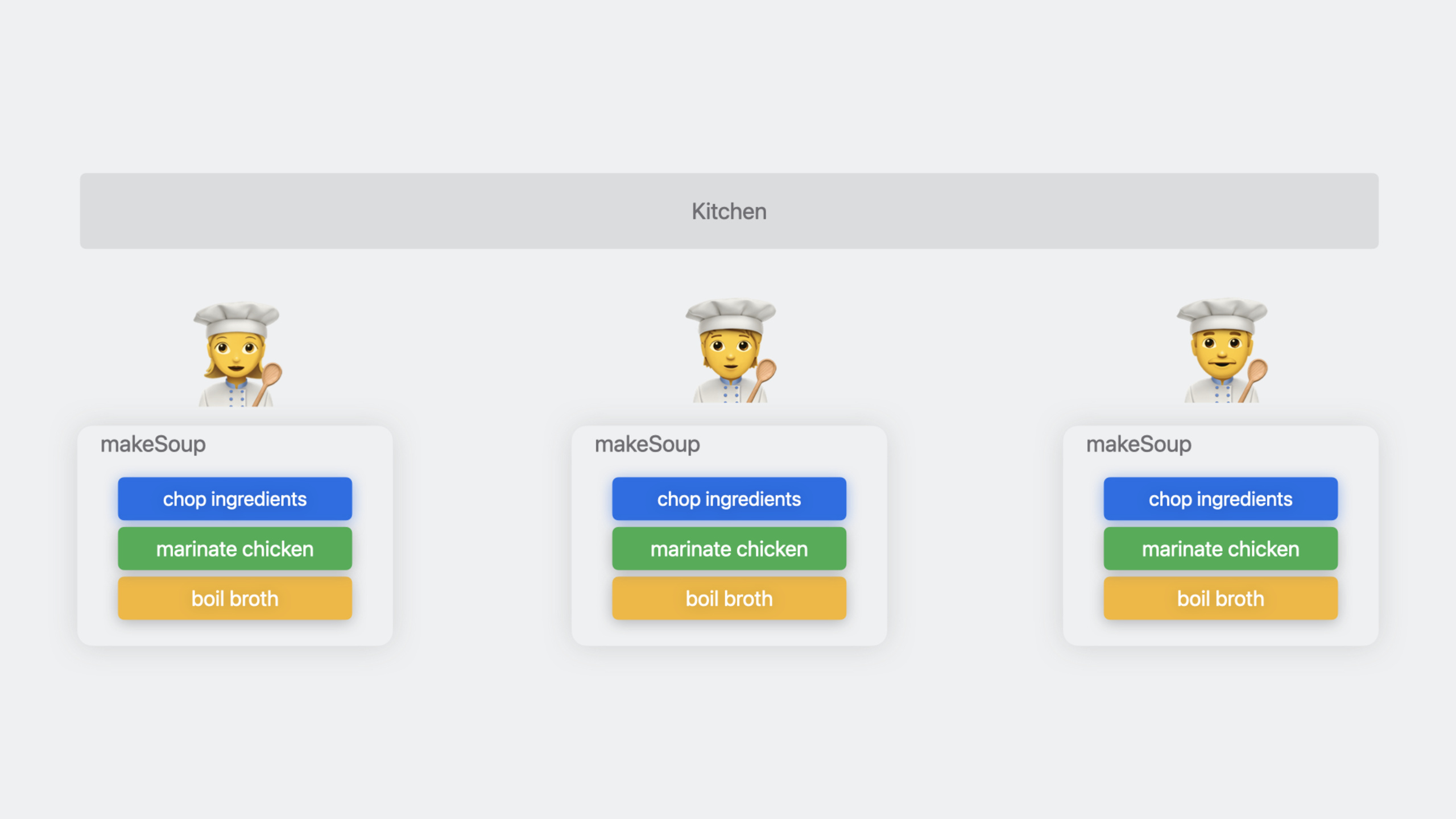
假设你在做汤,需要同时煮 broth、切菜、腌肉。非结构化的写法:
func makeSoup(order: Order) async throws -> Soup {
    let boilingPot = Task { try await stove.boilBroth() }
    let choppedIngredients = Task { try await chopIngredients(order.ingredients) }
    let meat = Task { await marinate(meat: .chicken) }
    let soup = await Soup(meat: meat.value, ingredients: choppedIngredients.value)
    return await stove.cook(pot: boilingPot.value, soup: soup, duration: .minutes(10))
}
这种写法的问题是:三个 Task 都是非结构化的,它们的生命周期跟 makeSoup 函数没有绑定关系。如果 makeSoup 被取消,这三个任务不会自动取消。
改写成结构化并发:
func makeSoup(order: Order) async throws -> Soup {
    async let pot = stove.boilBroth()
    async let choppedIngredients = chopIngredients(order.ingredients)
    async let meat = marinate(meat: .chicken)
    let soup = try await Soup(meat: meat, ingredients: choppedIngredients)
    return try await stove.cook(pot: pot, soup: soup, duration: .minutes(10))
}
async let 创建的任务是结构化的,与 makeSoup 形成父子关系。makeSoup 被取消时,三个子任务自动取消。
(02:42)
任务取消
取消是协作式的。取消只设置 isCancelled 标志,不会强制停止任务。你的代码需要主动检查:
func makeSoup(order: Order) async throws -> Soup {
    async let pot = stove.boilBroth()

    guard !Task.isCancelled else {
        throw SoupCancellationError()
    }

    async let choppedIngredients = chopIngredients(order.ingredients)
    async let meat = marinate(meat: .chicken)
    let soup = try await Soup(meat: meat, ingredients: choppedIngredients)
    return try await stove.cook(pot: pot, soup: soup, duration: .minutes(10))
}
Task.checkCancellation() 是更简洁的写法,已取消时直接抛出 CancellationError:
func chopIngredients(_ ingredients: [any Ingredient]) async throws -> [any ChoppedIngredient] {
    return try await withThrowingTaskGroup(of: (ChoppedIngredient?).self) { group in
        try Task.checkCancellation()

        for ingredient in ingredients {
            group.addTask { await chop(ingredient) }
        }

        var choppedIngredients: [any ChoppedIngredient] = []
        for try await choppedIngredient in group {
            if let choppedIngredient {
                choppedIngredients.append(choppedIngredient)
            }
        }
        return choppedIngredients
    }
}
关键点:取消父任务会递归取消所有子任务。在任务组中调用 group.cancelAll() 会取消所有活跃的子任务和未来添加的子任务。
(04:32)
挂起时的取消处理
当任务挂起等待 AsyncSequence 的下一个元素时,无法通过轮询检查取消状态。withTaskCancellationHandler 处理了这个场景:
public func next() async -> Order? {
    return await withTaskCancellationHandler {
        let result = await kitchen.generateOrder()
        guard state.isRunning else {
            return nil
        }
        return result
    } onCancel: {
        state.cancel()
    }
}
取消处理器与主逻辑共享状态,需要用原子操作保护。这里用 ManagedAtomic:
private final class OrderState: Sendable {
    let protectedIsRunning = ManagedAtomic<Bool>(true)
    var isRunning: Bool {
        get { protectedIsRunning.load(ordering: .acquiring) }
        set { protectedIsRunning.store(newValue, ordering: .relaxed) }
    }
    func cancel() { isRunning = false }
}(05:47)
详细内容
限制并发数量
Task Group 默认会为每个 addTask 创建一个新任务,并发量不受控。如果 ingredients 有 100 个,就会同时创建 100 个切菜任务。
限制并发量的模式:先启动固定数量的任务,每完成一个再启动一个新的:
func chopIngredients(_ ingredients: [any Ingredient]) async -> [any ChoppedIngredient] {
    return await withTaskGroup(of: (ChoppedIngredient?).self) { group in
        let maxChopTasks = min(3, ingredients.count)
        for ingredientIndex in 0..<maxChopTasks {
            group.addTask { await chop(ingredients[ingredientIndex]) }
        }

        var choppedIngredients: [any ChoppedIngredient] = []
        var nextIngredientIndex = maxChopTasks
        for await choppedIngredient in group {
            if nextIngredientIndex < ingredients.count {
                group.addTask { await chop(ingredients[nextIngredientIndex]) }
                nextIngredientIndex += 1
            }
            if let choppedIngredient {
                choppedIngredients.append(choppedIngredient)
            }
        }
        return choppedIngredients
    }
}
这个模式的核心逻辑:
- 先启动最多
maxChopTasks个任务 - 在
for await循环中,每完成一个任务,如果还有未处理的任务,就添加一个新任务 - 始终保持最多
maxChopTasks个任务在运行
(10:55)
DiscardingTaskGroup
传统 Task Group 需要收集所有子任务的结果。但有些场景只关心”所有任务都完成了”,不需要结果。比如一个餐厅服务,多个厨师同时工作,只要有一个任务完成(打烊时间到)就结束整个服务。
func run() async throws {
    try await withThrowingTaskGroup(of: Void.self) { group in
        for cook in staff.keys {
            group.addTask { try await cook.handleShift() }
        }

        group.addTask {
            try await Task.sleep(for: shiftDuration)
        }

        try await group.next()
        group.cancelAll()
    }
}
这个写法的问题是:需要显式调用 cancelAll(),而且如果 group.next() 返回的是厨师任务而不是打烊任务,还需要额外逻辑。
Swift 5.9 新增 withThrowingDiscardingTaskGroup:
func run() async throws {
    try await withThrowingDiscardingTaskGroup { group in
        for cook in staff.keys {
            group.addTask { try await cook.handleShift() }
        }

        group.addTask {
            try await Task.sleep(for: shiftDuration)
            throw TimeToCloseError()
        }
    }
}
DiscardingTaskGroup 不收集子任务结果,只要有一个子任务抛出错误或者全部完成,整个组就结束。不需要手动 cancelAll()。
(11:56)
Task-Local Values
任务本地值(Task-Local Values)允许在任务树中自动传播上下文信息。子任务自动继承父任务的 task-local 值。
actor Kitchen {
    @TaskLocal static var orderID: Int?
    @TaskLocal static var cook: String?

    func logStatus() {
        print("Current cook: \(Kitchen.cook ?? "none")")
    }
}

let kitchen = Kitchen()
await kitchen.logStatus()           // "Current cook: none"
await Kitchen.$cook.withValue("Sakura") {
    await kitchen.logStatus()       // "Current cook: Sakura"
}
await kitchen.logStatus()           // "Current cook: none"
@TaskLocal 标记的静态属性通过 $ 前缀访问。withValue 在闭包执行期间设置值,闭包结束后自动恢复。
(14:10)
用 MetadataProvider 简化日志
在服务端开发中,每个函数都需要记录订单 ID、厨师名称等上下文。没有 task-local 值时,这些上下文需要作为参数层层传递:
func makeSoup(order: Order) async throws -> Soup {
    log.debug("Preparing dinner", [
        "cook": "\(self.name)",
        "order-id": "\(order.id)",
        "vegetable": "\(vegetable)",
    ])
}
用 MetadataProvider 可以把 task-local 值自动注入每条日志:
let orderMetadataProvider = Logger.MetadataProvider {
    var metadata: Logger.Metadata = [:]
    if let orderID = Kitchen.orderID {
        metadata["orderID"] = "\(orderID)"
    }
    return metadata
}

let chefMetadataProvider = Logger.MetadataProvider {
    var metadata: Logger.Metadata = [:]
    if let chef = Kitchen.chef {
        metadata["chef"] = "\(chef)"
    }
    return metadata
}

let metadataProvider = Logger.MetadataProvider.multiplex([
    orderMetadataProvider,
    chefMetadataProvider
])

LoggingSystem.bootstrap(
    StreamLogHandler.standardOutput,
    metadataProvider: metadataProvider
)
配置后,日志代码简化成:
func makeSoup(order: Order) async throws -> Soup {
    logger.info("Preparing soup order")
    async let pot = stove.boilBroth()
    async let choppedIngredients = chopIngredients(order.ingredients)
    async let meat = marinate(meat: .chicken)
    let soup = try await Soup(meat: meat, ingredients: choppedIngredients)
    return try await stove.cook(pot: pot, soup: soup, duration: .minutes(10))
}
orderID 和 chef 会自动出现在每条日志中,不需要手动传递。
(16:17)
分布式追踪
结合 Swift Distributed Tracing 库,可以用 withSpan 对服务端代码进行性能分析:
func makeSoup(order: Order) async throws -> Soup {
    try await withSpan("makeSoup(\(order.id)") { span in
        async let pot = stove.boilWater()
        async let choppedIngredients = chopIngredients(order.ingredients)
        async let meat = marinate(meat: .chicken)
        let soup = try await Soup(meat: meat, ingredients: choppedIngredients)
        return try await stove.cook(pot: pot, soup: soup, duration: .minutes(10))
    }
}
也可以添加自定义属性:
func makeSoup(order: Order) async throws -> Soup {
    try await withSpan(#function) { span in
        span.attributes["kitchen.order.id"] = order.id
        async let pot = stove.boilWater()
        async let choppedIngredients = chopIngredients(order.ingredients)
        async let meat = marinate(meat: .chicken)
        let soup = try await Soup(meat: meat, ingredients: choppedIngredients)
        return try await stove.cook(pot: pot, soup: soup, duration: .minutes(10))
    }
}
withSpan 创建的 span 会自动包含子任务的追踪信息,形成完整的调用链。
(20:30)
核心启发
为网络请求添加统一的取消检查
在数据层每个请求方法开头加上 try Task.checkCancellation(),避免用户切走页面后还继续执行无用的网络请求。
入口:在 URLSession.data(for:) 封装层添加取消检查。配合 async let 发起多个请求时,父任务取消会自动传播到所有子请求。
用 Task-Local Values 实现请求追踪 ID
服务端或客户端都可以用一个 @TaskLocal static var requestID: String? 来标记当前请求。所有日志自动包含这个 ID,排查问题时可以按请求 ID 过滤日志。
入口:在请求入口处 await RequestContext.$requestID.withValue(UUID().uuidString),日志配置 MetadataProvider 自动读取。
限制并发下载数量
图片列表页同时加载很多图片时,用 Task Group 的”完成一个添加一个”模式限制并发数,避免同时发起过多请求导致网络拥塞。
入口:参考 chopIngredients 的限流模式,把 maxChopTasks 改成 maxDownloadTasks(比如 3 或 5)。
用 DiscardingTaskGroup 管理后台任务
心跳检测、日志上报、位置更新等后台任务不需要收集结果,用 withDiscardingTaskGroup 管理。主任务取消时所有后台任务自动结束。
入口:把 Task { ... } 改成 group.addTask { ... },用 withDiscardingTaskGroup 包裹。
关联 Session
- Write Swift macros — 动手编写第一个 Swift 宏
- Expand on Swift macros — 深入理解宏的设计原则和更多角色类型
- Meet Swift OpenAPI Generator — 用代码生成简化服务端 API 调用
- Swift concurrency: Behind the scenes — Swift 结构化并发的底层原理
评论
GitHub Issues · utterances