
Highlight
Xcode 14 的 Swift-DocC 支持为 App 项目写文档、支持 Objective-C/C API、DocC Archive 可直接发布到 GitHub Pages 等静态托管服务,还新增了网页端导航侧边栏。
核心内容
文档写在哪、给谁看
去年 Xcode 13 引入 Swift-DocC,但只支持 Swift 框架。很多开发者想给 App 项目写内部文档,或者给 Objective-C 项目写文档,都不行。
Xcode 14 把 Swift-DocC 扩展到四个新场景:
- App 项目文档:团队成员协作时,需要了解项目结构和 API 用法
- Objective-C 和 C API 文档:混合语言项目可以统一文档工具
- 一键发布到网站:DocC Archive 直接兼容静态托管
- 网页端导航侧边栏:浏览文档的体验大幅提升
从源码注释到完整文档站点
Swift-DocC 的内容分三层:单个 API 的参考文档、概念性的文章、以及步骤式教程。Xcode 14 让这三层内容都能从源码和 Documentation Catalog 中生成。
详细内容
为 Swift API 写文档注释
(03:18)
/// A view that displays a sloth.
///
/// This is the main view of ``SlothyApp``.
/// Create a sloth view by providing a binding to a sloth.
///
/// ```swift
/// @State private var sloth: Sloth
///
/// var body: some View {
///     SlothView(sloth: $sloth)
/// }
/// ```
struct SlothView: View {
    // ...
}
关键点:
- 用
///三斜杠开头,DocC 才能识别 - 第一段是摘要,显示在页面标题下方
- 后续段落进入 Overview 区域
`SlothyApp`用双反引号包裹,DocC 会自动转成 API 链接- 链接在构建时验证,失效会报警告
- Markdown 代码块语法插入示例代码
为初始化器和方法写参数文档
(04:25)
struct SlothView: View {
    /// Creates a view that displays the specified sloth.
    ///
    /// - Parameter sloth: The sloth the user will edit.
    init(sloth: Binding<Sloth>) {
        // ...
    }
}
关键点:
- Parameter列表描述每个参数- 参数描述显示在独立的 Parameters 区域
- 多个参数用
- Parameters:包裹
Objective-C API 文档
(05:24)
/// A sound that can be played.
///
/// Use an instance of this type to play a sound
/// to the user in response to an action or
/// event.
@interface SLOSound : NSObject

/// Creates a sound given its name and path on
/// disk.
///
/// - Parameters:
///   - name: The name of the sound.
///   - filePath: The path to the sound file on disk.
- (id)initWithName:(NSString *)name
          filePath:(NSString *)filePath;

@end
关键点:
- Xcode 14 开始支持 Objective-C 和 C 的 DocC 文档
- 语法与 Swift 相同,用
///和 Markdown - 双语 API 页面有语言切换按钮,按你当前使用的语言显示
Documentation Catalog 和顶级页面
(06:48)
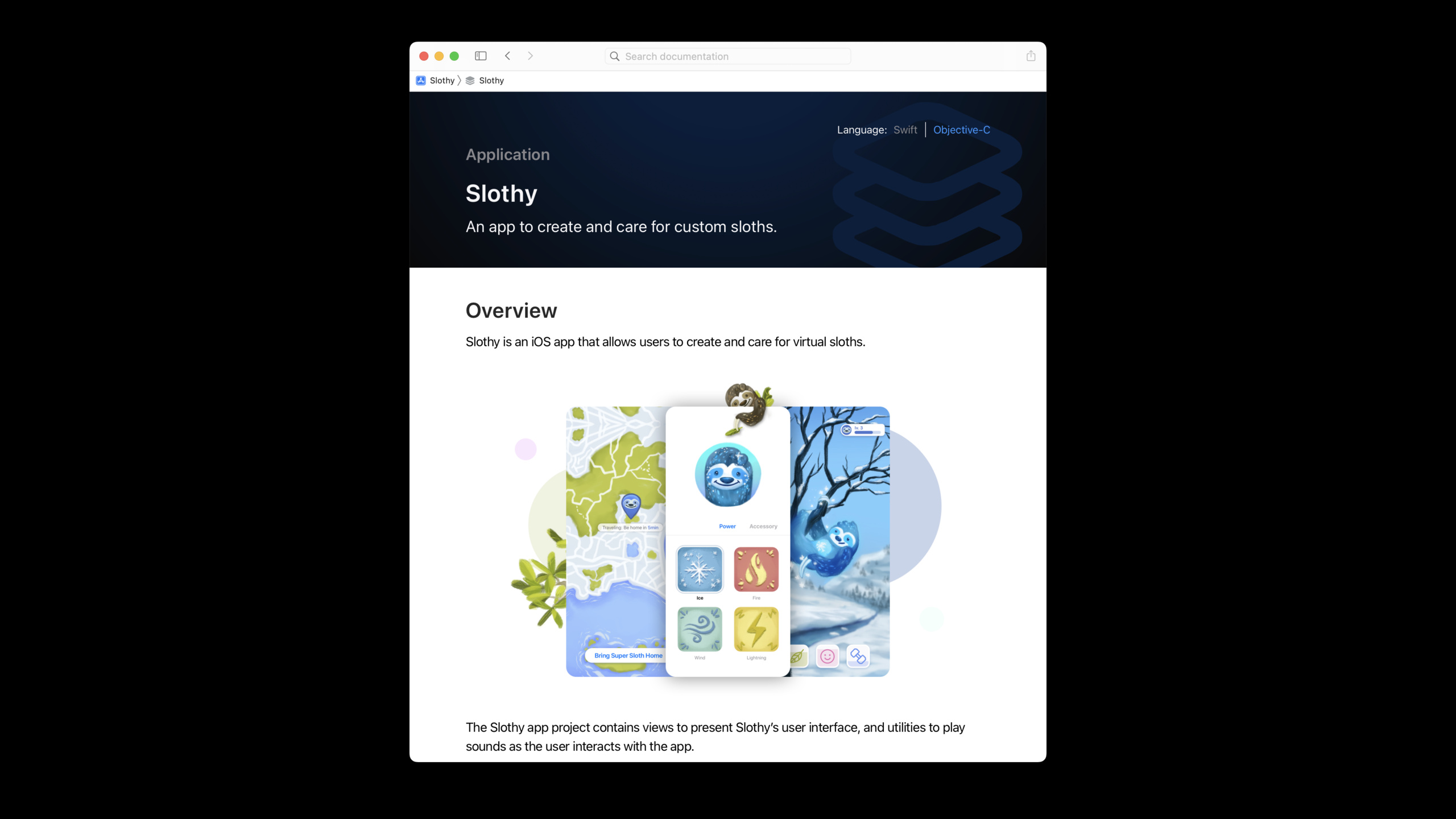
在项目源码文件夹右键选择 New File → Documentation Catalog,Xcode 自动创建一个文档目录,里面包含顶级页面文件:
# ``Slothy``
An app to create and care for custom sloths.
## Overview
Slothy is an iOS app that allows users to create and care for virtual sloths.

The Slothy app project contains views to present Slothy's user interface, and utilities to play sounds as the user interacts with the app.关键点:
- Documentation Catalog 补充源码文档,放概念性文章和媒体文件
- 顶级页面用
# ``ModuleName``语法声明 - 支持嵌入图片等富媒体
- 这是贡献者打开文档后看到的第一个页面
发布到 GitHub Pages
(08:03)
DocC Archive 本身就是一个完整的静态网站。Xcode 14 生成的 Archive 直接兼容大多数 Web 服务器和托管服务。
GitHub Pages 的 URL 有特定 base path(username.github.io/repo-name),需要告诉 DocC:
// Build Settings 中设置
DocC Archive Hosting Base Path = sloth-creator
然后 Build Documentation,从文档窗口导出 Archive,把内容复制到仓库的 docs 目录,提交推送即可。
关键点:
- 自有域名直接复制 Archive 内容到 Web 服务器根目录
- GitHub Pages 等需要设置 Hosting Base Path
- DocC Archive 是静态文件,任何静态托管服务都支持
Swift Package Manager 插件自动化
(14:03)
Swift-DocC 提供了 Swift Package Manager 插件,可以自动化文档构建流程。配合 GitHub Actions 等 CI 工具,每次文档更新后自动重新构建并部署到 GitHub Pages。
命令行构建方式:
# Xcode 项目
xcodebuild docbuild -scheme MyScheme

# Swift Package(使用 DocC 插件)
swift package --allow-writing-to-directory ./docs \
    generate-documentation --target MyTarget \
    --output-path ./docs
网页端导航侧边栏
(14:46)
Xcode 14 的 DocC 网页新增了左侧导航栏:
- 点击 disclosure triangle 展开/折叠类型层级
- 不打开页面就能看到子页面列表
- 底部 filter 栏支持按关键词过滤符号
- 页面间跳转时侧边栏状态保持,方便追踪浏览路径
核心启发
-
给团队项目加上 DocC 文档 即使是不对外发布的 App,内部文档也能帮助新成员快速上手。从
///注释开始,为每个公开 API 写摘要和参数说明。 -
把框架文档发布到 GitHub Pages 开源 Swift Package 配上在线文档,使用者体验大幅提升。设置好 Hosting Base Path,用 GitHub Actions 自动部署,每次发版文档同步更新。
-
为 Objective-C 遗留代码补文档 混合语言项目现在可以用统一工具写文档。给核心 Objective-C 类加上
///注释,团队成员在 Xcode 里就能直接查看。 -
用 Documentation Catalog 写项目指南 不只是 API 参考,用 Catalog 里的 Markdown 文件写架构说明、开发规范、接入指南。这些内容跟代码一起版本控制,不会过时。
-
在 CI 中集成文档构建检查 把
xcodebuild docbuild或swift package generate-documentation加入 CI 流程。DocC 链接验证能帮你发现 API 改名后文档中的死链。
关联 Session
- Improve the discoverability of your Swift-DocC content — 深入了解新的导航侧边栏和文档组织技巧
- Build interactive tutorials using DocC — 用 DocC 创建交互式分步教程
- Create Swift Package plugins — Swift-DocC 的 Swift Package Manager 插件用法
- What’s new in Xcode 14 — Xcode 14 全部新功能总览
评论
GitHub Issues · utterances