
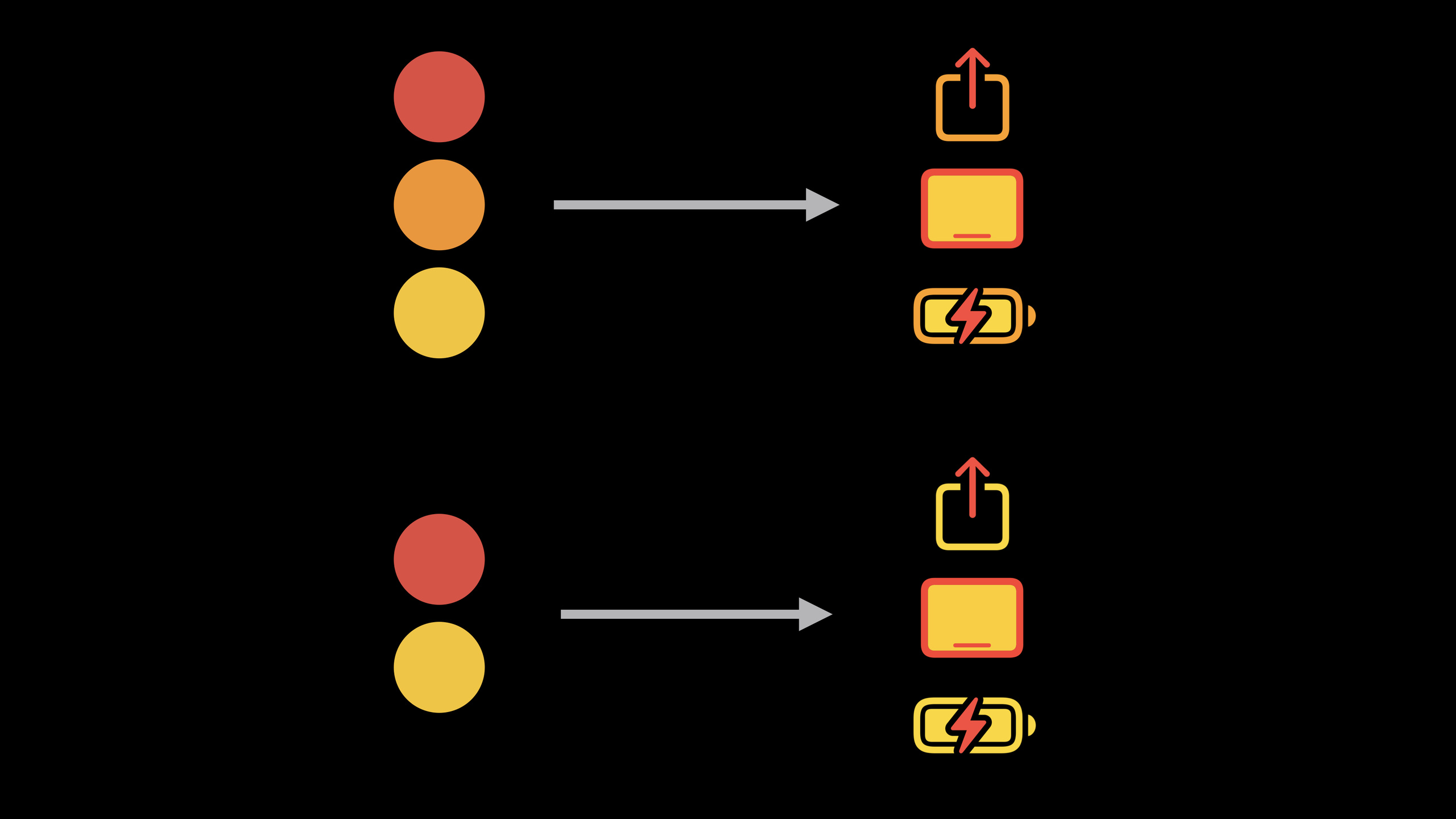
Highlight
SF Symbols 3 为 UIKit 和 AppKit 增加分层、调色板、多色渲染配置,开发者可以用系统符号完成可缩放、适配深色模式、可嵌入文本的彩色图标。
核心内容
过去在 UIKit 和 AppKit 里使用 SF Symbols,最常见的做法是单色符号加 tintColor。播放按钮、导航栏图标、设置页图标都能这样做。问题出现在更复杂的界面里:一个语音邮件操作按钮要同时有白色图标和红色背景,一个健康分类图标要保留系统定义的多色外观,一个酒店设施标签要把图标放进一行文字。
这些场景如果继续用单色符号,开发者经常要换成位图资源,或者手工维护多个符号名称。位图失去 SF Symbols 的尺寸、字重、动态类型和系统外观适配。手工拼接 .circle.fill 这样的名称也容易让代码和设计稿脱节。
Apple 在 SF Symbols 3 里把符号拆成 primary、secondary、tertiary 三层。UIKit 和 AppKit 新增 SymbolConfiguration 颜色配置,让每一层可以按规则上色。分层模式从一个颜色派生透明度,调色板模式显式指定多种颜色,多色模式使用符号内置颜色。
这件事直接解决了界面里的两个麻烦。第一,按钮、列表、控制中心这类组件可以继续使用系统符号,并获得彩色视觉。第二,同一套配置可以和尺寸、字重、文本附件组合,符号在图片视图、按钮和富文本里保持一致。
从单色到分层颜色
单色符号仍然是默认行为。代码只需要创建 UIImage 或 NSImage,再给承载视图设置 tint 或 accent color。它适合播放、返回、关闭这类只有一个视觉层级的图标。
分层颜色用于需要深浅层次的符号。开发者只提供一个主色,系统根据符号图层生成较低透明度的次级颜色。Control Center 里的设备图标就是这个场景:它们需要统一色系,也需要让主体和细节有层次。
调色板让按钮在深色模式下保持设计意图
语音邮件界面里的三个操作按钮需要不同颜色:扬声器按钮使用主题色和灰色,拨号按钮使用白色和主题色,删除按钮使用白色和红色。如果只用单色符号,浅色模式可能看起来正确,切到深色模式时,符号内部的镂空会露出背景色,白色图标的设计意图会丢失。
调色板模式用显式颜色填充符号图层。开发者可以把内部图层固定为白色,把背景或辅助图层绑定到 .tintColor 或 .systemRed。这样,界面样式变化时,按钮仍然按设计稿显示。
多色符号保留系统定义的颜色
有些符号本身已经带有颜色,例如健康、天气或类别图标。UIKit 在 iOS 15 支持多色符号。开发者通过配置表达“优先使用多色版本”,系统会在符号支持时使用内置颜色。
并非所有符号都支持多色。SF Symbols app 的检查器可以查看一个符号支持哪些渲染模式。代码里也可以设置 tint color 作为回退,让不支持多色的符号仍然有合适颜色。
详细内容
单色符号:默认行为仍然有效
(01:52)单色模式只有一种颜色,通常来自 image view 的 tint 或 accent color。它是默认渲染模式,不需要额外 SymbolConfiguration。
let playImage = UIImage(systemName: "play")

playImageView.image = playImage
playImageView.tintColor = .systemBlue
关键点:
UIImage(systemName:)从系统符号库创建play图标。playImageView.image把符号放进图片视图。playImageView.tintColor指定单色符号的颜色。- 代码没有创建颜色配置,因为单色是默认模式。
分层符号:用一个颜色生成层次
(03:00)分层模式使用符号的图层层级。传入的颜色用于 primary layer,secondary 和 tertiary layer 使用降低透明度后的派生颜色。
var image = NSImage(systemSymbolName: "ipad.landscape",
                    accessibilityDescription: "iPad")

let config = NSImage.SymbolConfiguration(hierarchicalColor: .label)

deviceView.image = image
deviceView.symbolConfiguration = config
关键点:
NSImage(systemSymbolName:accessibilityDescription:)创建 AppKit 符号图片,并提供无障碍描述。NSImage.SymbolConfiguration(hierarchicalColor:)请求分层颜色渲染。.label作为主色,会随系统文本颜色动态变化。deviceView.symbolConfiguration把配置应用到图片视图。- 如果符号缺少某个层级,对应派生颜色不会被使用。
图像变体:在容器上统一请求形状
(04:13)按钮先用基础符号初始化。这里使用 iOS 15 的按钮配置 API,把每个按钮的图片放到配置里。
let speakerConfig = UIButtonConfiguration.plain
speakerConfig.image = UIImage(systemName: "speaker.wave.2")

let callConfig = UIButtonConfiguration.plain
callConfig.image = UIImage(systemName: "phone")

let deleteConfig = UIButtonConfiguration.plain
deleteConfig.image = UIImage(systemName: "trash")
关键点:
UIButtonConfiguration.plain创建无背景按钮配置。speaker.wave.2、phone、trash是三个基础符号名称。- 每个配置先只指定图片,颜色稍后用符号配置处理。
(04:44)图像变体(image variants)可以在容器视图上设置。变体会沿视图层级向下传播,内部 image view 会拿到这个请求。
actionsView.imageVariant = .circle
actionsView.imageVariant = .circle.fill
关键点:
.circle请求圆形变体,不需要把.circle拼到符号名称里。.circle.fill请求填充圆形变体。- 配置放在
actionsView上,会影响容器里的多个按钮图片。 - 如果某个符号没有该变体,系统会使用原始图片。
调色板符号:显式控制每一层颜色
(05:09)调色板模式接收一个颜色数组。颜色会应用到符号图层层级。这里的扬声器按钮使用视图 tint color 和系统灰色。
let config = UIImage.SymbolConfiguration(paletteColors: [.tintColor, .systemGray2])

speakerConfig.preferredSymbolConfigurationForImage = config
speakerButton.configuration = speakerConfig
关键点:
UIImage.SymbolConfiguration(paletteColors:)创建调色板配置。.tintColor是 UIKit 动态颜色,会解析为当前视图的 tint color。.systemGray2为另一个图层提供固定的系统灰色。preferredSymbolConfigurationForImage把符号配置挂到按钮图片上。speakerButton.configuration应用完整按钮配置。
(05:40)拨号按钮需要白色符号和主题色背景。调色板模式可以把白色写进配置,避免深色模式下镂空区域透出背景。
let config = UIImage.SymbolConfiguration(paletteColors: [.white, .tintColor])

callConfig.preferredSymbolConfigurationForImage = config
callButton.configuration = callConfig
关键点:
.white明确指定一个图层使用白色。.tintColor让另一个图层跟随按钮所在视图的主题色。- 配置绑定在
callConfig上,最后赋给callButton。
(05:56)删除按钮把第二个颜色换成系统红色。危险操作的颜色不依赖视图 tint color。
let config = UIImage.SymbolConfiguration(paletteColors: [.white, .systemRed])

deleteConfig.preferredSymbolConfigurationForImage = config
deleteButton.configuration = deleteConfig
关键点:
.white保证内部图标区域保持白色。.systemRed给删除操作提供系统红色。- 同一套按钮配置流程可以复用到不同操作。
动态 tint color:颜色可以跟随视图解析
(06:46).tintColor 是 UIKit 的动态颜色。它可以用于符号图层,也可以用于普通界面属性。
view.backgroundColor = .tintColor
label.textColor = .tintColor
searchField.tokenBackgroundColor = .tintColor
tabBarItem.badgeColor = .tintColor
关键点:
view.backgroundColor可以直接使用动态 tint color。label.textColor会解析为标签所在环境的 tint color。searchField.tokenBackgroundColor和tabBarItem.badgeColor也能使用同一个动态颜色。- 动态颜色仍然遵守 UIKit 的解析规则。
多色符号:优先使用符号内置颜色
(09:03)如果直接创建系统图片并赋给 cell,得到的是默认单色渲染。
let image = UIImage(systemName: category.iconName)

cell.imageView.image = image
关键点:
category.iconName保存类别对应的 SF Symbol 名称。UIImage(systemName:)只负责创建符号图片。- 没有设置渲染配置时,UIKit 使用默认单色模式。
(09:13)要请求多色版本,需要创建 preferringMultiColor 配置并赋给 image view。对于不支持多色的符号,tint color 仍然提供回退颜色。
let image = UIImage(systemName: category.iconName)

let config = UIImage.SymbolConfiguration.preferringMultiColor

let tintColor = category.colorForIcon

cell.imageView.image = image
cell.imageView.preferredSymbolConfiguration = config
cell.imageView.tintColor = tintColor
关键点:
UIImage.SymbolConfiguration.preferringMultiColor请求优先使用多色渲染。category.colorForIcon给当前类别提供回退 tint color。preferredSymbolConfiguration把多色偏好应用到 image view。tintColor会影响单色回退,也会影响带 tint layer 的多色符号。- 符号是否支持多色,可以在 SF Symbols app 的检查器里查看。
组合配置:把尺寸和颜色合成一个配置
(12:40)一个 image view 只能应用一个符号配置。要同时控制尺寸和颜色,需要先创建多个配置,再用 applying 合并。
let image = UIImage(systemImage: "ipad.and.iphone")
headerView.image = image

let fontConfig = UIImage.SymbolConfiguration(pointSize: 60, scale: .large)
let colorConfig = UIImage.SymbolConfiguration(hierarchicalColor: .systemBlue)
let config = fontConfig.applying(colorConfig)

headerView.preferredSymbolConfiguration = config
关键点:
UIImage(systemImage:)创建ipad.and.iphone符号图片。fontConfig指定 60 点大小和 large scale。colorConfig指定分层颜色的主色为系统蓝色。fontConfig.applying(colorConfig)生成同时包含尺寸和颜色的新配置。headerView.preferredSymbolConfiguration应用最终配置。
富文本符号:把彩色符号嵌入 Attributed String
(13:20)彩色符号可以作为文本附件放进 NSAttributedString。酒店房间设施列表就是典型场景:电视图标和文字需要在同一行排版。
let amenitiesString = NSMutableAttributedString(...)

if (room.amenities.contains(.tv)) {
    let config = UIImage.SymbolConfiguration(
                         hierarchicalColor: .systemGreen)
    let tvImage = UIImage(systemImage: "tv",
                          withConfiguration: config)

    let attachment = NSTextAttachment(image: tvImage)
    let attachmentString = NSAttributedString(attachment:
                                               attachment)
    let tvString = attachmentString.mutableCopy()
    tvString.append(NSAttributedString(" TV, "))

    amenitiesString.append(tvString)
}
关键点:
NSMutableAttributedString(...)保存最终要显示的富文本。room.amenities.contains(.tv)判断房间是否包含电视设施。UIImage.SymbolConfiguration(hierarchicalColor:)给电视符号指定绿色分层渲染。UIImage(systemImage:withConfiguration:)创建带配置的符号图片。NSTextAttachment(image:)把图片变成文本附件。NSAttributedString(attachment:)把附件包装成富文本片段。tvString.append在图标后追加文字。amenitiesString.append把这一段加入完整设施列表。
(13:51)显示富文本的标签仍然要设置字体和文字颜色。单色符号会自动使用文本颜色;带颜色配置的符号需要在配置中显式指定颜色。
let amenitiesLabel = UILabel()

amenitiesLabel.textColor = .systemGreen
amenitiesLabel.font = UIFont.systemFont(ofSize: 25)

amenitiesLabel.attributedString = amenitiesString
关键点:
UILabel()创建展示设施文本的标签。textColor让文字部分使用系统绿色。font设置 25 点系统字体,符号附件会跟随字符串里的字体尺寸排版。attributedString把前面构造的富文本交给标签显示。
核心启发
-
做什么:给设置页的每一项增加状态化 SF Symbol。 为什么值得做:分层模式可以用一个主题色表达启用状态,调色板模式可以用白色加红色表达危险操作。 怎么开始:在 cell 的 image view 上设置
preferredSymbolConfiguration,普通项用UIImage.SymbolConfiguration(hierarchicalColor:),删除项用UIImage.SymbolConfiguration(paletteColors:)。 -
做什么:把通话、语音、删除这类操作按钮改成圆形填充符号。 为什么值得做:图像变体可以在容器层统一请求
.circle.fill,代码不需要手工维护多个符号名称。 怎么开始:在按钮容器上设置imageVariant,再给每个UIButtonConfiguration配置不同的preferredSymbolConfigurationForImage。 -
做什么:为分类列表加入系统多色图标和单色回退。 为什么值得做:多色符号能保留 Apple 为符号设计的颜色;不支持多色的符号仍然可以通过 tint color 保持类别色。 怎么开始:创建
UIImage.SymbolConfiguration.preferringMultiColor,设置到cell.imageView.preferredSymbolConfiguration,并同步设置cell.imageView.tintColor。 -
做什么:在酒店、购物、健康记录等文本说明里嵌入彩色设施图标。 为什么值得做:
NSTextAttachment能把 SF Symbol 放进富文本,符号会跟随文字尺寸排版。 怎么开始:用带hierarchicalColor的UIImage创建NSTextAttachment,再把附件包装成NSAttributedString追加到NSMutableAttributedString。 -
做什么:为大尺寸空状态页或页头制作分层插图式图标。 为什么值得做:
applying可以把 point size、scale 和颜色合成一个配置,图标在不同尺寸下仍然使用 SF Symbols。 怎么开始:先创建UIImage.SymbolConfiguration(pointSize:scale:),再创建UIImage.SymbolConfiguration(hierarchicalColor:),用fontConfig.applying(colorConfig)合并后赋给 image view。
关联 Session
- What’s new in SF Symbols — 了解 SF Symbols 3 的新符号、颜色渲染模式和自定义符号标注。
- Create custom symbols — 学习如何为自定义符号绘制并标注分层、调色板和多色模式。
- Explore the SF Symbols 3 app — 使用 SF Symbols app 检查符号支持的渲染模式和预览颜色效果。
- SF Symbols in SwiftUI — 在 SwiftUI 中使用同一套 SF Symbols 颜色能力。
评论
GitHub Issues · utterances