
Highlight
Apple 为 Accelerate 新增 BNNS 机器学习能力、改进 simd.h 的 C++ 模板支持,并推出 Apple Encrypted Archive,让开发者用系统框架完成高性能计算、向量化处理和加密归档。
核心内容
开发者遇到大规模数据处理时,常见做法是先写一个 Swift 循环。数组小的时候没问题。输入变成图像、音频采样、矩阵或模型张量后,循环会占用更多 CPU 时间,也会消耗更多电量。
手写优化也很麻烦。你要考虑 CPU 向量指令、矩阵库、图像格式、缓存读写,还要处理不同 Apple 设备的硬件差异。代码越底层,越容易把业务逻辑写成硬件适配代码。
Accelerate 解决的是这个入口问题。它把 vDSP、vImage、vForce、BLAS、LAPACK、Sparse BLAS、Sparse Solvers 和 BNNS 放在同一个框架里。开发者调用系统 API,系统负责把计算落到合适的实现上。
这场 session 还补上了两个相邻场景。
第一个是小向量计算。simd.h 适合处理能放进 CPU 寄存器的小向量和矩阵。以前 C++ 模板代码要在标量类型、向量长度和具体 SIMD 类型之间来回转换,样板代码多。WWDC 2021 新增类型、traits 和别名,降低了模板代码的使用成本。
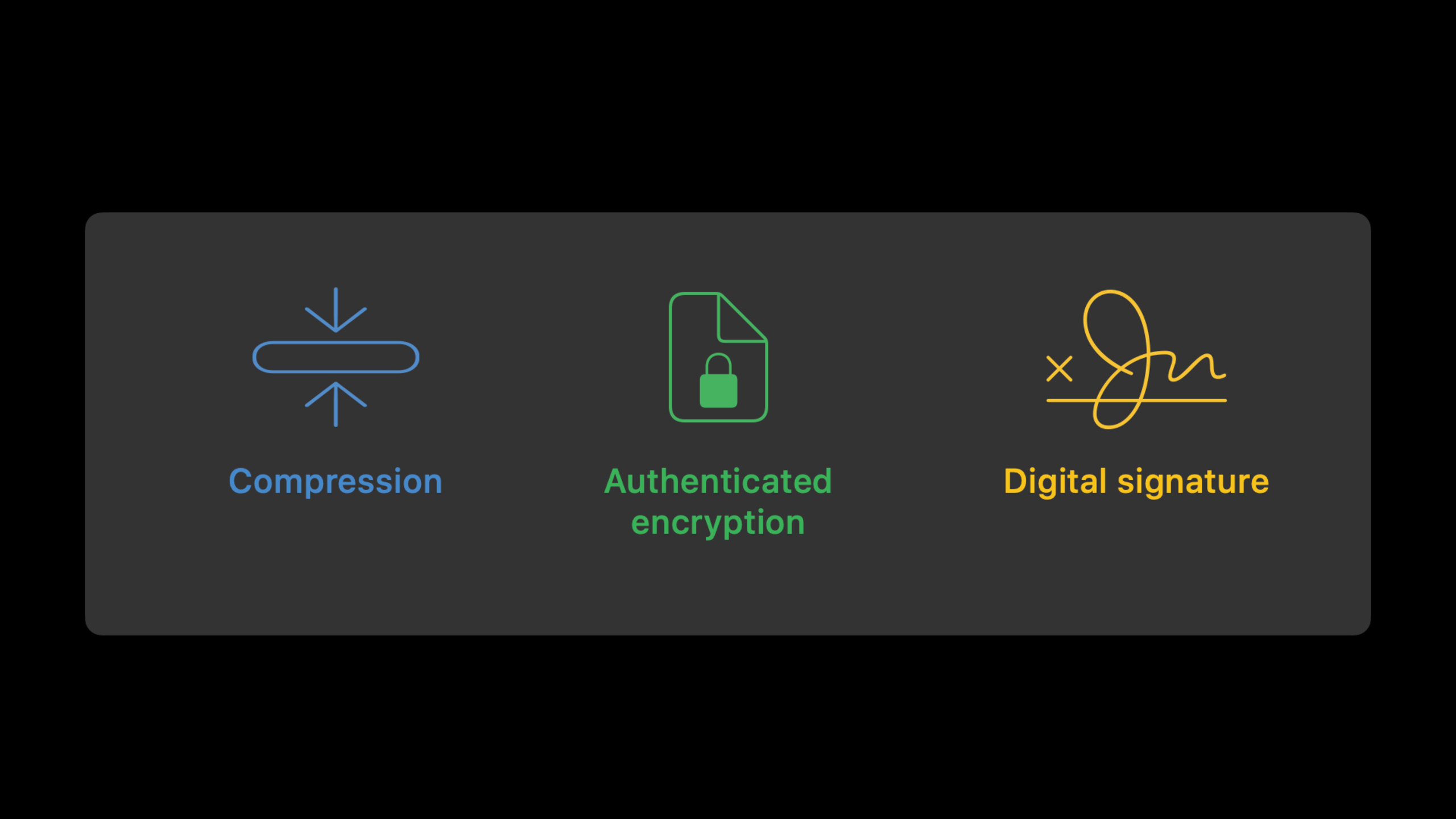
第二个是归档加密。备份一个目录时,开发者通常要先归档,再压缩,再加密,还要处理认证和签名。Apple Encrypted Archive(AEA,加密归档容器)把压缩、认证加密和数字签名放进一个格式,并提供 Swift 和 C API。
从神经网络到归档,是同一个目标
这场演讲表面上有三个主题:Accelerate、simd.h、Apple Archive。共同点是性能敏感。
BNNS(Basic Neural Network Subroutines,基础神经网络子程序)负责 CPU 上的训练和推理原语。simd.h 负责寄存器级的小向量计算。AEA 负责流式压缩和加密,避免把整个目录一次性放入内存。
Apple 做的改变很直接:把这些低层能力做成系统框架。开发者获得的是一组可以直接进入工程的性能工具。
详细内容
引入相关框架
(01:55)Accelerate 可用于所有 Apple 平台,包括 macOS、iOS、iPadOS、watchOS 和 tvOS。演讲指出,访问 Apple Silicon Mac 与近年 iPhone、iPad 上机器学习加速器的方式,是直接调用 Accelerate,或通过 Core ML 这类上层框架间接调用。
// Swift
import Accelerate
import AppleArchive
import Compression
import simd
// C / Objective-C / C++
#include <Accelerate/Accelerate.h>
#include <AppleArchive/AppleArchive.h>
#include <Compression/Compression.h>
#include <simd/simd.h>关键点:
import Accelerate引入数值计算、信号处理、图像处理和 BNNS 相关能力。import AppleArchive引入归档与 Apple Encrypted Archive API。import Compression引入无损压缩能力,AEA 可以配合压缩算法使用。import simd引入 Swift 的 SIMD 类型和函数。- C、Objective-C、C++ 使用对应头文件,
simd.h不需要额外添加 framework。
BNNS 扩展了 CPU 机器学习原语
(02:07)BNNS 在 CPU 上提供机器学习性能原语,支持训练和推理。它与 MPS(Metal Performance Shaders)处在同一层级:BNNS 面向 CPU,MPS 面向 GPU。Core ML、Create ML、Vision、Natural Language 这类上层框架可以运行在这些后端之上。
BNNS additions in this release:
- Layer types: embedding, random fill, quantization
- Optimizer: AdamW
- Activation functions: SiLU, HardSwish
- Arithmetic functions: ternary select, multiply add, element-wise minimum, element-wise maximum
- Layer fusions: convolution + quantization, fully connected + quantization, arithmetic + normalization
- Optimizer improvements: gradient clipping, AMSGrad support for Adam-based optimizers
关键点:
embedding、random fill、quantization是这次新增的层类型。AdamW是新增优化器,用于训练场景。SiLU和HardSwish是新增激活函数。ternary select、multiply add、逐元素最小值、逐元素最大值扩展了算术层能力。- Layer fusion(层融合)让一个层的输出直接成为后续层输入,减少写回内存再读出的开销。
- Gradient clipping(梯度裁剪)既能在优化器中使用,也能作为独立函数使用。
用 simd 把分支改成掩码计算
(04:26)演讲用一个自定义激活函数说明向量化思路。标量版本对每个 Float 做三段判断。数据量变大后,这种循环会受到分支和逐元素调用的限制。
import simd

public func swishharder_scalar (_ data: [Float]) -> [Float] {
  return data.map { x in
    if x <= -.pi { return 0 }                         //        {  0                if  x ≤ -π
    if x <=  .pi { return 2*exp(x) * (x + .pi)/2 }    // f(x) = {  2eˣ * (x+π)/2    if -π <  x < π
    else         { return 2*exp(x) }                  //        {  2eˣ              if  π ≤  x
  }
}

func swishharder_elementwise(_ x: SIMD8<Float>) -> SIMD8<Float> {
    let y = 2*simd.exp(x)
    let a = y.replacing(with: 0, where: x .<= -.pi)
    let b = ((x + .pi)/2).replacing(with: 1, where: .pi .<= x)
    return a*b
}

extension SIMD {
    internal func store(
        into buffer: UnsafeMutableBufferPointer<Scalar>,
        startingAt offset: Int
    ) {
        for i in 0 ..< scalarCount {
            buffer[offset + i] = self[i]
        }
    }
}

public func swishharder_simd(_ data: [Float]) -> [Float] {
    return Array<Float>(unsafeUninitializedCapacity: data.count) {
        (buffer: inout UnsafeMutableBufferPointer<Float>, count: inout Int) in
        for i in stride(from: 0, to: data.count, by: 8) {
            let v = SIMD8(data[i ..< i+8])
            let w = swishharder_elementwise(v)
            w.store(into: buffer, startingAt: i)
        }
        count = data.count
    }
}
关键点:
import simd引入SIMD8<Float>和simd.exp。swishharder_scalar用map逐个处理输入数组,每次只处理一个Float。func swishharder_elementwise(_ x: SIMD8<Float>)把输入换成长度为 8 的 SIMD 向量。let y = 2*simd.exp(x)对 8 个元素同时计算指数表达式。y.replacing(with: 0, where: x .<= -.pi)用比较结果生成掩码,把小于等于-π的位置替换成0。((x + .pi)/2).replacing(with: 1, where: .pi .<= x)把大于等于π的位置替换成1。return a*b合并两个向量表达式,得到三段函数的结果。store(into:startingAt:)把 SIMD 向量写回输出缓冲区。stride(from:to:by: 8)让循环每次前进 8 个元素,与SIMD8<Float>的宽度对应。
演讲现场运行后,SIMD 版本接近标量版本的三倍速度。这里的关键是把 if 分支拆成向量表达式和掩码替换。
simd.h 改进了 C++ 模板使用
(07:02)这次 simd.h 的重点改进是 C++ 模板可用性。新增类型和 traits 结构,可以在底层标量类型、向量长度和具体 SIMD 类型之间转换。新增别名减少模板代码样板。
// Concepts shown in the session
vector and matrix types
Vector_t and Matrix_t aliases
get_traits struct
templated make functions
templated convert functions
关键点:
vector和matrix类型从标量类型、向量长度推导出具体 SIMD 类型。- 相关成员可访问未对齐版本和比较结果对应的 mask 类型。
Vector_t与Matrix_t是简化语法的别名。get_traits从具体 SIMD 类型回到通用描述。- 新增模板版
make和convert,目标类型作为模板参数传入,便于放进模板代码。 - 新增分类函数包括
isfinite和isinf的向量版本。 - 新增函数还包括 gamma function(伽马函数)和 SIMD 矩阵 trace(迹)计算。
Apple Encrypted Archive 把压缩、加密和签名放进流
(08:32)Apple Archive 已经用于系统更新。macOS 11 开放了压缩容器和归档格式。macOS 12 新增加密 API。
AEA 提供多种 profile(配置档):只有数字签名、对称加密、密码加密、公钥加密。每种加密配置都可以选择是否带签名。压缩是可选的,数据始终经过认证。
Apple Encrypted Archive profiles:
- digital signature without encryption
- symmetric encryption with or without a signature
- password encryption with or without a signature
- public key encryption with or without a signature

Command-line tools:
- compression_tool
- aea
- aa
关键点:
- 数字签名适合内容不保密但需要防篡改的场景,例如软件更新。
- 对称加密使用安全共享的二进制密钥。
- 密码加密使用密码作为输入。
- 公钥加密适合收发双方使用密钥对的场景。
compression_tool处理压缩归档部分。aea处理加密归档。aa处理完整容器。- Apple Archive framework 提供 Swift 和 C API。
- API 是 stream-based(基于流),支持顺序访问和随机访问,内部实现是多线程的。
用 Swift 创建 AEA 加密目录
(12:14)演讲的 demo 把一个目录拖进应用,输出同名 .aea 文件。实现分三步:创建加密上下文,创建文件流和加密流,再把目录内容写入编码流。
/// Encrypts and archives the directory at the specified URL.
    ///
    /// - Parameter sourceURL: The URL of the directory that the function encrypts and archives.
    /// - Returns: A string containing the status message.
    ///
    /// This function writes the result to `directory`. The archive shares the name
    /// of the supplied directory with an `aea` extension.
    static func encrypt(sourceURL: URL) -> ConsoleMessage {

        // Verify that the URL path represents a directory.
        if !sourceURL.hasDirectoryPath {
            return ConsoleMessage(status: .error,
                                  message: "The specified URL doesn't point to a directory.")
        }

        guard let source = FilePath(sourceURL) else {
            return ConsoleMessage(status: .error,
                                  message: "Unable to create file path from source URL.")
        }

        // Create the destination `FilePath`.
        let destination = directory
            .appending(sourceURL.lastPathComponent)
            .appending(".aea")
        let archiveDestination = FilePath(destination)

        // Create the encryption context + setup credentials
        let encryptionKey = SymmetricKey(size: .bits256)

        let context = ArchiveEncryptionContext(
            profile: .hkdf_sha256_aesctr_hmac__symmetric__none,
            compressionAlgorithm: .lzfse)
        do {
            try context.setSymmetricKey(encryptionKey)
        } catch {
            return ConsoleMessage(status: .error,
                                  message: "Error setting password (\(error).)")
        }

        // Create the file stream, encryption stream, archive encode stream.
        guard
            let archiveDestinationFileStream = ArchiveByteStream.fileStream(
                path: archiveDestination,
                mode: .writeOnly,
                options: [ .create, .truncate ],
                permissions: FilePermissions(rawValue: 0o644)),

                let encryptionStream = ArchiveByteStream.encryptionStream(
                    writingTo: archiveDestinationFileStream,
                    encryptionContext: context),

                let encoderStream = ArchiveStream.encodeStream(
                    writingTo: encryptionStream) else {

                    return ConsoleMessage(status: .error,
                                          message: "Error creating streams.")
                }

        // Remember to close things in the correct order
        defer {
            try? encoderStream.close()
            try? encryptionStream.close()
            try? archiveDestinationFileStream.close()
        }

        // Encode all files in the target directory with the specifed fields.
        do {

            let fields = ArchiveHeader.FieldKeySet("TYP,PAT,DAT,UID,GID,MOD")!
            try encoderStream.writeDirectoryContents(archiveFrom: source,
                                                     keySet: fields)
        } catch {
            return ConsoleMessage(status: .error,
                                  message: "Error writing directory contents.")
        }

        if let url = URL(archiveDestination) {
            NSWorkspace.shared.activateFileViewerSelecting([url])
        }

        let message = """
Encrypted with key '\(encryptionKey.base64Encoded)'.
Archived and encrypted to: \(archiveDestination.description).
"""

        return ConsoleMessage(status: .encryptionSuccess(base64EncodedKeyData: encryptionKey.base64Encoded),
                              message: message)
    }
关键点:
static func encrypt(sourceURL: URL)接收要加密归档的目录 URL。sourceURL.hasDirectoryPath先确认输入指向目录。FilePath(sourceURL)把 URL 转成 Apple Archive API 使用的路径类型。destination.appending(".aea")生成.aea输出路径。SymmetricKey(size: .bits256)创建 256 位对称密钥。ArchiveEncryptionContext(profile:compressionAlgorithm:)指定加密 profile 和压缩算法。.hkdf_sha256_aesctr_hmac__symmetric__none表示 HKDF-SHA256、AES-CTR、HMAC、对称加密、无数字签名。.lzfse指定使用 LZFSE 压缩。context.setSymmetricKey(encryptionKey)把密钥写入加密上下文。ArchiveByteStream.fileStream创建写入目标文件的字节流。ArchiveByteStream.encryptionStream把文件流包装成加密流。ArchiveStream.encodeStream把目录条目编码成归档字节。defer按 encoder、encryption、file 的顺序关闭流。ArchiveHeader.FieldKeySet("TYP,PAT,DAT,UID,GID,MOD")指定归档中保存的文件字段。writeDirectoryContents(archiveFrom:keySet:)把目录内容写入编码流。encryptionKey.base64Encoded输出密钥文本,demo 用它完成后续解密。
核心启发
1. 给图片编辑器加批量滤镜
- 做什么:让用户一次选择多张图片,批量执行格式转换、卷积或滤镜处理。
- 为什么值得做:Accelerate 的 vImage 提供图像处理例程,适合格式转换和卷积这类重复计算。
- 怎么开始:先把图片解码成缓冲区,再用 Accelerate/vImage 处理每张图,最后把结果写回文件或展示到界面。
2. 给音频工具加实时频谱视图
- 做什么:在录音或播放时显示频谱、峰值和能量变化。
- 为什么值得做:Accelerate 的 vDSP 提供 DFT 和 FFT 例程,适合信号处理。
- 怎么开始:从音频回调中取样本块,交给 vDSP 做 FFT,再把频域结果映射成 SwiftUI 或 Metal 视图。
3. 给本地模型加 CPU 推理路径
- 做什么:在无法使用 GPU 或神经引擎时,为模型提供 CPU 后备路径。
- 为什么值得做:BNNS 在 CPU 上提供训练和推理原语,并新增量化、Embedding、SiLU、HardSwish 和 AdamW 等能力。
- 怎么开始:先识别模型中需要的层和激活函数,再用 BNNS 对应原语组装推理流程;已有 Core ML 模型可以先用 Instruments 或相关工具确认瓶颈。
4. 给科学计算 App 加 SIMD 快速路径
- 做什么:把数组上的逐元素数学函数改成 SIMD 版本,例如归一化、激活函数、阈值处理。
- 为什么值得做:演讲中的
SIMD8<Float>示例把三段函数改成掩码计算,现场结果接近三倍速度。 - 怎么开始:从最热的标量循环开始,把输入按
SIMD8<Float>分块,用replacing(with:where:)表达条件逻辑,再处理数组尾部元素。
5. 给文档 App 加加密备份
- 做什么:把用户的文档目录导出成
.aea文件,并在恢复时要求输入密钥。 - 为什么值得做:AEA 把压缩、认证加密和可选签名放入一个流式容器,适合目录备份。
- 怎么开始:创建
ArchiveEncryptionContext,用ArchiveByteStream.fileStream、ArchiveByteStream.encryptionStream和ArchiveStream.encodeStream串起三层流,再调用writeDirectoryContents(archiveFrom:keySet:)。
关联 Session
- Accelerate machine learning with Metal Performance Shaders Graph — 学习 GPU 侧机器学习计算图,与 BNNS 的 CPU 路径互补。
- Tune your Core ML models — 继续看 Core ML 模型如何定位性能瓶颈并优化。
- Build dynamic iOS apps with the Create ML framework — 了解设备端模型训练流程,可与 BNNS 新增训练能力一起理解。
- Discover built-in sound classification in SoundAnalysis — 了解 Apple 机器学习框架在音频分类场景中的上层使用方式。
评论
GitHub Issues · utterances