
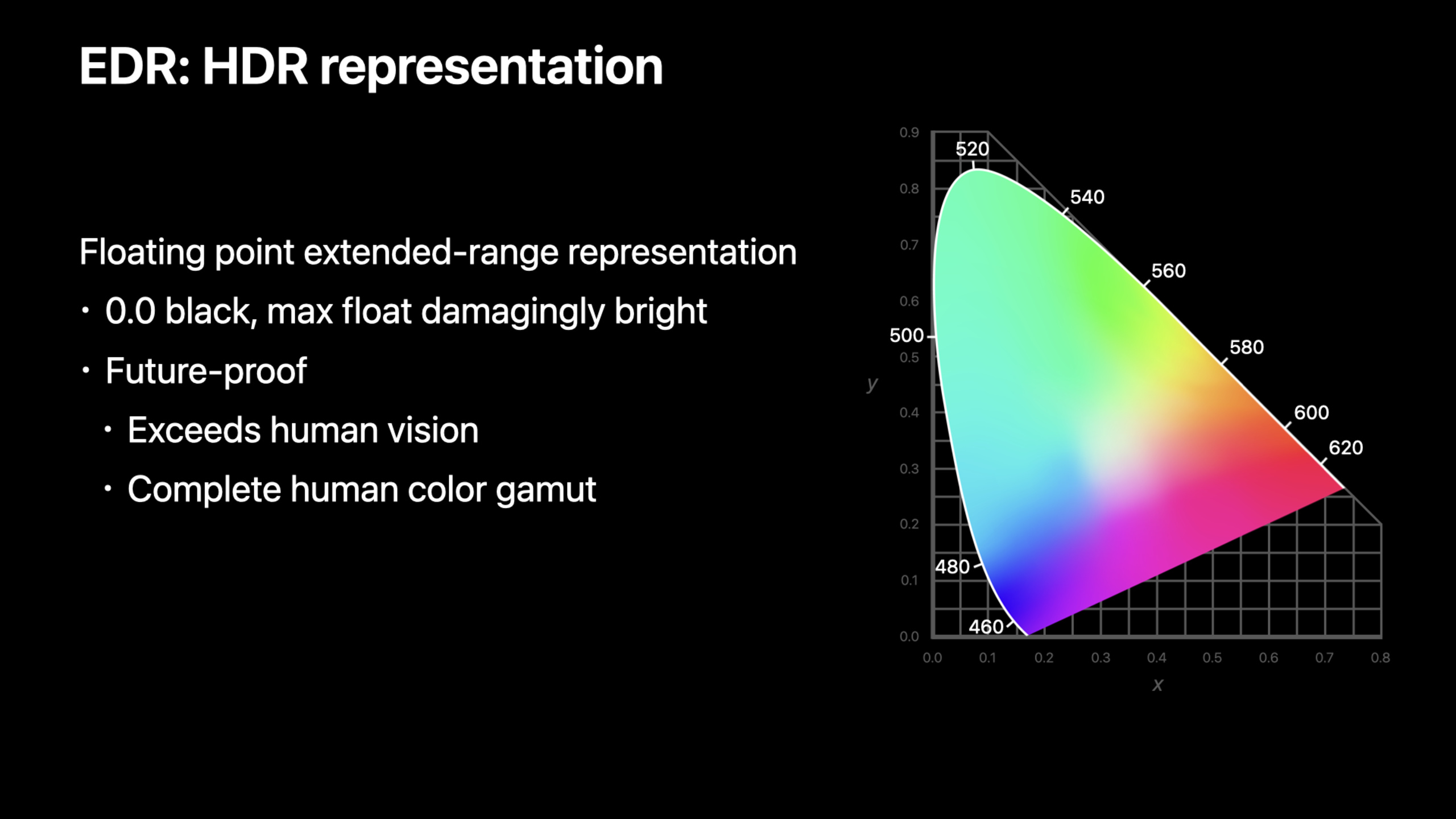
Highlight
EDR 让应用可以在支持 HDR 的显示器上输出超过 SDR 范围(>1.0)的亮度值,系统根据显示器能力自动做 tone mapping;在 Pro Display XDR 上最高可达约 6 倍 SDR 亮度。
核心内容
你的渲染引擎输出颜色值在 0-1 范围内。这在 SDR 显示器上没问题,但在 HDR 显示器上浪费了硬件能力。Pro Display XDR 可以显示比 SDR 亮 6 倍的像素,MacBook Pro 可以亮 2-3 倍。怎么利用这个额外的动态范围?
EDR(Extended Dynamic Range)是 Apple 的解决方案。它类似颜色管理,但管理的是亮度范围。
详细内容
EDR 是什么
(00:50)
EDR 同时指代两种东西:
- HDR 表示格式:允许颜色值超过 1.0
- HDR 渲染技术:系统根据显示器能力自动映射
在 SDR 系统中,白色定义为 1.0。在 EDR 中,1.0 仍然是 SDR 白色,但允许值大于 1.0。系统在显示时自动决定:HDR 屏幕上直接显示更亮的像素,SDR 屏幕上做 tone mapping 压缩到 1.0 范围。
(02:30)
关键点:
- SDR 白色 = 1.0
- EDR 允许值 > 1.0
- 系统自动处理 HDR 和 SDR 显示器的映射
- 不同显示器的 EDR 上限不同
四步添加 EDR 支持
(03:37)
Apple 推荐按四步添加 EDR:
- 检测 EDR 支持
- 配置渲染目标
- 在 shader 中输出 HDR 值
- 处理 tone mapping
检测 EDR 支持
(05:00)
// 检查屏幕是否支持 EDR
let screen = window.screen
let maxEDR = screen.maximumExtendedDynamicRangeColorComponentValue

if maxEDR > 1.0 {
    // 支持 EDR
    print("EDR max: \(maxEDR)")  // Pro Display XDR 上约 6.0
}(05:00)
关键点:
maximumExtendedDynamicRangeColorComponentValue返回 EDR 上限- 1.0 表示不支持 EDR
- 值越大,显示器的 HDR 能力越强
- 不同屏幕可能有不同值
配置 CAMetalLayer
(17:52)
// 配置 Metal layer 支持 EDR
metalLayer.wantsExtendedDynamicRangeContent = true
metalLayer.pixelFormat = .rgba16Float  // 16-bit float 格式

// 设置 colorspace
if let edrColorSpace = CGColorSpace(name: CGColorSpace.displayP3_PQ) {
    metalLayer.colorspace = edrColorSpace
}(18:53)
关键点:
wantsExtendedDynamicRangeContent = true启用 EDR- 使用 16-bit float pixel format(
.rgba16Float) - 选择支持 HDR 的 color space(如 Display P3 PQ)
- 需要全屏或单独窗口才能发挥最大 EDR 能力
在 Shader 中输出 HDR 值
(20:30)
fragment float4 hdrFragment(...) {
    // 场景渲染
    float3 sceneColor = computeLighting(...);

    // 场景值可能超过 1.0
    // 比如太阳反射可能达到 4.0 或更高

    // 直接输出,EDR 系统会处理映射
    return float4(sceneColor, 1.0);
}(21:00)
关键点:
- 直接输出超过 1.0 的值
- 不需要手动 clamp
- EDR 系统根据显示器能力自动映射
- 保持线性空间,不要做 gamma 校正
Tone Mapping
(22:30)
对于 SDR 显示器,系统会自动做 tone mapping。但如果你想自己控制映射曲线,可以在 shader 中实现:
float3 toneMap(float3 hdrColor, float maxEDR) {
    // 简单的 Reinhard tone mapping
    float3 mapped = hdrColor / (1.0 + hdrColor);

    // 或者使用 ACES filmic tone mapping
    // mapped = ACESFilm(hdrColor);

    return mapped;
}(23:30)
关键点:
- 系统会自动处理 SDR 显示器的映射
- 自定义 tone mapping 只在需要特定风格时使用
- 保持线性空间直到最后一步
- 不同场景可能需要不同的 tone mapping 曲线
EDR 与 AVPlayer
(16:00)
AVPlayer 自动支持 EDR。播放 HDR 内容时,它会自动利用显示器的 EDR 能力。
let player = AVPlayer(url: hdrVideoURL)
let playerLayer = AVPlayerLayer(player: player)

// AVPlayer 自动处理 EDR,不需要额外配置
playerLayer.videoGravity = .resizeAspect(16:00)
关键点:
- AVPlayer 自动检测 HDR 内容
- 自动利用 EDR 显示能力
- 不需要手动配置
- 在 SDR 显示器上自动 tone mapping
核心启发
-
为游戏添加 HDR 高光效果。太阳、爆炸、霓虹灯等光源可以输出 2-6 倍 SDR 亮度。入口 API:
metalLayer.wantsExtendedDynamicRangeContent = true。 -
用 16-bit float render target。HDR 内容需要足够的精度,8-bit 不够。入口 API:
pixelFormat = .rgba16Float。 -
检测显示器 EDR 能力调整内容。不同显示器的 EDR 上限不同,根据能力调整 HDR 内容的强度。入口 API:
screen.maximumExtendedDynamicRangeColorComponentValue。 -
在 SDR 和 HDR 显示器上都测试效果。系统会自动 tone mapping,但效果可能不同。确保两种显示器上都有良好的视觉效果。
-
为专业视频应用配置 EDR 工作流。Display P3 PQ color space + 16-bit float + EDR 启用。入口 API:
CGColorSpace.displayP3_PQ。
关联 Session
- Capture and process ProRAW images — ProRAW 拍摄和处理
- Create image processing apps powered by Apple silicon — Apple Silicon 图像处理优化
- Explore Core Image kernel improvements — Core Image Metal kernel 新写法
评论
GitHub Issues · utterances