
Highlight
MPSGraph 新增 TensorFlow Metal Plugin、控制流 API(if/else/for/while)、stencil 算子和 gatherND 算子,让 GPU 加速的机器学习训练和推理更灵活。
核心内容
你在 Mac 上用 TensorFlow 训练模型,但默认只用 CPU。ResNet50 的一个 epoch 要 20 分钟。你想用 GPU 加速,但 CUDA 在 Mac 上不可用。
Apple 的解决方案是 TensorFlow Metal Plugin,基于 MPSGraph 把 TensorFlow 的计算图翻译到 Metal GPU。
详细内容
TensorFlow Metal Plugin
(02:19)
安装方式:
pip install tensorflow-macos
pip install tensorflow-metal
安装后,TensorFlow 会自动识别 Mac 的 GPU:
import tensorflow as tf

# 列出可用设备
print(tf.config.list_physical_devices())
# 输出包含 GPU 设备

# 定义 ResNet50 模型
model = tf.keras.applications.ResNet50(
    weights=None,
    input_shape=(224, 224, 3),
    classes=1000
)

# 训练 - 自动使用 Metal GPU
model.compile(optimizer='adam', loss='categorical_crossentropy')
model.fit(x_train, y_train, epochs=10)(03:00)
关键点:
pip install tensorflow-metal安装插件- 不需要修改模型代码
- ResNet50 训练速度提升约 4 倍
- 部分模型最高可达 8 倍加速
- 支持 M1 MacBook Pro
Core ML 推理加速
(05:08)
MPSGraph 的优化也惠及 Core ML。BERT 模型在 M1 上的推理速度提升 2 倍,ResNet50 提升 16%。
这些改进来自 MPS 底层算子的优化,特别是 Convolution2D 在 NHWC 和 NCHW 布局上的性能提升。
Control Dependency:防止算子被优化掉
(08:35)
MPSGraph 可能会优化掉不被输出的中间算子。但某些算子(如 batch normalization 中的 running mean 更新)需要被执行,即使它们的输出不被直接使用。
// 问题:assign 算子不被其他算子依赖,可能被优化掉
let assignOp = graph.assign(variable: runningMean, value: newMean)
let exponentOp = graph.exponent(input: x)

// 解决方案:让 exponent 依赖 assign
let dependentExponent = graph.controlDependency(
    dependent: exponentOp,
    dependentOn: assignOp
)(09:01)
关键点:
controlDependency显式指定执行顺序dependent算子必须在dependentOn之后执行- 不需要全局跟踪 targetOperation
- 适合 batch normalization 等场景
Stencil Operator:滑动窗口计算
(09:25)
Stencil operator 是卷积的泛化,支持任意滑动窗口的加权归约。适合实现 Laplacian、局部响应归一化等操作。
// 5-point 2D Laplacian stencil
let stencil = graph.stencil(
    source: input,
    descriptor: stencilDescriptor,
    weights: weightsTensor
)(10:28)
关键点:
- 支持 2D/3D stencil
- 支持多种归约模式(sum、argmin、argmax)
- 支持多种 padding 模式(reflection、clampToZero)
- 可以 stitch 成单个 kernel launch
GatherND:N 维索引
(11:05)
GatherND 支持从 N 维张量中按坐标索引提取数据,比线性索引更灵活。
// 从 3D 张量中按坐标 gather
// indices: [[0, 1], [2, 3]] 表示取第 (0,1) 行和第 (2,3) 行
let result = graph.gatherND(
    updates: inputTensor,
    indices: indicesTensor,
    batchDimensions: 0
)(12:29)
关键点:
- 支持任意维度的索引
- 未指定的维度自动 slice copy
- 适合 embedding lookup 等场景
- 每个坐标指定一个 slice 的起点
MPSGraphExecutable:预编译图
(14:42)
默认情况下,MPSGraph 在第一次执行时编译。MPSGraphExecutable 允许你提前编译,控制编译时机。
// 定义图
let graph = MPSGraph()
let x = graph.placeholder(shape: [1, 224, 224, 3], dataType: .float32, name: "x")
let y = graph.convolution2D(...)

// 编译为 executable
let executable = graph.compile(
    device: device,
    feeds: [x: MPSGraphTensorData],
    targetTensors: [y],
    compilationDescriptor: descriptor
)

// 后续直接执行,跳过编译
let result = executable.run(
    withCommandQueue: commandQueue,
    inputs: [inputData]
)(14:42)
关键点:
compile提前编译图run直接执行,不需要重新编译- 可以缓存 compiled executable
- 适合推理场景,避免首次延迟
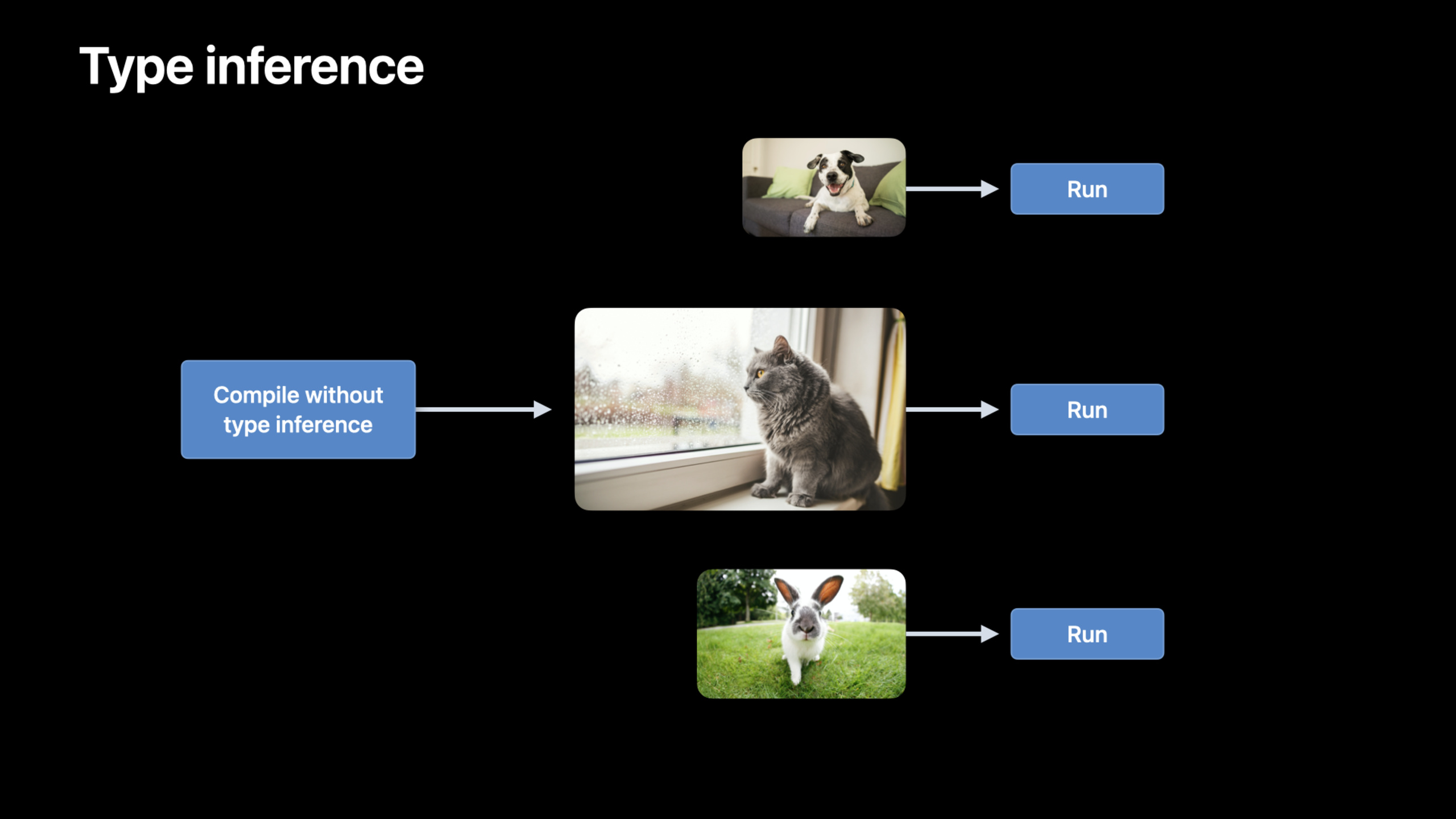
禁用类型推断
(16:38)
对于输入大小变化的网络(如 NLP 中不同长度的句子),每次新尺寸都会触发类型推断和重新编译。
let descriptor = MPSGraphCompilationDescriptor()
descriptor.disableTypeInference = true

let executable = graph.compile(
    ...,
    compilationDescriptor: descriptor
)(16:38)
关键点:
disableTypeInference = true跳过类型推断- MPSGraph 在编码时动态推断类型
- 节省大量编译时间
- 牺牲少量优化机会
控制流:if/else、for、while
(19:22)
MPSGraph 新增控制流 API,支持条件执行和循环。
If/else:
let predicate = graph.lessThan(x, y)

let result = graph.ifElse(
    predicate: predicate,
    thenBlock: { graph in
        return graph.addition(x, y, name: nil)
    },
    elseBlock: { graph in
        return graph.subtraction(x, y, name: nil)
    }
)(19:22)
For loop:
let result = graph.forLoop(
    iterations: 4,
    initialInputs: [input0],
    body: { graph, index, inputs in
        let result = graph.multiplication(inputs[0], input1, name: nil)
        return [result]
    }
)(20:15)
While loop:
let result = graph.whileLoop(
    before: { graph, inputs in
        let condition = graph.lessThan(inputs[0], threshold)
        return [condition, inputs[0]]
    },
    after: { graph, inputs in
        let multiplied = graph.multiplication(inputs[0], multiplier, name: nil)
        return [multiplied]
    },
    initialInputs: [input0]
)(22:09)
关键点:
- 控制流在 GPU 上执行,不需要 CPU-GPU 同步
- 适合 batch normalization、RNN 等场景
- predicate 是张量,不是标量
- 循环体接收当前 index 和上一轮的输出
核心启发
-
在 Mac 上用 TensorFlow Metal Plugin 训练模型。两行 pip 命令安装,无需改代码,ResNet50 训练速度提升 4 倍。入口 API:
pip install tensorflow-metal。 -
用 MPSGraphExecutable 预编译推理图。避免首次执行的编译延迟,适合实时推理场景。入口 API:
graph.compile()+executable.run()。 -
为变长输入禁用类型推断。NLP 模型中不同句子长度不再触发重新编译。入口 API:
compilationDescriptor.disableTypeInference = true。 -
用控制流实现 batch normalization 训练。一个图同时支持训练和推理模式。入口 API:
graph.ifElse(predicate: isTraining, ...)。 -
用 stencil operator 实现自定义图像滤波。Laplacian、局部归一化等操作可以 stitch 成单个 kernel。入口 API:
graph.stencil(source:descriptor:weights:)。
关联 Session
- Tune your Core ML models — Core ML 模型优化
- Detect people, faces, and poses using Vision — Vision 框架人物检测
- Classify hand poses and actions with Create ML — Create ML 手势分类
评论
GitHub Issues · utterances