
Highlight
Metal ray tracing 新增三大能力:从 render pipeline 直接发射光线(无需 compute pass)、intersection query 替代 intersector 对象进行内联求交、以及 motion blur 和 extended limits 支持生产级渲染。
核心内容
你想在渲染中加入光线追踪效果,比如反射或阴影。去年的 API 要求你额外创建一个 compute pass,把 G-Buffer 数据写出到内存,再读回来做光追。这增加了内存带宽开销,还打断了渲染管线。
今年 Metal 允许你直接从 render pipeline 发射光线,不需要离开 render pass。
详细内容
从 Render Pipeline 发射光线
(02:21)
去年的 workflow:render pass → compute pass(光追)→ 可能还要再开 render pass。中间数据要在内存中来回传递。
今年的 workflow:一个 render pass 内直接发射光线,中间数据留在 tile 内存。
设置方式:
// 定义 intersection 函数
[[intersection(triangle, triangle_data, instancing)]]
bool sphereIntersection(...)

// 在 render pipeline descriptor 中链接函数
let linkedFunctions = MTLLinkedFunctions()
linkedFunctions.functions = ["sphereIntersection"]
renderPipelineDescriptor.fragmentLinkedFunctions = linkedFunctions
// 创建 intersection function table
let functionTable = renderPipelineState.makeIntersectionFunctionTable(
descriptor: tableDescriptor,
stage: .fragment
)
// 填充 table
let functionHandle = renderPipelineState.functionHandle(
name: "sphereIntersection",
stage: .fragment
)
functionTable.setFunction(functionHandle, index: 0)(04:48)
关键点:
- linked functions 添加到 render pipeline 的 fragment stage
makeIntersectionFunctionTable新增stage参数- function handle 也是 stage-specific
- 绑定到 render encoder 的 buffer index
在 fragment shader 中发射光线:
fragment float4 rayTracedFragment(...) {
    // 绑定加速结构和 intersection function table
    intersector<instancing, triangle_data> intersector;
    intersector.set_acceleration_structure(accelerationStructure);
    intersector.set_intersection_function_table(intersectionFunctionTable);

    // 发射光线
    ray ray;
    ray.origin = worldPosition;
    ray.direction = reflect(viewDirection, normal);

    auto intersection = intersector.intersect(ray, primitiveAccelerationStructure);

    // 用交点结果着色
    return shadeIntersection(intersection);
}(05:57)
关键点:
- 加速结构和 function table 都绑定到 render encoder
- shader 中使用方式和 compute kernel 相同
- 可以利用 tile memory 优化,避免写出 G-Buffer
Intersection Query:更灵活的光线遍历
(07:23)
去年的 intersector 对象封装了完整的遍历逻辑。对于简单的自定义求交(比如 alpha test),创建一个完整的 intersection function 可能太重。
intersection query 允许你在 shader 中内联控制遍历过程:
// 用 intersection query 做 alpha test
intersection_query<instancing, triangle_data> query;
query.reset(ray, accelerationStructure, intersectionFunctionTable);

while (query.next()) {
    switch (query.get_candidate_type()) {
        case intersection_query::candidate_type::triangle: {
            // 获取三角形交点信息
            float2 barycentrics = query.get_candidate_triangle_barycentric_coord();
            float distance = query.get_candidate_ray_distance();

            // 采样 alpha texture
            float alpha = sampleAlphaTexture(barycentrics, distance);

            // 如果通过 alpha test,提交交点
            if (alpha > 0.5) {
                query.commit_triangle_intersection();
            }
            break;
        }
        default:
            break;
    }
}

// 获取最终交点
if (query.get_committed_intersection_type() == ...)(10:36)
关键点:
query.next()遍历所有候选交点get_candidate_type()判断交点类型- 自定义逻辑决定是否
commit_triangle_intersection() - 遍历结束后查询
get_committed_intersection_type()
选择 intersector 还是 intersection query:
| 场景 | 推荐方案 |
|---|---|
| 有现有 intersector 代码 | 继续用 intersector |
| 从其他 API 移植 query 代码 | 用 intersection query |
| 简单自定义求交(如 alpha test) | intersection query |
| 复杂自定义求交逻辑 | intersector |
| 性能敏感,需要对比 | 两种都试 |
(12:21)
User Instance ID 和 Instance Transform
(13:52)
新 API 允许你为每个 instance 指定自定义 ID,并在 intersection 中读取 instance 的变换矩阵。
// 设置 user instance ID
let instanceDescriptor = MTLAccelerationStructureMotionInstanceDescriptor()
instanceDescriptor.userID = 42 // 自定义值
instanceDescriptor.transformationMatrix = transform
// 在 intersection function 中读取
uint userID = intersection.user_instance_id;
float4x4 transform = intersection.instance_transform;(14:48)
关键点:
user_instance_id是 32 位自定义值- 可以用来索引材质表、编码自定义数据
instance_transform直接读取 instance 的变换矩阵- 不需要自己维护外部映射表
Extended Limits:更大的场景
(18:29)
生产级场景可能超出默认的加速结构限制。extended limits 模式增加了以下上限:
- primitive 数量
- geometry 数量
- instance 数量
- mask 大小
启用方式:
// 构建加速结构时启用
let descriptor = MTLPrimitiveAccelerationStructureDescriptor()
descriptor.usage = .extendedLimits

// shader 中标记
intersector<extended_limits, instancing> intersector;(19:18)
关键点:
- extended limits 可能影响性能
- 只在需要时启用
- 加速结构和 intersector 都要标记
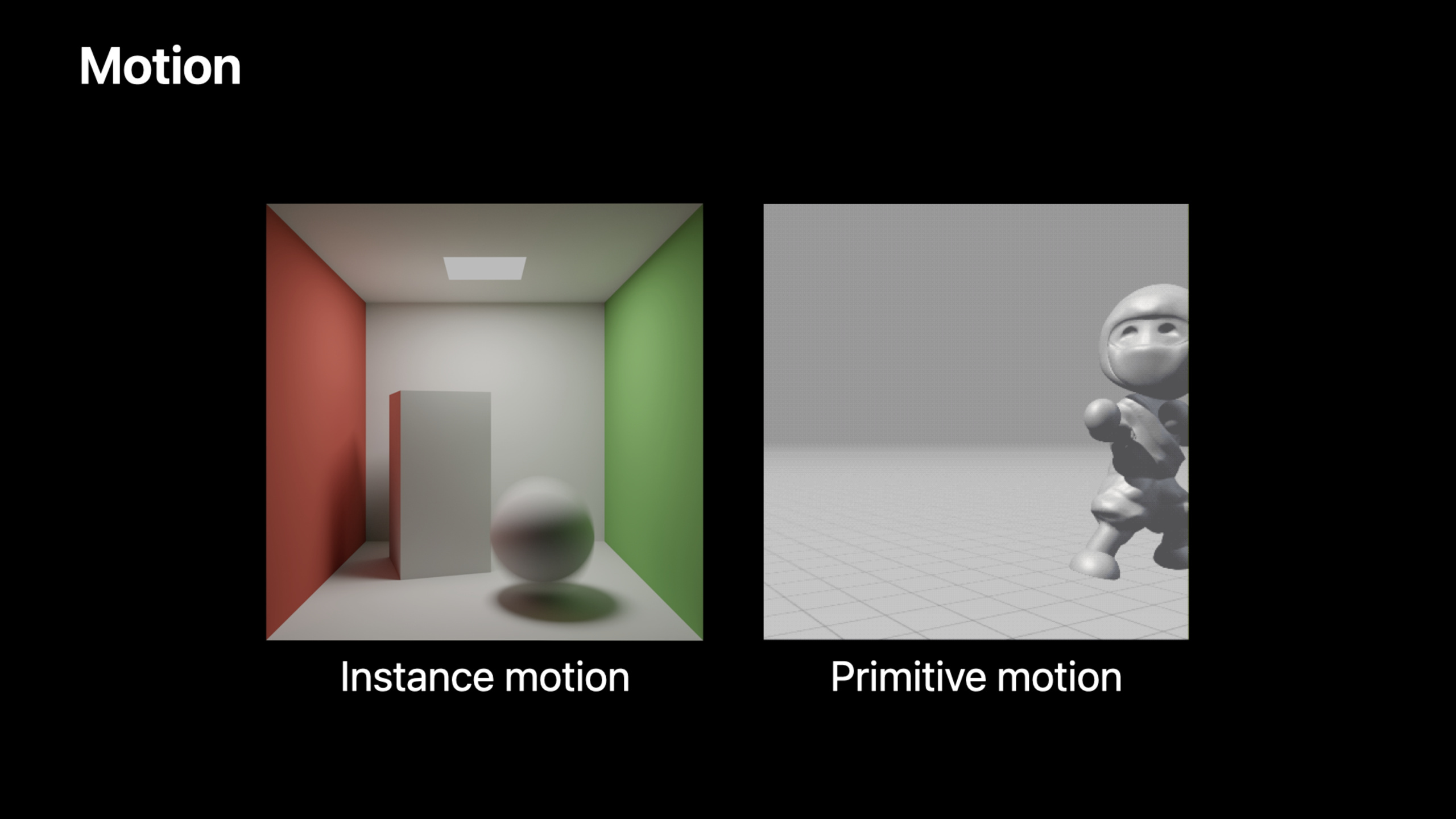
Motion Blur:运动模糊
(19:39)
真实相机的曝光不是瞬时的。物体在曝光期间移动会产生模糊。Metal 现在支持在 ray tracing 中模拟这个效果。
原理:每根光线随机采样一个时间值,Metal 在对应时间点的场景状态中求交。
// 生成随机时间值(在曝光区间内)
float time = randomInRange(exposureStart, exposureEnd);

// 把时间和光线一起传给 intersector
ray.time = time;
auto intersection = intersector.intersect(ray, accelerationStructure);(22:38)
支持两种动画:
Instance motion:整个物体刚性变换。成本低,适合平移/旋转。
// 提供关键帧变换矩阵
let motionDescriptor = MTLAccelerationStructureMotionInstanceDescriptor()
motionDescriptor.motionTransformsStartIndex = 0
motionDescriptor.motionTransformsCount = 2
Primitive motion:每个顶点独立运动。成本高,适合形变动画(如角色蒙皮)。
// 为每个关键帧提供顶点 buffer
let keyframeData = MTLMotionKeyframeData(buffer: vertexBuffer, offset: 0)
let geometryDescriptor = MTLMotionTriangleGeometryDescriptor()
geometryDescriptor.vertexBuffers = [keyframeData0, keyframeData1](25:56)
关键点:
- instance motion 比 primitive motion 快
- 两种动画可以同时使用
- Metal 自动在关键帧之间插值
- shader 中标记
instance_motion或primitive_motion
核心启发
-
从 render pipeline 直接做光追反射。不再需要 compute pass 和 G-Buffer 的来回传递,利用 tile memory 优化。入口 API:
renderPipelineDescriptor.fragmentLinkedFunctions+ intersector in fragment shader。 -
用 intersection query 做 alpha test。几行代码替代完整的 intersection function,适合简单的自定义求交。入口 API:
intersection_query+commit_triangle_intersection()。 -
用 user instance ID 简化材质查找。把材质索引直接编码到 instance ID,intersection 中直接读取。入口 API:
MTLAccelerationStructureMotionInstanceDescriptor.userID。 -
为生产渲染启用 extended limits。大场景需要更大的加速结构限制。入口 API:
descriptor.usage = .extendedLimits。 -
用 motion blur 提升真实感。每根光线随机采样时间值,Metal 自动处理插值。入口 API:
ray.time+instance_motion/primitive_motiontag。
关联 Session
- Explore hybrid rendering with Metal ray tracing — 光追与光栅化混合渲染
- Optimize high-end games for Apple GPUs — Apple GPU TBDR 架构游戏优化
- Discover Metal debugging, profiling, and asset creation tools — Xcode 13 Metal 调试和性能分析工具
评论
GitHub Issues · utterances