
Highlight
iOS 15 为 UIKit 带来了多项重要更新:UIButton.Configuration 提供了声明式按钮配置方式,UIDatePicker 恢复了滚轮样式,Sheet 支持 medium height detent,跨应用拖拽来到 iPhone,UIColor 获得了 systemMint 等新颜色。
核心内容
iOS 15 的 UIKit 更新覆盖了生产力、UI 精致化、API 增强、性能改进、安全隐私五个方向。
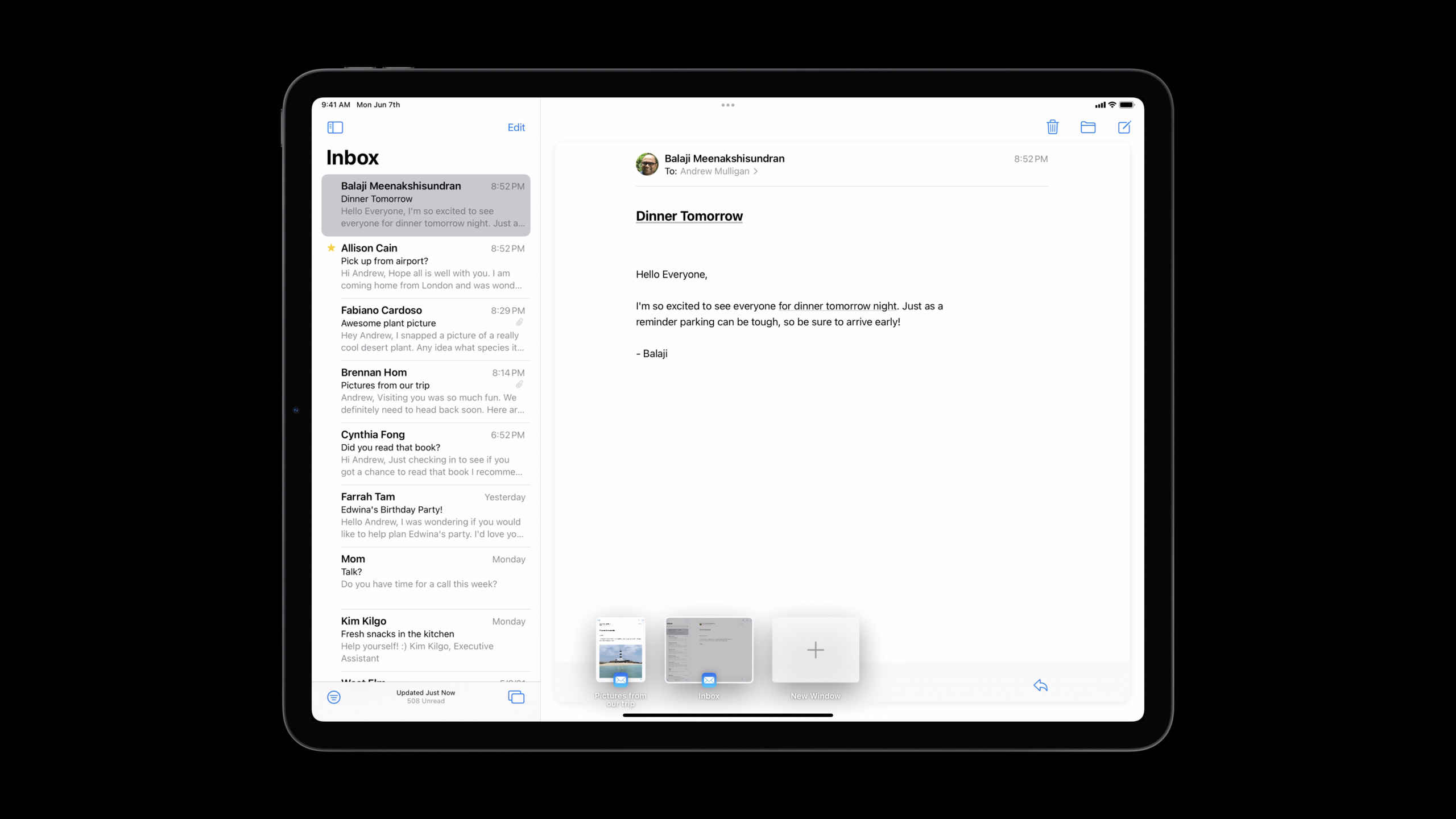
生产力方面,iPadOS 15 引入了 Center Window(中置窗口)的多任务样式,可以通过长按+选择”在新窗口中打开”触发。键盘导航基于 UIFocusSystem,现在和 tvOS 共享同一套 API。UIMenuBuilder 用于构建主菜单,让 Command 键快捷键拥有分类和搜索界面。
UI 精致化方面,UIToolbar 和 UITabBar 滚动到底部时移除背景材质。List 的 header 新增四种样式:plain、grouped、prominent、extra prominent。UIDatePicker 恢复了滚轮样式,同时支持点击使用键盘输入。
API 增强方面,UIButton 获得了全新的 Configuration API,支持填充、色调、灰色等样式。SF Symbols 支持分层、调色板、多色三种颜色模式。UIImage 新增了 byPreparingForDisplay() 和 byPreparingThumbnail(ofSize:) 异步方法。
性能方面,UICollectionView 和 UITableView 的 cell prefetching 改进,为 cell 准备留出了近两帧时间。UIImage 的新 API 可以在后台线程解码图片,避免主线程卡顿。
安全隐私方面,UILocationButton 提供一次性的位置权限授予。Paste 操作在用户明确调用(Cmd-V 或点击粘贴按钮)时不再显示通知横幅。
详细内容
创建”在新窗口中打开”操作
(01:41)
let newSceneAction = UIWindowScene.ActivationAction { _ in
    let userActivity = NSUserActivity(activityType: "com.myapp.detailscene")
    return UIWindowScene.ActivationConfiguration(userActivity: userActivity)
}
关键点:
UIWindowScene.ActivationAction是 iOS 15 新增的 API- 在 iPad 和 Mac Catalyst 上显示”在新窗口中打开”,在 iPhone 上自动隐藏
- 需要在 Info.plist 中启用多个场景支持
自定义主菜单
(03:06)
class AppDelegate: UIResponder, UIApplicationDelegate {
    override func buildMenu(with builder: UIMenuBuilder) {
        guard builder.system == .main else { return }
        // 使用 builder 修改主菜单...
    }
}
关键点:
- 在
UIApplicationDelegate中重写buildMenu(with:) builder.system == .main确保只在修改主菜单时执行- 使用
UIMenu.Identifier引用系统菜单(如.file、.edit、.view)
自定义 Toolbar 和 TabBar 外观
(06:26)
let appearance = UITabBarAppearance()
appearance.backgroundEffect = nil
appearance.backgroundColor = .blue

tabBar.scrollEdgeAppearance = appearance

let scrollView = ... // 内容滚动视图
viewController.setContentScrollView(scrollView, for: .bottom)
关键点:
- iOS 15 中
UIToolbar和UITabBar滚动到底部时默认移除背景材质 - 设置
scrollEdgeAppearance可以自定义这个行为 - 如果系统无法推断正确的滚动视图,使用
setContentScrollView(_:for:)明确指定
使用 UIButton.Configuration
(11:31)
var config = UIButton.Configuration.tinted()
config.title = "Add to Cart"
config.image = UIImage(systemName: "cart.badge.plus")
config.imagePlacement = .trailing
config.buttonSize = .large
config.cornerStyle = .capsule

let addToCartButton = UIButton(configuration: config)
关键点:
UIButton.Configuration提供声明式的按钮配置方式- 支持的样式:
.plain、.gray、.tinted、.filled - 可以配置标题、图片、尺寸、圆角样式等属性
- 配置后可以更新:
button.configuration = updatedConfig
使用分层颜色 Symbol
(13:30)
let configuration = UIImage.SymbolConfiguration(
    hierarchicalColor: UIColor.systemOrange
)

let image = UIImage(
    systemName: "sun.max.circle.fill",
    withConfiguration: configuration
)
关键点:
- iOS 15 新增了三种 SF Symbols 颜色模式
.hierarchicalColor应用单个分层颜色.paletteColors应用多个指定颜色.multicolor使用符号内置的多色表示
Cell 配置更新处理器
(19:30)
let cell: UICollectionViewCell = ...

cell.configurationUpdateHandler = { cell, state in
    var content = UIListContentConfiguration.cell().updated(for: state)
    content.text = "Hello world!"
    if state.isDisabled {
        content.textProperties.color = .systemGray
    }
    cell.contentConfiguration = content
}
关键点:
- iOS 15 新增闭包式的 cell 更新方式
- 不需要创建 cell 子类,可以在创建 cell 时直接设置
state参数包含isHighlighted、isSelected、isDisabled等状态
异步准备图片显示
(21:01)
if let image = UIImage(contentsOfFile: pathToImage) {
    Task {
        let preparedImage = await image.byPreparingForDisplay()
        imageView.image = preparedImage
    }
}
关键点:
byPreparingForDisplay()在后台线程解码图片- 避免主线程卡顿,提升滚动性能
- 使用
Task启动异步操作
生成缩略图
(21:29)
if let bigImage = UIImage(contentsOfFile: pathToBigImage) {
    Task {
        let smallImage = await bigImage.byPreparingThumbnail(ofSize: smallSize)
        imageView.image = smallImage
    }
}
关键点:
byPreparingThumbnail(ofSize:)生成指定尺寸的缩略图- 在后台执行,释放主线程
- 比手动缩放更高效,利用系统缓存
核心启发
1. 用 UIButton.Configuration 重构按钮代码
如果你的 App 有大量自定义按钮样式,使用 UIButton.Configuration 替代零散的属性设置。这会让代码更清晰,也更容易维护。
实现思路:为常用样式创建工厂方法(如 primaryButton()、secondaryButton()),返回预配置的 UIButton.Configuration。在需要的地方直接应用这些配置。
2. 为 Toolbar 和 TabBar 检查新外观
iOS 15 中 UIToolbar 和 UITabBar 滚动到底部时默认移除背景材质。如果你的 App 依赖旧外观,检查是否有视觉问题。
实现思路:运行 App,滚动到内容底部,检查 toolbar/tabbar 是否符合预期。如果有问题,设置自定义的 scrollEdgeAppearance。
3. 用分层颜色 Symbol 提升品牌识别度
如果你的 App 有品牌色,用 hierarchicalColor 让 SF Symbol 呈现你的品牌色。这比单一颜色的 tint 更有层次感。
实现思路:为品牌色创建 UIImage.SymbolConfiguration,应用到关键的系统图标上(如导航栏按钮、Tab 图标)。
4. 用异步图片准备提升滚动性能
如果你的 App 显示大量图片,滚动时可能出现卡顿。用 byPreparingForDisplay() 在后台准备图片。
实现思路:在 cell 的 configurationUpdateHandler 中启动异步任务,准备图片后更新 imageView.image。确保 Task 在 cell 重用时被取消。
5. 为 iPhone 启用跨应用拖拽
iOS 15 把跨应用拖拽带到了 iPhone。如果你的 App 接收拖拽数据(如 URL、图片、文本),确保实现 UIDropInteraction。
实现思路:实现 dropInteraction(_:performDrop:),从 UIDropSession 中获取 itemProviders,根据类型处理不同的数据格式。
关联 Session
- Take your iPad apps to the next level — iPadOS 15 的多窗口、键盘快捷键和指针增强
- Meet the UIKit Button System — UIButton.Configuration API 深入讲解
- Meet TextKit 2 — 下一代文本引擎 TextKit 2
- Focus on iPad keyboard navigation — iPad 键盘导航系统
评论
GitHub Issues · utterances