
Highlight
Apple 在 Swan’s Quest 最终章中用一个单 Timer 的步进音序器,把 Swift Playgrounds content SDK 的七种采样乐器、MIDI 音符和多轨播放组合成可完成挑战的两声部和声。
核心内容
第三章结束时,Swan 留下的是一段 two-part harmony。前几章已经用过 ToneOutput 播放单个音调,但这里的难点变了:两个声部要按同一个节拍推进,还要让不同乐器同时发声。手动排多个计时器会让节拍漂移,挑战也会变成同步问题。
第四章的解决办法是 step sequencer(步进音序器)。它本质上是一个多轨 timing loop,把固定时长切成等长 step。每条 track 代表一种 pitched instrument,每一列是一个节拍位置。演讲里的例子是八个 beat,也就是两小节 4/4。
Swift Playgrounds content SDK 提供了采样乐器。演讲明确列出七种:electric guitar、bass guitar、piano、warm bells、seven synth、bass synth、crystal synth。开发者要做的事,是把每个 step 映射成 MIDI note,再在同一个 Timer 回调里遍历所有 track。
这一章还有一个容易漏掉的收尾动作。挑战只需要序列跑完第一轮。索引归零时要调用 owner.endPerformance(),这样 Swan 才知道演奏完成,玩家才能拿到解题进度。
详细内容
用一个 Timer 驱动所有 step
(02:26)音序器先从节拍循环开始。总时长是 4 秒,beat 数是 8,Timer 间隔就是 duration / Double(numberOfBeats)。每次触发后推进索引,超过最后一个 beat 时回到 0。
// A barebones example of a sequencer

let numberOfBeats = 8   // two bars of 4/4
let duration = 4.0      // seconds

let interval = duration / Double(numberOfBeats)

var index = 0
Timer.scheduledTimer(withTimeInterval: interval, repeats: true) { timer in
    // Play each track's Instrument
    // ...

    index = (index + 1 < numberOfBeats) ? index + 1 : 0
}
关键点:
numberOfBeats把序列拆成 8 个 step,对应 transcript 中的 two bars of 4/4。duration是整段序列的播放时间。interval由总时长除以 step 数得到,避免为每个 track 单独设定计时。index是当前 step,Timer 每触发一次就推进一次。
用 content SDK 播放采样乐器
(03:16)采样乐器的入口是 playInstrument。它需要一个 Instrument.Kind 和一个符合 MIDINoteProtocol 的 note。SDK 提供的 Instrument.Kind 包含七种乐器。
// Sequencer.swift

func playInstrument(_ kind: Instrument.Kind, note: MIDINoteProtocol, volume: Double = 75)


// Instrument.swift

public class Instrument {

    /// The kind of included instruments
    public enum Kind: String {
        case electricGuitar, bassGuitar, piano, warmBells, sevenSynth,
            bassSynth, crystalSynth
    }

    // ...
}
关键点:
kind决定要播放哪一种采样乐器。note交给MIDINoteProtocol,让播放函数不用绑定某个具体 enum。volume有默认值 75,调用时可以先省略。Instrument.Kind的七个 case 与 transcript 里列出的乐器库一致。
用 MIDI code 表示音符和休止
(03:38)MIDINoteProtocol 只要求一个 8-bit MIDI code。随后示例用 MIDINotes enum 表示第二个八度,并把 rest 映射到 0,用来表达序列里的静音空隙。
// Sequencer.swift

protocol MIDINoteProtocol {

    /// note as an 8-bit MIDI code
    var midiCode: UInt8 { get }
}
关键点:
midiCode是播放函数真正需要的音高编码。- 协议让 track 可以返回不同的 note 类型,只要最终能给出 MIDI code。
- transcript 明确说 MIDI note 中包含对应 MIDI code 的 8-bit integer。
(03:48)官方示例把 C2 到 B2 写成 enum case。rest 的存在很关键,因为多轨序列常常需要某一轨在某些 step 保持沉默。
// Example implementation for Notes

enum MIDINotes: UInt8, MIDINoteProtocol {
    case rest = 0

    case C2 = 36
    case D2 = 38
    case E2 = 40
    case F2 = 41
    case G2 = 43
    case A2 = 45
    case B2 = 47

    var midiCode: UInt8 {
        return self.rawValue
    }
}
关键点:
- enum 的 raw value 直接就是 MIDI code。
rest = 0代表当前 step 不播放音符。midiCode返回rawValue,满足MIDINoteProtocol。- 这组 note 覆盖示例后面 bass 和 piano track 使用的音符。
把乐器、长度和每一步的 note 放进 track
(04:03)每条 track 需要知道三件事:它用哪种乐器、总共有多少 step、给定 frame 时应该播放哪个 note。TrackProtocol 把这三件事固定下来。
// Sequencer.swift

protocol TrackProtocol {
    associatedtype NoteType : MidiNoteProtocol

    /// The kind of instrument that the track sequences
    var instrument: Instrument.Kind { get }

    /// Number of beats contained in the sequence
    var length: Int { get }

    /// MIDI code for the sequence frame
    func note(for frame: Int) -> NoteType
}
关键点:
instrument让每条 track 绑定一种采样乐器。length对应 track 覆盖的 beat 数。note(for:)根据当前 frame 返回该 step 的音符。associatedtype让 track 的 note 类型保持泛型,只要符合 MIDI note 约定。
(04:21)示例实现用数组保存 note pattern。访问时先检查数组存在,再检查 frame 没有越界;否则返回 .rest。
// Example implementation for Tracks

struct Track : TrackProtocol {
    var instrument: Instrument.Kind
    var length: Int

    var notes: [MIDINotes]? = nil

    func note(for frame: Int) -> MIDINotes {
        guard let n = notes, frame < n.count else {
            return .rest
        }
        return n[frame]
    }
}
关键点:
notes是可选数组,允许先创建 track,再填入 pattern。guard同时处理没有 notes 和 frame 越界两种情况。- 越界时返回
.rest,序列会安静跳过这个 step。 - transcript 特别提醒要检查 notes 是否存在,并确保索引不超过序列边界。
组合 bass 和 piano 两条轨道
(04:34)有了 Timer、note 和 track 之后,示例创建 bass 与 piano 两条轨道,分别填入 note pattern,然后在 Timer 中遍历 tracks 播放当前 step。
// A barebones example of a sequencer

let numberOfBeats = 8   // two bars of 4/4
let duration = 4.0      // seconds

var bass = Track(instrument: .bassGuitar, length: numberOfBeats)
var piano = Track(instrument: .piano, length: numberOfBeats)
let tracks = [bass, piano]

bass.notes =  [.rest, .C2, .A2, .rest, .C2, .A2, .D2, .C2 ]
piano.notes = [.A2, .A2, .C2, .F2, .A2, .C2, .none, .F2]

let interval = duration / Double(numberOfBeats)
var index = 0
Timer.scheduledTimer(withTimeInterval: interval, repeats: true, block: { timer in
    for track in tracks {
        playInstrument(track.instrument, note: track.note(for: index))
    }
    index = (index + 1 < numberOfBeats) ? index + 1 : 0
})
关键点:
bass和piano使用不同的Instrument.Kind。- 两个
notes数组长度跟numberOfBeats对齐,每个位置代表一个 step。 - Timer 回调里遍历所有 track,所以多个乐器共享同一个节拍源。
track.note(for: index)把当前 step 转换成要播放的 MIDI note。
序列跑完后通知挑战系统
(05:00)最终挑战只要求第一轮演奏完成。官方示例把索引回到 0 的逻辑展开,在重置后调用 owner.endPerformance()。
// Getting credit for our work

Timer.scheduledTimer(withTimeInterval: interval, repeats: true, block: { timer in
    for track in tracks {
        playInstrument(track.instrument, note: track.note(for: index))
    }

    if index + 1 < numberOfBeats {
        index = index + 1
    }

    else {
        index = 0
        owner.endPerformance()
    }
})
关键点:
if index + 1 < numberOfBeats判断序列是否还有下一个 step。- 还有 step 时只推进
index。 - 到末尾时把
index重置为 0。 owner.endPerformance()是完成挑战的信号,transcript 说 Swan 会因此知道演奏已经完成。
从 GarageBand 采样自己的乐器
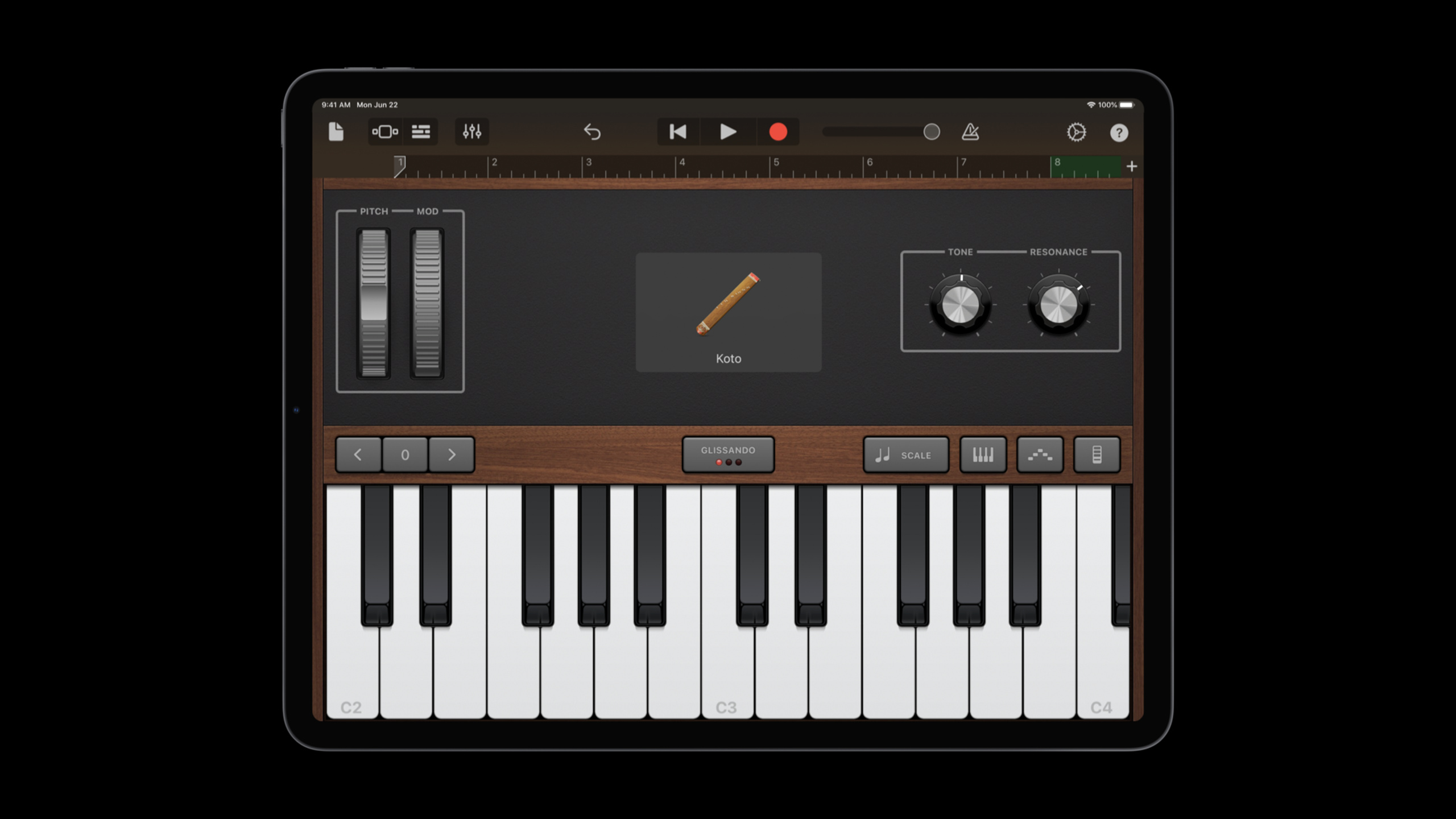
(05:21)演讲最后介绍自制采样乐器的流程。先在 GarageBand 里选择 Keyboard 或其他想采样的乐器,示例使用 koto。接着可以调 tone、resonance 和 scale;示例选择 major scale。录完单个 note 后要回放检查,必要时在 GarageBand Editor 中修改。
(06:39)导出时,无损格式是 uncompressed WAV,也可以用 compressed formats。导出后,把单个 note 剪开,再导入项目作为自定义 instrument。这个流程没有给 Swift API 代码,重点是素材准备链路。
关键点:
- 先把每个 note 录成声音素材,再进入工程。
- scale 设置能降低录错音的概率。
- WAV 是 transcript 提到的最无损导出格式。
- 采样乐器进入项目后,就能服务于前面的 sequencer 模型。
核心启发
-
做一个双声部节奏练习:让学习者填 bass 与 piano 的 note pattern,运行后听到两条 track 是否按八个 step 对齐。值得做的原因是 session 用同一个 Timer 解决了多轨同步。开始时直接从
Track、MIDINotes和Timer.scheduledTimer这三段官方结构搭起。 -
做一个静音间隔训练器:让每个 step 接受 note 或 rest,帮助学习者理解音乐里空拍的作用。值得做的原因是 transcript 明确把
rest作为序列中的 silent gaps。开始时先让note(for:)在缺失或越界时返回.rest,再把可视化格子映射到 note 数组。 -
做一个背景 loop playground:用 bass、warm bells 或 crystal synth 做 atmospheric background loop,再把 melody 放在另一条 track 上。值得做的原因是 step sequencer 适合把多个 track layer 在一起。开始时先固定 8 beat 和 4 秒,确认节拍稳定后再调乐器与 pattern。
-
做一个自制音色导入流程:在 GarageBand 里采样一组单音,导出 uncompressed WAV,剪成单个 note 后导入 playground book。值得做的原因是 session 给出从 GarageBand 到项目素材的完整路线。开始时先采一个八度,不要一次录完整音色库。
-
做第四章 side quest:把第二章的 ToneOutput 当成 step sequencer 的一种 instrument 加进去。值得做的原因是 transcript 的最终 side quest 正是把四章内容合起来。开始时先让 ToneOutput 响应同一个
index,再决定它跟采样乐器如何分轨。
关联 Session
- Swan’s Quest, Chapter 1: Voices in the dark — 从第一章开始下载 Quest Create 和章节 playground book,建立 Swan’s Quest 的挑战背景。
- Swan’s Quest, Chapter 2: A time for tones — 继续看 ToneOutput 的基础,为最终 side quest 把它接入 step sequencer 做准备。
- Swan’s Quest, Chapter 3: The notable scroll — 补上 two-part harmony 来自哪里,以及最终章为什么需要多轨播放。
- Create Swift Playgrounds content for iPad and Mac — 学习如何制作可在 iPad 和 Mac 上运行的 Swift Playgrounds book。
- Build a SwiftUI view in Swift Playgrounds — 了解 Swift Playgrounds 作为原型和 live view 环境的基础用法。
评论
GitHub Issues · utterances