
Highlight
Apple 用 SmoothWalker 示例把 HealthKit 入门拆成三步:启用能力并创建 HKHealthStore、按数据类型请求读写授权、用 HKStatisticsCollectionQuery 显示一周步数并监听更新。
核心内容
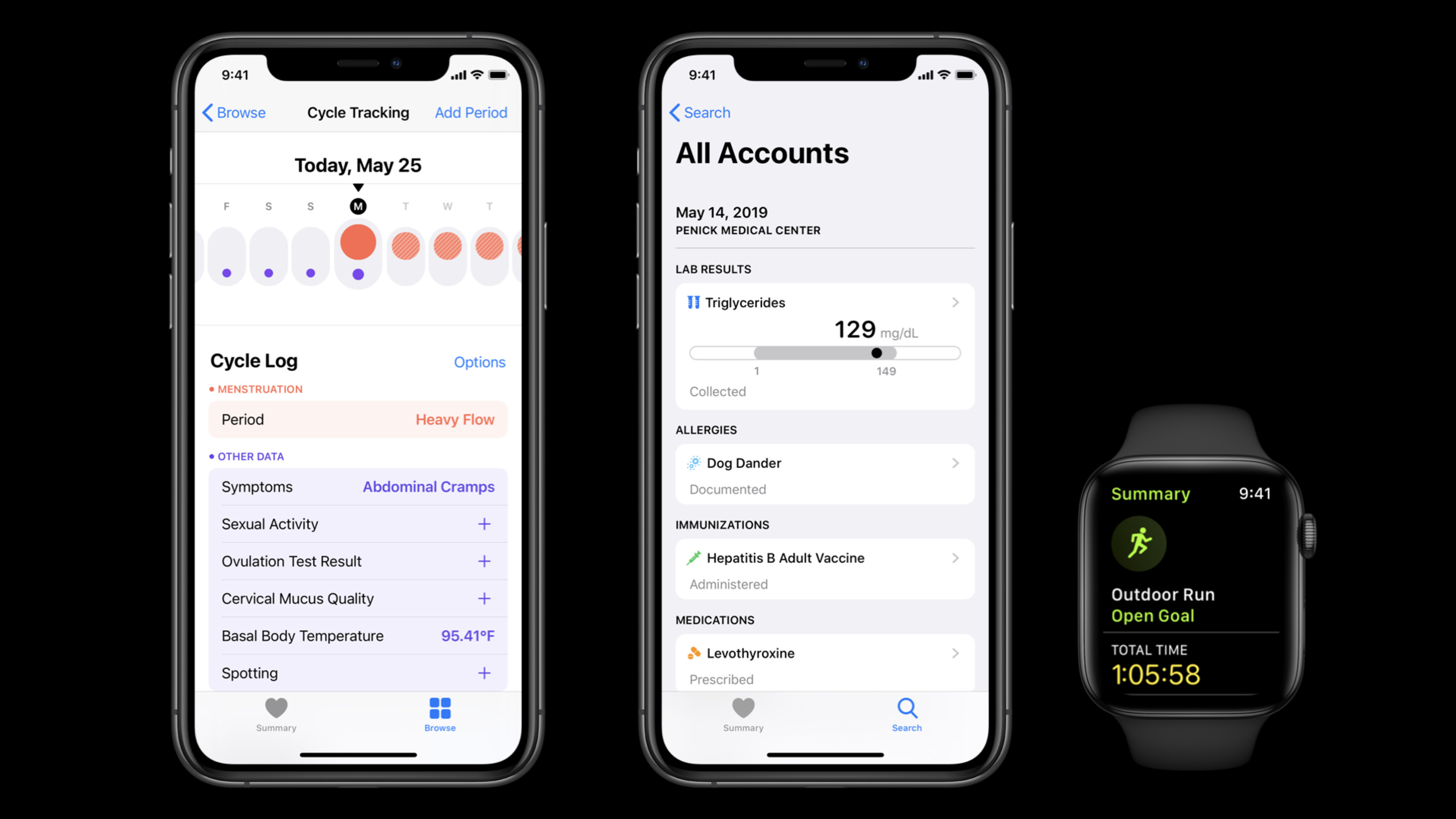
健康 App 最容易卡住的地方,通常在数据来源、访问权限和多设备一致性。用户的步数可能来自 Apple Watch,步行距离可能由 App 写入,健康数据还会在 iPhone、Apple Watch 和 iCloud 之间同步。App 自己接管这些细节,成本很高,隐私风险也高。
HealthKit 给开发者一个系统级健康数据仓库。App 可以向它写入样本,也可以在用户授权后读取样本。用户仍然逐项控制数据权限,读权限和写权限分开处理。session 反复强调一点:只在需要读写健康数据的上下文里请求权限,而且只请求当前功能真正需要的数据类型。
这场演讲没有从抽象 API 列表开始。Apple 做了一个叫 SmoothWalker 的示例 App:先把 HealthKit 接进 Xcode 项目,再保存一次 628 米的步行距离,最后读取过去一周每天的步数并显示在表格里。这样一条路径覆盖了 HealthKit 的三个基础动作:设置、写入、查询。
SmoothWalker 的价值在于它展示了边界。保存距离时,App 使用 quantity sample 表示数值和单位;读取步数时,App 使用 statistics collection query 按天聚合;用户在界面里新增步数后,表格一开始不会自动刷新,直到查询设置 update handler 才能监听新数据。入门 HealthKit 时,先掌握这些边界,再逐步扩展到更多健康数据类型。
详细内容
接入 HealthKit 前先做三件事
(02:34)SmoothWalker 的第一步是项目设置。开发者在 Xcode 的 Signing & Capabilities 里添加 HealthKit capability,然后检查当前平台是否支持 HealthKit,最后创建 HKHealthStore。HKHealthStore 是请求权限、保存样本和执行查询的入口,session 明确说一个 App 生命周期里复用一个实例即可。
HealthKit setup workflow
1. Add the HealthKit capability in Signing & Capabilities.
2. Check whether health data is available with HKHealthStore.
3. Create one HKHealthStore.
4. Reuse that store when requesting access, saving samples, and running queries.
关键点:
- HealthKit 只在部分运行平台可用,所以接入前要检查可用性。
HKHealthStore是 HealthKit API 的入口,不需要反复创建多个实例。- 如果当前平台没有健康数据,App 仍然应该能继续运行,只是关闭健康数据相关功能。
授权要按数据类型和场景请求
(06:31)HealthKit 的授权以具体数据类型为单位。读权限和写权限分开处理,用户可以只允许其中一种。session 还要求在 Info.plist 里提供 Health Update Usage Description 和 Health Share Usage Description,用来解释 App 如何使用健康数据。
Authorization workflow for walking distance
1. Choose the distanceWalkingRunning quantity type.
2. Request write access with the HealthStore.
3. Use the completion handler to know whether the request completed.
4. Treat user permission as separate from request completion.
关键点:
- completion handler 的 success 只表示授权请求流程完成,不代表用户已经同意。
- 请求权限要有上下文,例如用户进入步数页或 onboarding 时再弹出授权。
- 不要一次请求所有 HealthKit 数据类型;session 举例说 HealthKit 数据类型超过 100 个,游泳训练 App 没有理由请求刷牙记录。
- 用户可以在 App 外修改权限,所以每次准备读写健康数据前都要重新请求。
用 quantity sample 保存一次步行距离
(10:15)保存数据前,SmoothWalker 先确定要写入的类型:distanceWalkingRunning。这次示例步行发生在当天 2:35 到 3:00,距离是 628 米。HealthKit 用 HKQuantity 表示数值和单位,quantity sample 再把数据类型、数值、开始时间和结束时间放在一起。
Walking distance sample
type: distanceWalkingRunning
quantity: 628 meters
start time: 2:35 p.m.
end time: 3:00 p.m.
save target: HKHealthStore
关键点:
- quantity sample 适合距离、步数、心率、耳机音量暴露这类数值型健康数据。
HKQuantity同时保存数值和单位,HealthKit 可以在不同单位之间转换。- 每个 sample 都有开始时间和结束时间;metadata 可以记录室内外、天气、记录设备和写入 App 等附加信息。
- 保存前要请求对应数据类型的写权限,这里是 walking/running distance。
HealthKit 的对象模型从 sample 和 type 分开理解
(11:43)HealthKit 里不只有 quantity sample。腹部绞痛这类带预定义等级、没有单位的数据适合 category sample;一次 workout 可以汇总距离、爬楼层数和消耗热量;生日和血型这类长期不变的数据属于 characteristics。所有对象统一在 HKObject 体系下,类型体系则平行存在。
HealthKit data model map
Quantity Sample: numerical value plus unit, such as walking distance.
Category Sample: predefined value without a unit, such as symptom severity.
Workout: a summary that can contain multiple values and units.
Characteristic: static health data, such as birthday or blood type.
关键点:
- sample 描述一次健康事件,通常带时间范围。
- type 描述 sample 属于哪一种健康数据,例如
distanceWalkingRunning或abdominalCramps。 HKObject统一保存唯一标识、记录设备和写入 App 等信息。- 选错 sample 类型会让后续查询和聚合变复杂,所以写入前先判断数据本质。
用统计查询读一周步数
(14:23)读取健康数据时,HealthKit 提供多种 query。HKStatisticsQuery 适合对 quantity sample 做一次统计,例如一周总步数。步数和卡路里适合 cumulative sum,UV 暴露、静息心率和体温更适合 average、minimum 或 maximum。HealthKit 还会帮助处理 iPhone 与 Apple Watch 同时记录步数造成的重复统计。
Weekly steps with HKStatisticsQuery
data type: stepCount
time range: June 15 to today
statistic: cumulative sum
result object: HKStatistics
deduplication: HealthKit handles overlapping iPhone and Apple Watch steps
关键点:
- 统计类型要跟数据的 aggregation style 匹配;步数是 cumulative,心率这类数据更适合 discrete 统计。
HKStatistics返回参与统计的开始时间、结束时间和计算结果。- 同一段步行可能被 iPhone 和 Apple Watch 同时记录,HealthKit 统计查询会处理重复步数。
用 collection query 按天分桶并监听更新
(18:17)SmoothWalker 真正需要的是过去一周每天的步数。如果手动为每天创建一个 HKStatisticsQuery,一年数据就要管理 300 多个查询。HKStatisticsCollectionQuery 解决这个问题:开发者指定 anchor date、时间间隔和统计方式,HealthKit 返回一组 HKStatistics。
Daily step table workflow
1. Choose stepCount as the data type.
2. Use a predicate for samples from the past week.
3. Set cumulative sum as the statistic.
4. Set an anchor date and a daily interval.
5. Execute the HKStatisticsCollectionQuery on HKHealthStore.
6. Read the HKStatisticsCollection and update the table data source.
关键点:
- anchor date 决定统计分桶从哪里开始;demo 中使用 Monday at 3 a.m. 作为锚点。
- time interval 决定分桶粒度;SmoothWalker 使用一天作为间隔。
initialResultsHandler返回初始HKStatisticsCollection后,UI 更新要回到主线程。- session 的 demo 会枚举过去一周的 statistics,把它们追加到表格背后的数组,再调用
reloadData。
(27:03)第一次 demo 里,用户新增 800 步后表格没有变化,因为 query 还没有 update handler。设置 statisticsUpdateHandler 后,查询会在后台监听新的健康数据和新的统计结果。session 也提醒:这种查询会持续运行,视图不可见时要 stop。
Live update workflow
1. Set statisticsUpdateHandler before executing the query.
2. Reuse the same UI update method as the initial results handler.
3. Stop the query when the view disappears.
4. Add new steps and let the table refresh from updated statistics.
关键点:
- update handler 要在 execute 之前设置。
- handler 可能在后台持续监听,不能让它无期限占用资源。
viewWillDisappear是 demo 中停止查询的时机。- 新增 235 步后,表格通过 update handler 收到新统计并刷新。
需要原始样本时使用 HKSampleQuery
(29:29)统计查询适合汇总 quantity sample,但有些界面需要原始样本。session 用 workout 举例:读取最近一次 workout 时,开发者指定 workout 类型,按结束时间从最近到最远排序,limit 设为 1,然后通过 HKHealthStore 执行 HKSampleQuery。
Most recent workout workflow
data type: workouts
sort: most recent finish date first
predicate: nil
limit: 1
query: HKSampleQuery
execute target: HKHealthStore
关键点:
HKSampleQuery取回数据库里的原始 health samples,不负责计算统计值。- sort descriptor 决定返回顺序;demo 需要最近结束的 workout。
- limit 可以控制结果数量;这里因为只要最近一次,所以使用 1。
- session 还提到
HKAnchoredObjectQuery、HKActivitySummaryQuery和HKWorkoutRouteQuery,分别面向数据库变化、活动圆环和户外 workout 路线。
核心启发
- 一周步数表:做什么:把用户过去七天的每日步数显示成列表或图表。为什么值得做:session 的 SmoothWalker 正是用
HKStatisticsCollectionQuery按天汇总 step count。怎么开始:请求 step count 读权限,设置一周 predicate、daily interval 和 cumulative sum,再把HKStatisticsCollection映射到 UI。 - 步行距离记录器:做什么:让用户记录一次步行距离,并写入 HealthKit。为什么值得做:演讲用 628 米步行示例展示 quantity sample 的完整组成。怎么开始:请求
distanceWalkingRunning写权限,准备 meters 数值、开始时间和结束时间,再通过HKHealthStore保存 sample。 - 上下文授权页:做什么:在用户进入具体功能时解释将访问哪些健康数据。为什么值得做:session 明确要求按场景请求权限,读写权限分开处理,且不要请求所有数据类型。怎么开始:为步数、步行距离、workout 等功能分别设计授权入口,并在
Info.plist的 share/update usage description 中写清用途。 - 实时步数刷新:做什么:用户新增步数后,当前页面自动刷新当天统计。为什么值得做:demo 第一次新增 800 步没有刷新,设置
statisticsUpdateHandler后新增 235 步才更新表格。怎么开始:在执行HKStatisticsCollectionQuery前设置 update handler,复用初始结果的 UI 更新方法,并在页面离开时 stop 查询。 - 最近一次 workout 卡片:做什么:在首页显示最近一次 workout 的时间和摘要入口。为什么值得做:session 用
HKSampleQuery演示如何读取原始 workout 样本,覆盖统计之外的读取场景。怎么开始:查询 workout 类型,按结束时间倒序排序,limit 设为 1,再把结果转成卡片内容。
关联 Session
- What’s new in HealthKit — 了解 2020 年 HealthKit 新增的 ECG、症状和 mobility 数据类型。
- Beyond counting steps — 深入步数之外的 mobility metrics 和健康数据聚合策略。
- Synchronize health data with HealthKit — 学习 HealthKit 数据变化检测、同步标识和跨设备版本管理。
- Handling FHIR without getting burned — 处理来自 HealthKit 或临床系统的 FHIR 数据模型与校验。
评论
GitHub Issues · utterances