
Highlight
Xcode 12 为 XCTest 增加 Execution Time Allowance 和物理设备上的 Parallel Distributed Testing,让挂起测试生成 spindump 并继续执行剩余套件,也让 xcodebuild 把测试类分发到多台 iOS 或 tvOS 设备上并行运行。
核心内容
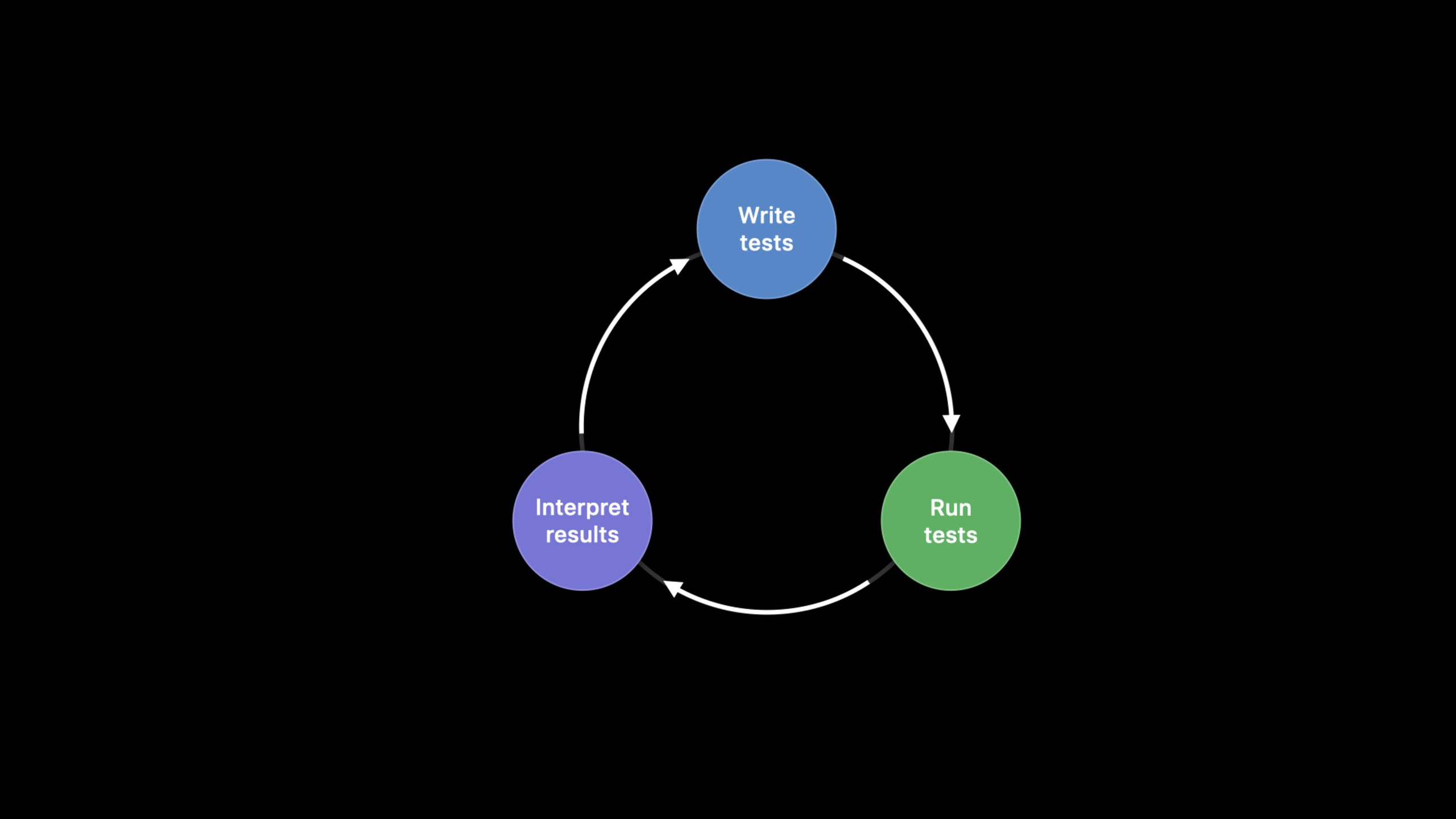
测试反馈循环很简单:写测试,运行测试,阅读报告,再决定继续修代码、补测试或发布功能。问题在于,循环最容易卡在“运行测试”这一步。周五下班前启动的 CI,周一早上还没结束;报告只说任务被取消,团队既拿不到结果,也不知道哪一段代码把测试挂住了。
过去遇到这种长时间无响应,只能猜。可能是死锁,可能是主线程 CPU 工作太多,可能是某个 timeout 设得太宽。猜测会把测试维护变成考古。Xcode 12 的 Execution Time Allowance 把每个测试的最长运行时间变成配置项:超时后,Xcode 先抓取 spindump,再结束挂起测试,重启 test runner,让剩余测试继续跑完。
拿到完整报告以后,下一个痛点是速度。Fruita 示例里,十几个测试串行跑完要接近 13 分钟。它们耗时分布不均,有的几百毫秒,有的几分钟。Xcode 12 扩展了 Parallel Distributed Testing:xcodebuild 可以把测试类分发到多个 run destination。每台设备跑完一个类后继续领取下一个类,直到没有测试可分配。
这场 session 讨论的“快”有明确顺序:先保证测试不会无限卡住,再用 spindump 指向挂起位置,最后把适合拆分的测试并行分发。这样,CI 报告从“没有结果”变成“有失败、有诊断、有总耗时”,团队才能根据结果行动。
详细内容
1. 用 Execution Time Allowance 处理挂起测试
(03:56)Xcode 12 的新 test plan option 叫 Execution Time Allowance。开启后,Xcode 会限制每个独立测试的运行时间。测试超过限制时,Xcode 抓取 spindump,杀掉挂起测试,重启 test runner,然后继续运行套件里的其他测试。
import XCTest
@testable import Fruta

class SmoothieNetworkingTests: XCTestCase {
    func testUpdatingSmoothiesFromServer() throws {
        let originalSmoothies = Smoothie.all
        try Smoothie.fetchSynchronouslyFromServer()
        XCTAssertNotEqual(originalSmoothies, Smoothie.all)
    }
}
关键点:
SmoothieNetworkingTests继承XCTestCase,这是被 Xcode 执行和计时的测试类。testUpdatingSmoothiesFromServer()是 session demo 中会挂起的测试方法。let originalSmoothies = Smoothie.all记录网络更新前的数据。try Smoothie.fetchSynchronouslyFromServer()调用待测同步网络更新逻辑,挂起点就在这条调用链里。XCTAssertNotEqual(originalSmoothies, Smoothie.all)验证服务端数据是否改变了本地 smoothie 列表。
(04:18)spindump 会附加到 test report。它展示每个线程主要停在哪些函数上,比“CI 被取消”更可执行。session 还指出,spindump 也可以从 Terminal 的 spindump 命令或 Activity Monitor 手动获取。
2. 从 spindump 定位死锁
(07:56)demo 生成报告后,spindump 里能搜索到测试名 testUpdatingSmoothiesFromServer。调用栈显示测试进入 fetchSynchronouslyFromServer(),再进入 performGETRequest(to:),最后停在锁等待上。这比查看整套业务代码更快。
SmoothieNetworkingTests.testUpdatingSmoothiesFromServer()
  static Smoothie.fetchSynchronouslyFromServer()
    static Smoothie.performGETRequest(to:)
      psynch_mtxcontinue
关键点:
- 第一行把挂起现象绑定到具体 XCTest 方法。
- 第二行说明测试已经进入待测 API,而不是卡在测试框架外层。
- 第三行把范围缩小到 helper method
performGETRequest(to:)。 psynch_mtxcontinue表示线程正在等待互斥锁,和 transcript 中的 deadlock 分析吻合。
(08:23)源码显示,fetchSynchronouslyFromServer() 已经加锁,内部调用的 performGETRequest(to:) 又尝试获取同一把锁。这个 helper 只是执行 GET 请求,不应该重复获取这把锁。
extension Smoothie {

    enum Errors: Error {
        case noData
    }

    static var serverIsAvailable: Bool { false }
    static var smoothieEndpoint: URL {
        URL(string: "https://smoothies.food.com")!
    }

    static func fetchSynchronouslyFromServer() throws {
        fetchSmoothieLock.lock()
        defer { fetchSmoothieLock.unlock() }

        guard let data = performGETRequest(to: smoothieEndpoint) else {
            throw Errors.noData
        }

        let smoothies = try JSONDecoder().decode([Smoothie].self, from: data)
        Smoothie.all += smoothies
    }

    static func performGETRequest(to url: URL) -> Data? {
        defer { fetchSmoothieLock.unlock() }

        if url == smoothieEndpoint {
            fetchSmoothieLock.lock()
        }

        return performNetworkRequest(method: .get, url: url)
    }
}
关键点:
fetchSynchronouslyFromServer()先调用fetchSmoothieLock.lock(),并用defer安排退出时解锁。performGETRequest(to:)内部又在 URL 等于smoothieEndpoint时加锁。- 同一条调用链重复争用这把锁,spindump 中的等待栈就有了具体原因。
- 这个代码片段说明 Execution Time Allowance 的价值:它不只结束挂起测试,还把定位材料写进报告。
(08:43)修复方式是移除 helper method 中的锁逻辑,让它只负责网络请求。测试重新运行后立即结束,挂起被消除。
extension Smoothie {

    // Omitted for brevity. See previous code snippet for content.

    static func performGETRequest(to url: URL) -> Data? {
        return performNetworkRequest(method: .get, url: url)
    }
}
关键点:
performGETRequest(to:)保留原来的职责:发起 GET 请求并返回Data?。- 锁的获取和释放不再分散到 helper method 中。
- 上层
fetchSynchronouslyFromServer()仍然可以控制数据更新的临界区。 - 修复后,测试反馈循环从“卡住并取消”变成“运行并给出结果”。
3. 配置默认和最大 time allowance
(05:13)默认情况下,每个测试有 10 分钟 allowance。某个测试在 10 分钟内完成后,计时器会为下一个测试重置。全局默认值可以在 test plan configuration 中调整;特定 test 或 test class 可以用 executionTimeAllowance API 单独设置。
XCTestCase.executionTimeAllowance -> TimeInterval
values are rounded up to the nearest minute
关键点:
executionTimeAllowance是XCTestCase上的TimeIntervalproperty,transcript 明确把它作为特定 test 或 test class 的配置入口。- 返回值代表更细粒度的运行时间上限,不需要覆盖全局 test plan 默认值。
- transcript 说明 allowance 会按分钟取整;低于 60 秒会向上取到 60 秒,100 秒会向上取到 120 秒。
- API 级设置的优先级最高,适合少数确实需要更长时间的测试。
(09:18)配置有优先级:executionTimeAllowance API 最高,xcodebuild 的 time allowance option 其次,test plan setting 再其次,系统默认 10 分钟最低。为了避免测试请求无限时间,Xcode 12 还提供 maximum allowance,可以在 test plan 或 xcodebuild 里强制上限。
4. 用 Parallel Distributed Testing 缩短总耗时
(12:21)Parallel Distributed Testing 会按 class 把测试分发到各个 run destination。每台设备一次运行一个测试类,跑完后继续获取下一个类。Xcode 12 的新增点是:xcodebuild 可以在物理 iOS 和 tvOS 设备上并行运行测试。
parallel-testing-enabled = YES
parallelize-tests-among-destinations = YES
关键点:
parallel-testing-enabled打开并行测试能力。parallelize-tests-among-destinations要求 xcodebuild 把测试分散到指定 destination,而不是在每个 destination 上跑完整套测试。- transcript 明确说 Xcode 12 新增的是通过 xcodebuild 在物理 iOS 和 tvOS 设备上并行运行测试。
- 参与分发的 destination 应该由 CI 环境提供,session 建议优先使用同型号、同 OS 版本的设备池。
(12:47)测试类分配到 destination 的过程是不确定的。测试如果依赖设备型号或 OS 版本,分发后可能出现难复现的失败或 skip。session 的建议是使用设备和系统版本一致的 device pool;如果池子混合了设备和 OS,只分发对 destination 不敏感的测试,例如纯业务逻辑 framework 的测试。
(14:50)如果目标是验证同一套代码在更多 OS 和设备上都能工作,应该使用 Parallel Destination Testing。它会在每个 destination 上运行完整测试套件,不会把单个套件拆到不同 destination 上。
核心启发
- 做什么:给 CI 的长跑测试套件开启 Execution Time Allowance。 为什么值得做:挂起测试会让 result bundle 没有有效结论,session 展示了超时后抓 spindump 并继续执行剩余测试的流程。怎么开始:在 test plan 中打开 test time-outs,先使用默认 10 分钟,再根据历史耗时调整。
- 做什么:为已知慢测试设置单独 allowance。 为什么值得做:全局 allowance 过大,会拖慢发现挂起测试的时间;过小,会误伤确实需要更久的测试。怎么开始:在对应
XCTestCase上覆盖executionTimeAllowance,并在 test plan 或 xcodebuild 中配置 maximum allowance。 - 做什么:把 spindump 纳入测试失败排查流程。 为什么值得做:demo 用 spindump 从测试名一路定位到
performGETRequest(to:)的锁等待。怎么开始:保留 CI 的 result bundle,遇到 allowance failure 时先打开附件,搜索测试方法名和业务方法名。 - 做什么:为纯业务逻辑测试建立并行设备池。 为什么值得做:session 说明分发算法按测试类给 destination 派工,适合不依赖设备差异的测试。怎么开始:准备同型号、同 OS 版本设备,在 CI 的
xcodebuild test命令中添加多个-destination和两个 parallel flag。 - 做什么:把“分发测试”和“多系统验证”拆成两条 CI job。 为什么值得做:Parallel Distributed Testing 追求缩短套件耗时,Parallel Destination Testing 追求覆盖多个 OS 或设备。怎么开始:一条 job 使用 identical device pool 做分发,另一条 job 在目标 OS 矩阵上跑完整套测试。
关联 Session
- XCTSkip your tests — 讲如何把运行时条件不满足的测试标记为 skipped,避免干扰 CI 结果判断。
- Write tests to fail — 讲如何设计失败时更有诊断价值的 XCTest 和 UI 测试。
- Handle interruptions and alerts in UI tests — 处理 UI 测试中的系统弹窗和预期 alert,减少不稳定失败。
- Triage test failures with XCTIssue — 用 XCTIssue 给失败结果补充结构化上下文,和 spindump 诊断互补。
- Eliminate animation hitches with XCTest — 展示 XCTest 的性能回归检测实践,适合和 time allowance 区分使用。
评论
GitHub Issues · utterances